
View by category
How do Editors identify if the submission has been transferred from another publication?
Last updated on May 10, 2026
Elsevier’s Article Transfer Service (ATS) allows editors to suggest more suitable journals for rejected papers. If the author agrees, the submission files are transferred to the Receiver Journal. If configured in the journal where the transfer decision has been submitted, the reviewer comments and identities will be transferred as well.
To identify if the manuscript was submitted to the journal via Article Transfer Service, check to see if the manuscript has the transfer flags enabled.
A single arrow [ ] displayed next to the Details action link indicates that the manuscript was transferred without any reviews and a double arrow [
 ] indicates that the reviewer comments have been transferred along with the submission.
The editor can access the reviewer comments and other relevant information in the 'Transferred Information' section which is available via the Details action link. If this section is not present for submission, consult your Journal Manager.

Clicking the link 'View Transferred Information' will direct you to the transferred information window, where you can easily access details related to the submission including peer reviews and the decision letter.
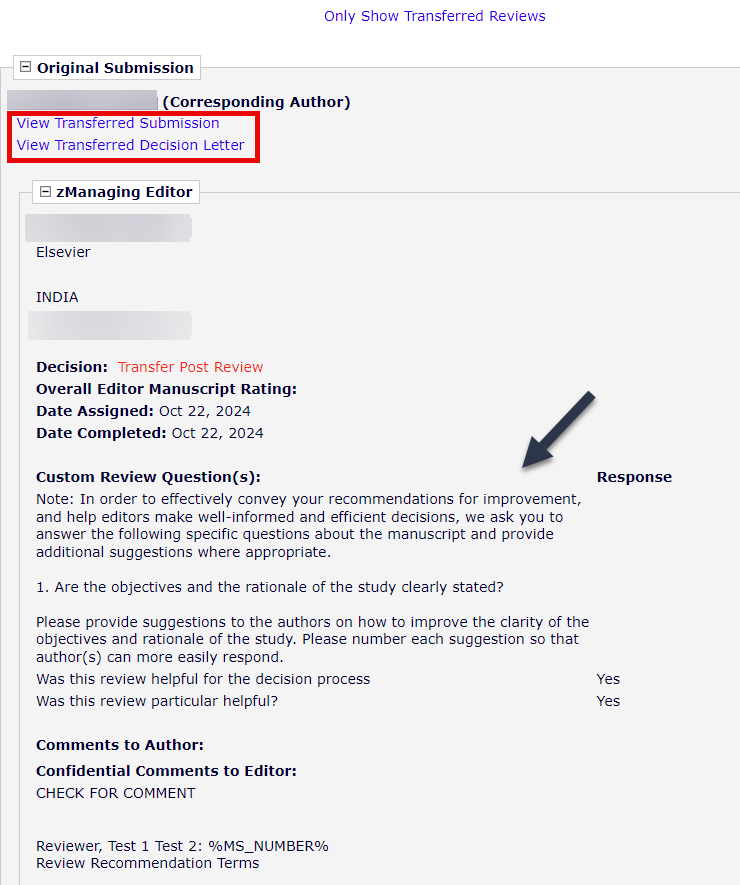
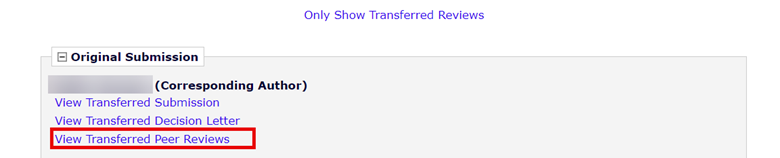
For submissions transferred from online peer review journals, a new link will be available in the same page called the 'View Transferred Peer Reviews'. Click on this link to view the reviewer comments.
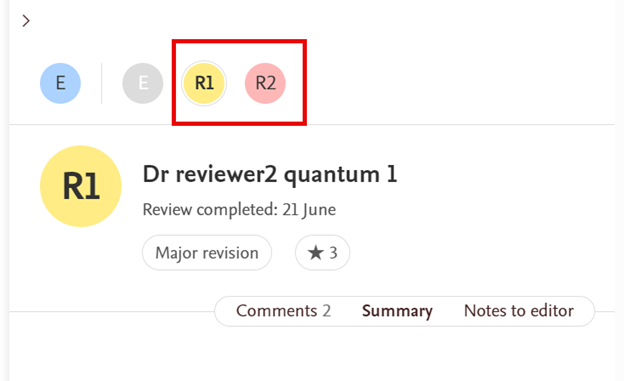
This will take you to the online peer review platform, and reviews will be displayed on the manuscript page in the sidebar as numbered circular icons corresponding to the number of reviewers invited in the journal from which the manuscript was transferred from.
Please see this FAQ on Elsevier’s Article Transfer Service.
Did we answer your question?
Related answers
Recently viewed answers
Functionality disabled due to your cookie preferences