
View by category
What do the color-coded Editor Signposts mean in Editorial Manager?
Last updated on June 02, 2025
In Editorial Manager (EM) , submissions are displayed for users in folders related to their current status and the type of action they require next. On the Editor Main Menu page, an Editor can see names of folders, followed by the number of submissions in that folder.
In EM it is possible to enable color-coded signposts to allow Editors to see at a glance which folder and submissions require attention most urgently. Time thresholds can be defined for each status to highlight submissions by priority. The color is displayed based on how many days the submission has been at the current status, compared to the thresholds defined for that status:
 Green: On Schedule
 Amber: Needs attention
 Red: Late
On the Editor Main Menu , the signpost for a folder may show multiple colors in the bar. The amount of each color represents the percentage of the submissions with that color inside the folder.
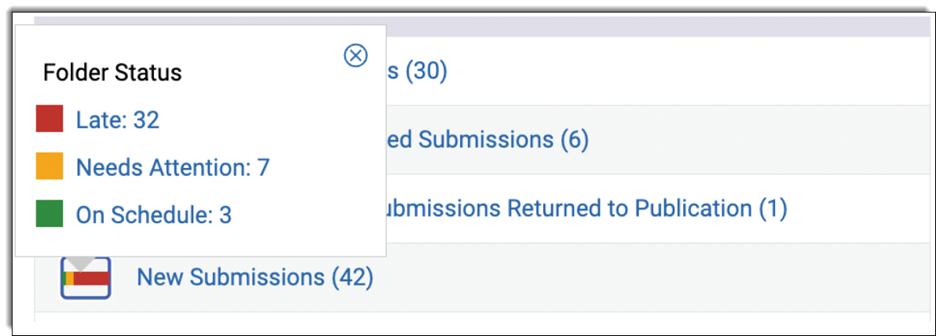
Within each folder , Editors can see which individual submissions require attention relative to the time thresholds.
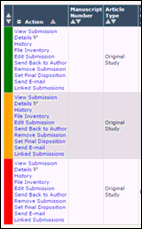
Contact your Journal Manager or Publisher if you have questions about the thresholds set for your journal.
The shades of green/amber/red used were selected to enable differentiation by viewers with the most common forms of color-blindness.
Did we answer your question?
Recently viewed answers
Functionality disabled due to your cookie preferences