
How do I add Contributors to my project?
Last updated on October 08, 2026
Editors, Authors, and Content Managers can add Contributors to chapters from the Team page in Elsa. Contributors can only be added by project members with the appropriate role.
If you are a Contributor and would like to add co-contributors, please contact your Editor or Elsevier Staff contact.
To confirm your role on the project, go to the Team page. Your role(s) are listed in the Role(s) column.
A Contributor added to a Chapter(s) will have permission to edit that Chapter(s), but they do not have permission to edit chapters they are not added as a Contributor on.
- Go to the "Team" tab
Switch to the "By chapter" view
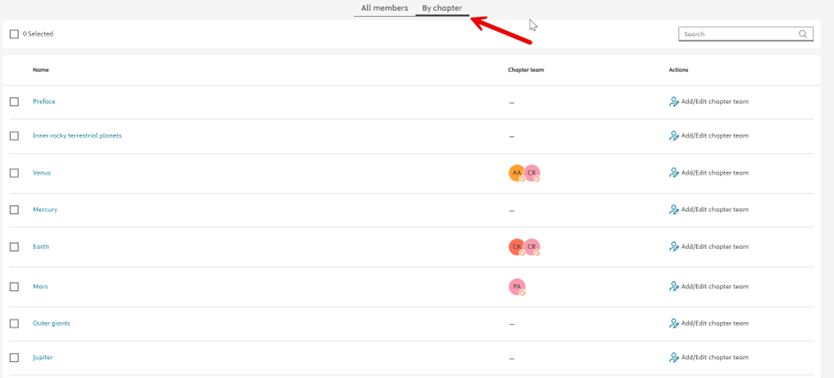
Click "Add/Edit chapter team" next to the chapter you want to update

Click "Add contributor(s)"
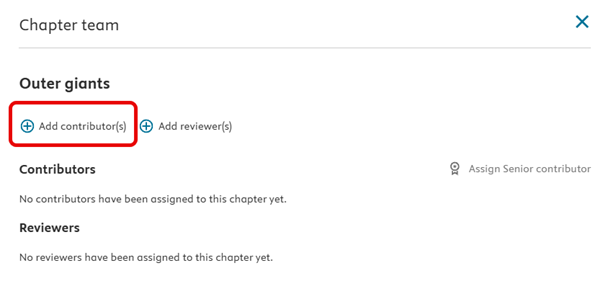
Search for the contributor using their email address.
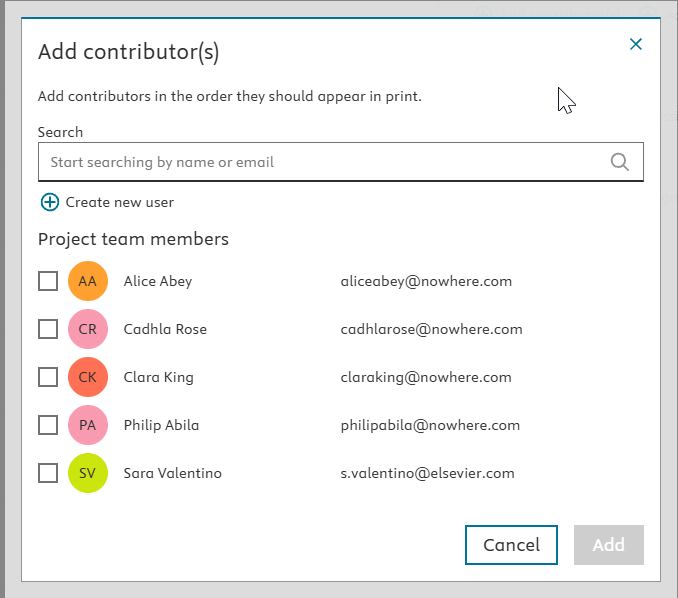
- If no results are found:
Click "Create New User".
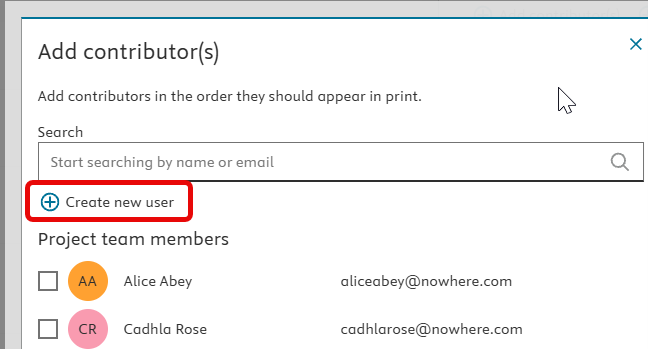
Enter the contributor’s first name, last name, and email address.
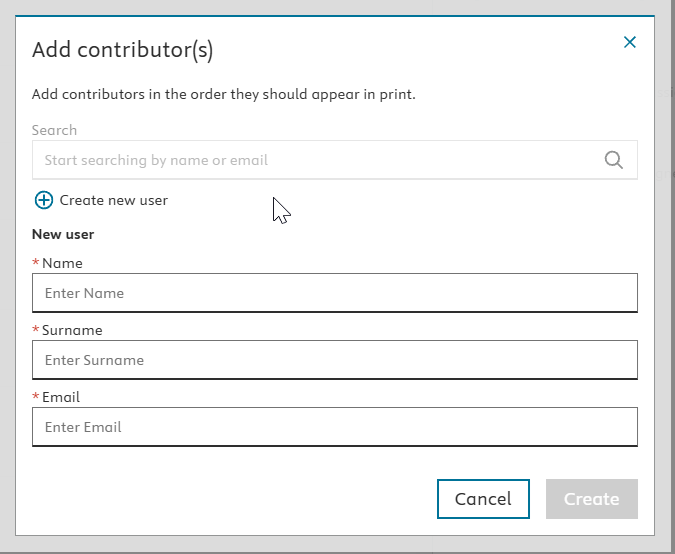
- Click "Create".
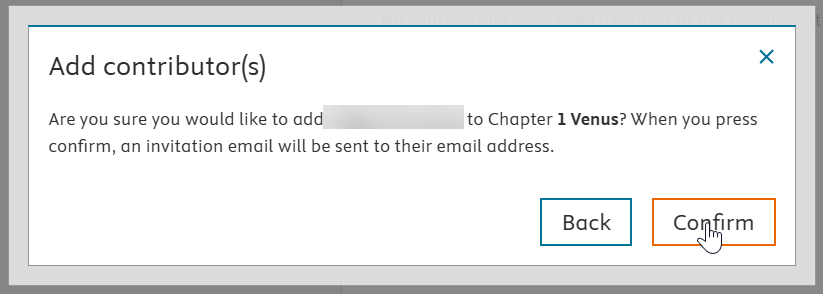
Once you confirm, the contributor is immediately added to the chapter and an invitation email is sent.
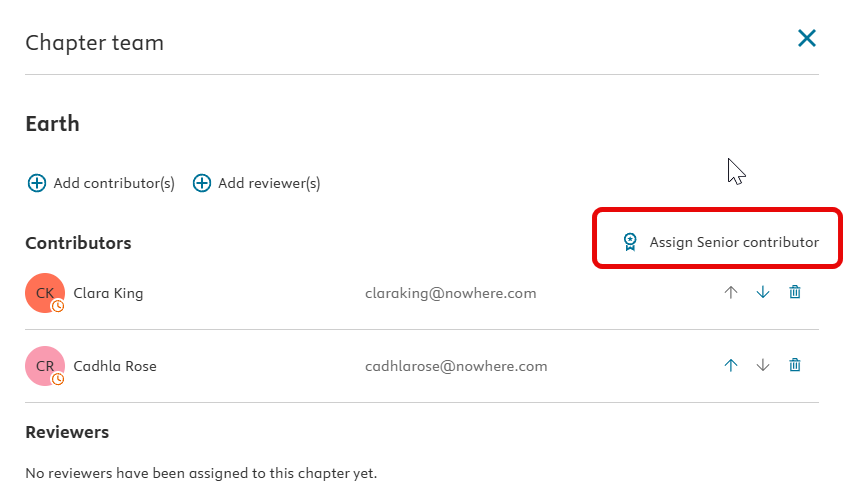
To assign a Contributor as a Senior Contributor:
Click "Assign Senior Contributor"
Select the relevant contributor and click "Assign".
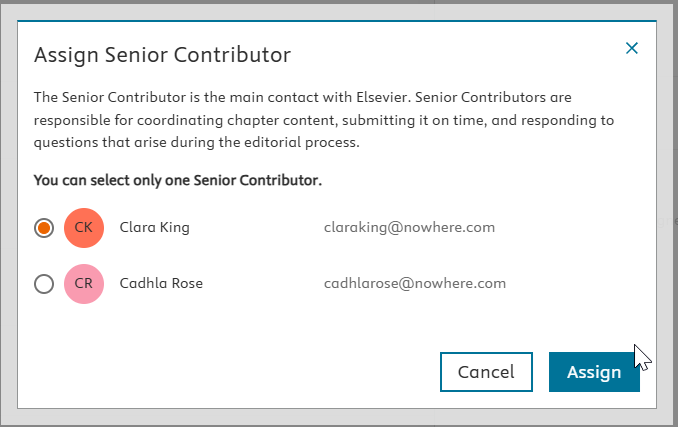
Senior Contributors are responsible for:
- Coordinating chapter content
- Submitting content on time
- Responding to editorial queries
Adding Contributors to multiple chapters
If the same contributor is working on multiple chapters:
Select all relevant chapters.

- Use Add Contributor(s) from the top of the page.
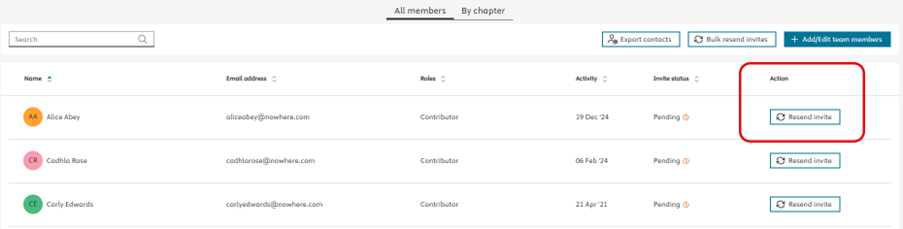
From the "All members" view in the Team tab, Editors/Authors and Elsevier Staff can:
Check invitation status (pending, accepted or declined)
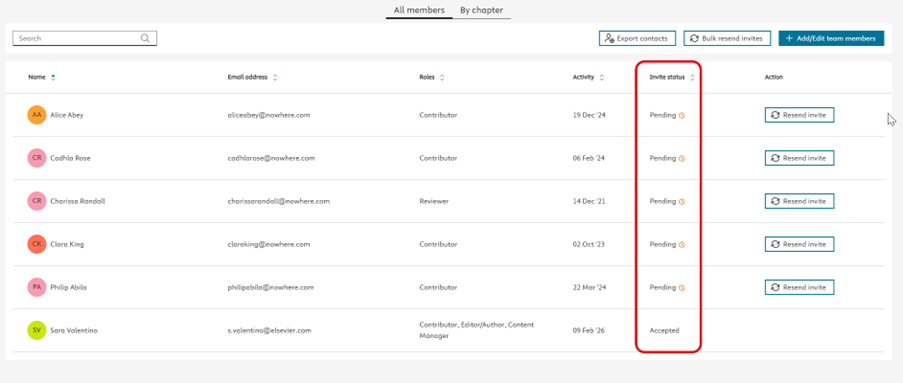
Resend an invite to an individual Contributor
Bulk resend invites to all Contributors with pending invitations

NOTE: When resending invites (either to individual users or in bulk), no confirmation message will appear. Don’t worry—the invites have been successfully resent.
Due to GDPR requirements, Elsevier Staff cannot edit a user’s name or email address. If you need to edit your name or email address, please do this directly in your ID+ profile.
Instructions for how to do this can be found here: How can I log in/create an account in Elsa?opens in new tab/window under the section "Changing Emails/Updating or Changing Password".
You can download a list of all project members (including Contributors) by clicking "Export Contacts".

The exported Excel file includes:
- Names
- Roles
- Email addresses
Did we answer your question?
Related answers
Recently viewed answers
Functionality disabled due to your cookie preferences