
As a contributor, how do I send and receive chapters in the workflow for review?
Last updated on June 12, 2025
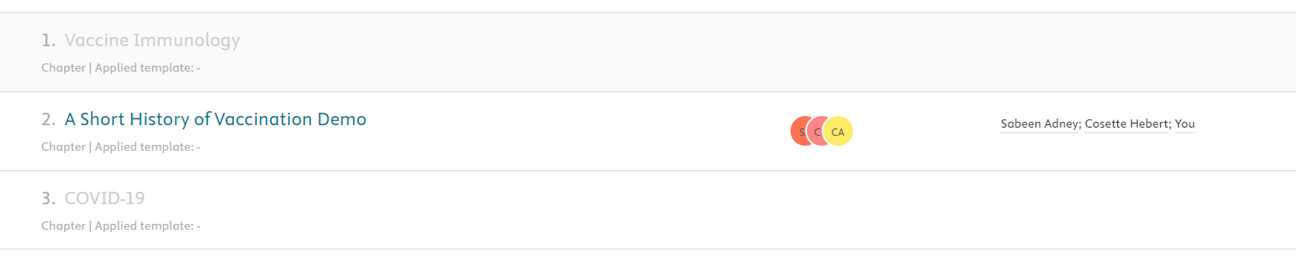
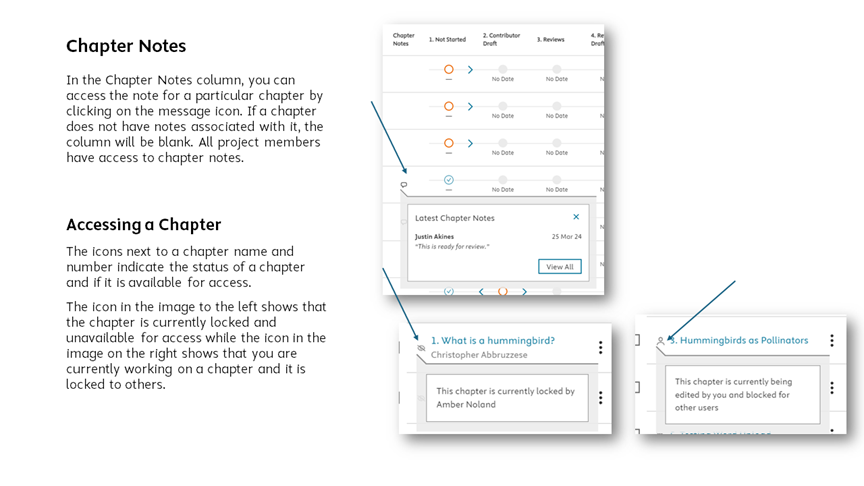
Contributors will have access only to chapters to which they are assigned (see below images for reference). These will appear on the project overview page as well as the Table of Contents. Only one contributor can work in a chapter at any given time. Chapters can be moved forward, backward, and skipped in the workflow.
You will be notified by email if a chapter is ready for you to work on.
Project Overview page:
To send a chapter via the project overview page:
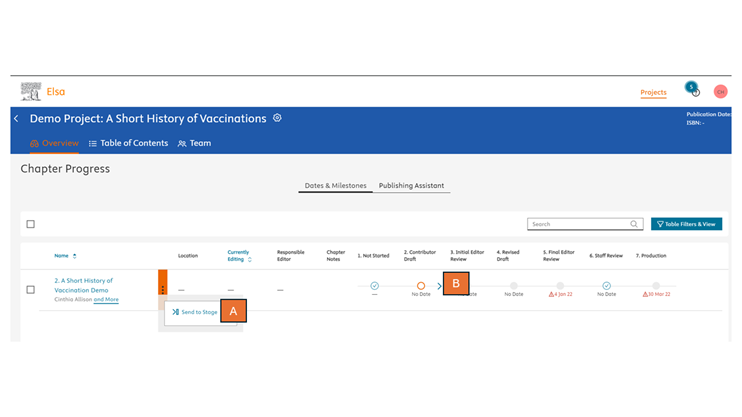
There are two areas on the Project Overview where a contributor can send a chapter in the workflow:
A= via the More Options ellipsis to choose from a full range of stages (see full list of workflow stages below)
B= via the blue arrow, which moves a chapter to the immediate next step in the workflow
Table of Contents:
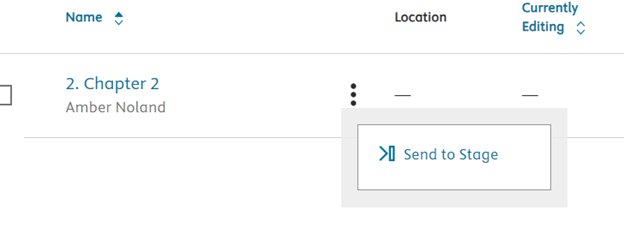
If you need to gain access to a chapter that is currently unavailable to you, you can try sending it to the same stage in the workflow with the “Send to Stage” option from the Project Overview page.
To do this, click on the More Options ellipsis icon, select “Send to Stage” and select the current stage of the chapter in the workflow from the dropdown menu.
Note: you should only complete this step if you have confirmed that no one else is actively working. This action should not result in content loss but private changes may be made public.
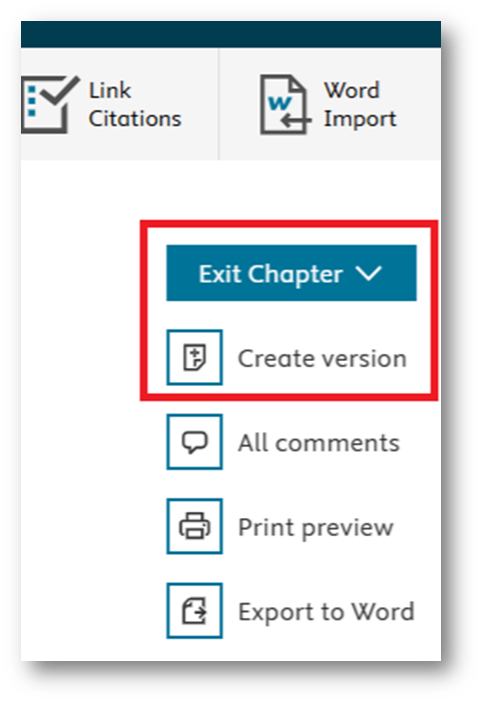
If you have worked in a chapter and are ready to share it with your co-contributors. You can do this in one of two ways: either select "Exit Chapter"> "Exit and Unlock Chapter" or select "Create Version" to create a read-only version of the chapter and move from "Edit to View" mode.
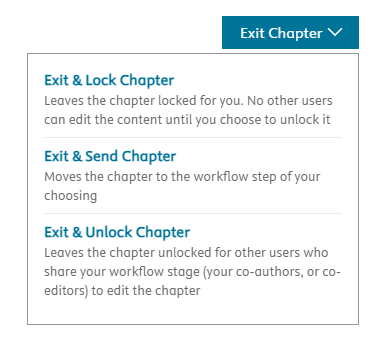
Once you and any of your co-contributors have finished working in a chapter and are ready for it be reviewed by the project editor (not an Elsevier staff member) or an external reviewer, you can send the chapter directly from the Write space or from the Project Overview page.
To send via the Write Space, click on the Exit chapter icon to the right of the screen and select "Exit & Send Chapter" from the dropdown menu, then select the desired stage:
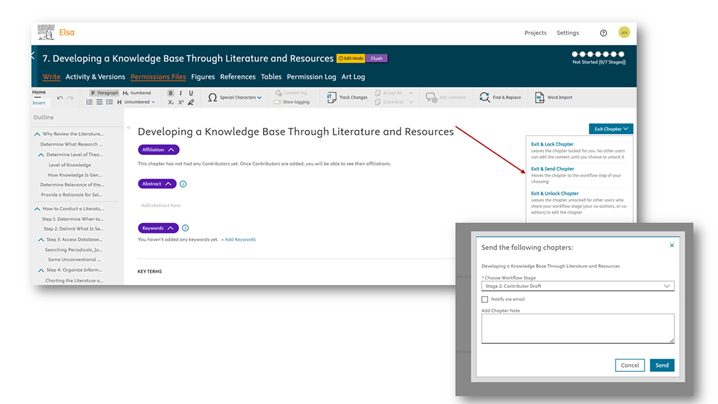
Note that if you send a chapter to Staff Review, it must be sent by an Elsevier staff member in order to return it.
- Sending a chapter to a reviewer via Review stage:
Sending to this stage places it in a bucket for all reviewers to access. If you need to send the chapter to a specific reviewer, we recommend including a note for the specific person in the Comment field when sending the chapter to the Reviews stage. Alternatively, you can send an email from inside Elsa to the person (reviewer 1; reviewer 2) who should pick up the chapter for review.
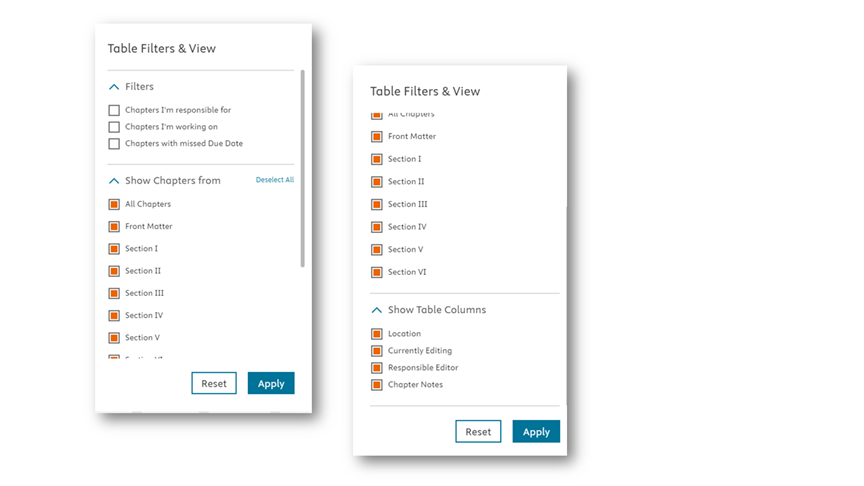
From the project overview page, you can select the Table Filters and View button to filter by missed due date, chapter responsibility, or chapter section. Additionally, you can add or remove columns if you would like to see more or less information under the Show Table Columns section.
Your project team may assign a responsible editor to serve as the main point of contact for that chapter however, all editors will be notified if you send a chapter to Initial Editor or Final Editor Review.
What are the workflow stages?
Workflows can be customized by an Elsevier staff member depending on the best set-up for your project so the below stages may appear in a different sequence or have added or fewer steps. Workflow stage names can also be customized and may vary according to project. We recommend looking at the top banner of the Dates and Milestones section of the project overview page to confirm the workflow for your project.
Edited Title Workflow
- Not Started/Ready: This stage indicates a chapter is not currently in a workflow stage. Once a chapter has been moved out of this stage of the workflow, it is generally not recommended to send it back here as this removes all associated due dates and can indicate that no one has started working in the chapter.
- Contributor Draft: Contributors submit a draft of their chapter for submission, then send to Initial Editor Review.
- Initial Editor Review:: Editor reviews the chapter and provides feedback for the Contributor, then sends to Revised Draft.
- Review: an external reviewer or another project member other than an Editor or Elsevier staff member provides a review of the chapter. Can be blind or non-blind.
- Revised Draft: Contributor corrects any feedback from Editor and finalizes chapter, then sends to Final Editor Review.
- Final Editor Review: Editor reviews the revised chapter (sending it back for additional edits if necessary) and confirms that it is complete, sending it to Staff Review.
- Staff Review: An Elsevier staff member reviews the chapter, sending back to the Author if changes are necessary. Once finalized, Elsevier staff send the chapter on to Production.
- Production: Production are where post-authoring and editing steps – like copyediting and indexing – take place before the book is transmitted for publication.
Monograph Title Workflow
- Not Started/Ready: This stage indicates a chapter is not currently in a workflow stage. Once a chapter has been moved out of this stage of the workflow, it is generally not recommended to send it back here as this removes all associated due dates and can indicate that no one has started working in the chapter.
- Draft: Author submits a draft of their chapter then sends to Staff Review.
- Staff Review: An Elsevier staff member reviews the chapter, sending back to the Author if changes are necessary. Once finalized, Elsevier staff send the chapter on to Production.
- Production: Production are where post-authoring and editing steps – like copyediting and indexing – take place before the book is transmitted for publication.
Did we answer your question?
Related answers
Recently viewed answers
Functionality disabled due to your cookie preferences