
I purchased a license, but I still don't have access to the paid features
Last updated on July 15, 2026
Also available in
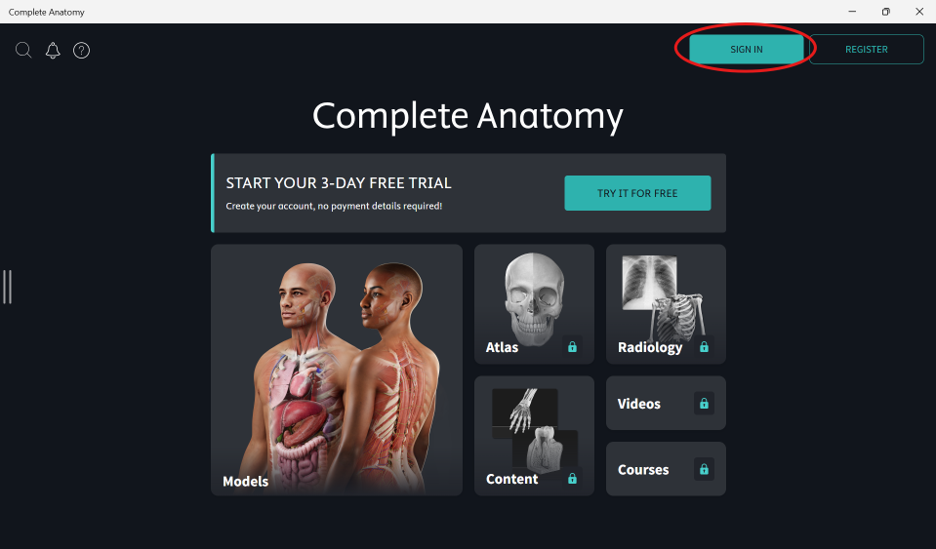
Please make sure you’re logged in to the app to access your license. You can log in with the SIGN IN button in the top-right of the screen:
If you are logged in, but still don’t see your license, you may be logged in with the incorrect account. Your license is attached to the email address you used when you originally purchased the license.
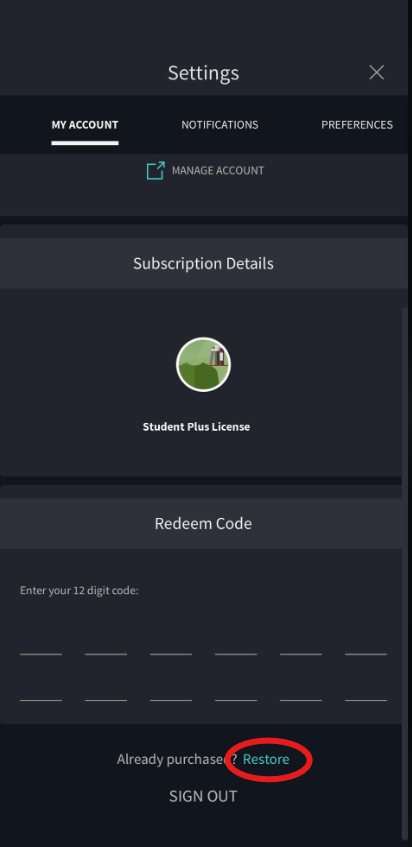
You can also try restoring your purchase by going to Settings > My Account > Restore Purchase. This will help recover any licenses associated with your account.
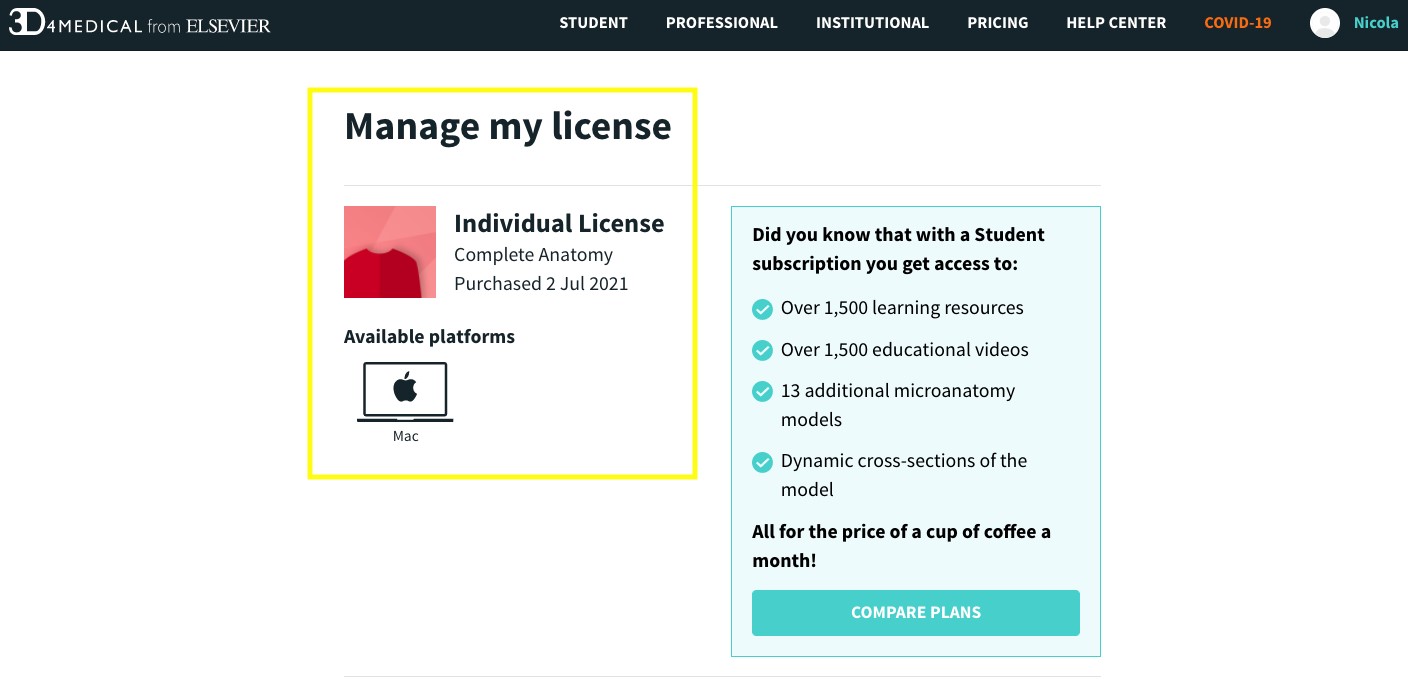
Please note, if you have purchased an Individual license, this is a Single Platform license for one platform only. Please be sure you’re logging in on the correct platform. If you’re unsure which platform you purchased your Individual license for, you can clarify by logging into My Accountopens in new tab/window and the platform will be specified under Manage my License:
If you’re still having trouble accessing your license, please contact our team directly by using one of the contact options below.
Did we answer your question?
Related answers
Recently viewed answers
Functionality disabled due to your cookie preferences