
Release notes for December 2021
Last updated on March 09, 2026
Improved Retrosynthesis functions and easier access to relevant substance data
Guided by our customer’s feedback, we are continuously improving our recently launched Retrosynthesis feature with new functionalities and visualization options. We strive to deliver an intuitive interface allowing you to quickly decide which route to take to the lab.
In addition, we are investing in providing easier ways to access relevant substance information in Reaxys, such as substance safety data sheets and identification by CAS registry numbers.
What is included as part of this release?
Improved Retrosynthesis
Ability to delete steps, routes and multiple projects:
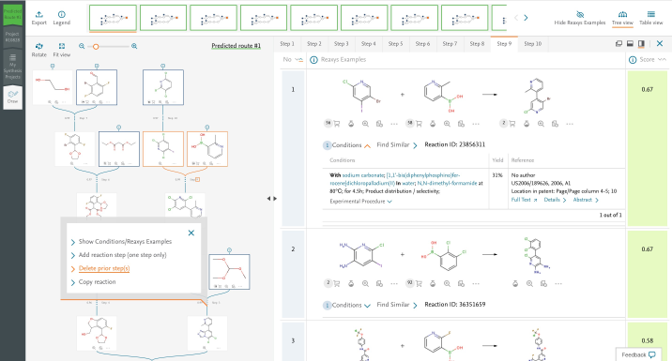
Our last release enabled you to add reaction steps to synthesis routes. Now you can delete single reaction steps or branches of published or predicted retrosynthesis routes, to create fully customized routes, tailored to your project needs.
- Deleting single step or a branch in the synthesis route can be done by clicking on the “context menu icon” (A) and selecting “Delete prior step(s)” (B)
- Deleting single or multiple routes for a given target molecule can be done in the project page by selecting the routes for deletion and clicking on “Delete” icon
Delete multiple projects thus storing only preferred projects under your profile. This will help with better project management under the user profile by helping users to remove unwanted projects
- Deleting single or multiple projects can be done by selecting the projects for deletion and clicking on “Delete” icon
Ability to export customized routes:
You can now export customized routes in multiple formats thus helping you to share your customized synthesis route with co-workers.
Fit tree views and resize examples/conditions panel:
If you have zoomed into a reaction tree for details on a given step, the new “Fit” button (C) allows you to quickly center the synthesis route in the display, providing full route visibility.
In addition, you can now extend the reactions and conditions panel further (up to 70% of screen size) for better viewing of reaction, conditions and experimental procedure examples. This can be done by clicking on the new icon (D) and dragging the panel.
Display of number of suppliers next to the shopping cart:
The number of suppliers for a given commercial substance will be shown as a prefix next to the shopping cart icon (E). Users can now quickly assess if a commercially available substance is provided by multiple suppliers or a select few. This provides valuable insights to:
- Support make/purchase decisions.
- Select synthesis routes with starting materials available from multiple suppliers, as this would indicate better availability
What’s next:
- Further development to enable users to define ‘bonds to be broken’ and ‘bonds to be protected’ in the target molecule when starting the retrosynthesis search.
- Predictive retrosynthesis model update with the latest Reaxys reactions dataset.
Improved access to relevant substance data
Safety data sheet filter when using Reaxys Commercial substances
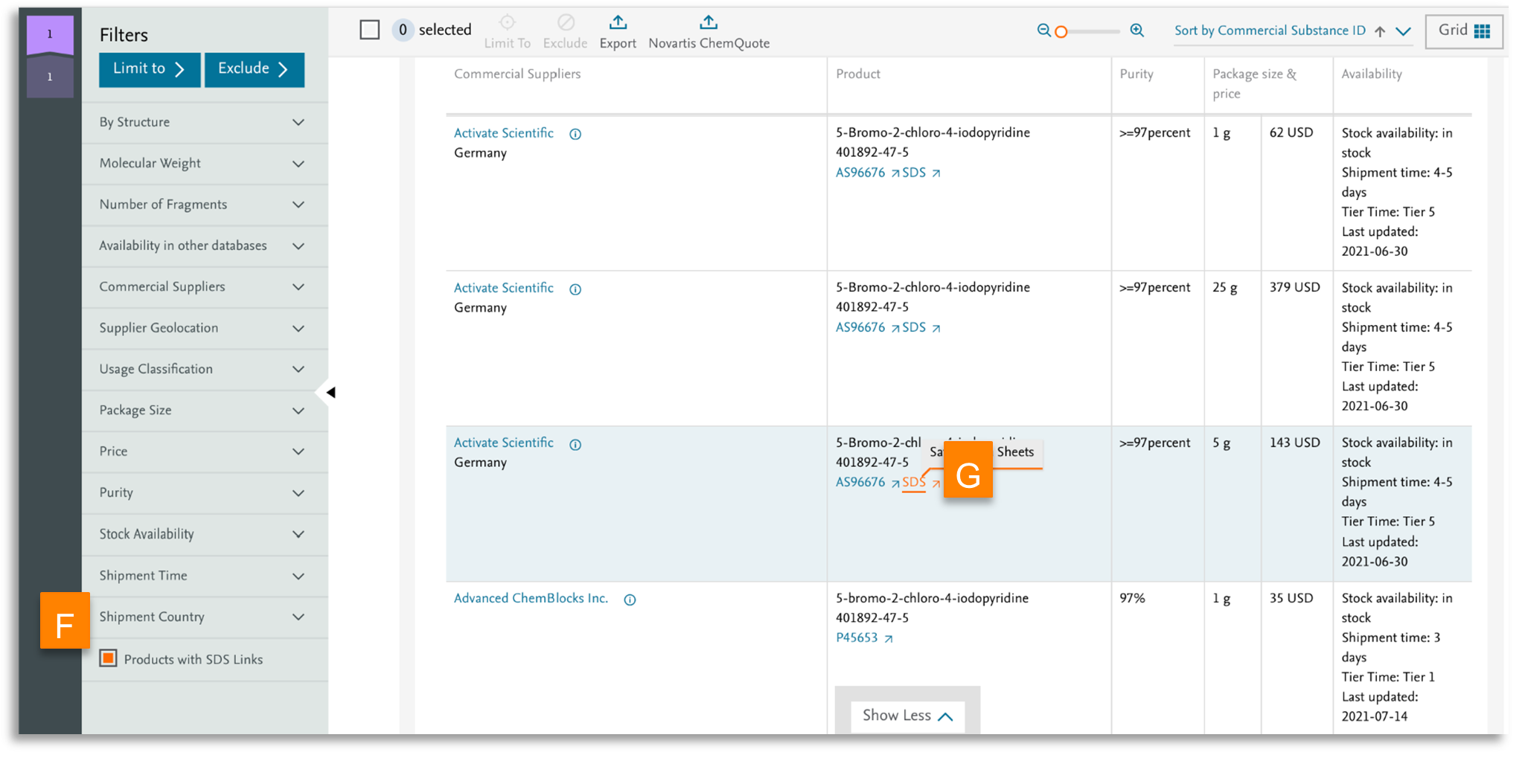
Access to safety data sheets (SDS) is an integral part of synthesis planning and preparation. When searching for commercial supplier information, you can now refine your results to those products which contain safety information. Use the new ‘Products with SDS Links’ filter (F) to narrow your search, and quickly access the links to the safety sheets for desired substances (G).
Substance CAS Registry numbers
Substances are identifiable in many different ways: Reaxys ID, INCHI, Smiles, chemical name etc. CAS registry number (RN) is a popular identifier and an area where we saw an opportunity to enhance their availability within Reaxys. While Reaxys contains many CAS RN’s, obtained mainly through a former collaboration with CAS (CAS/Elsevier mutual information exchange) many Reaxys structures do not contain a CAS RN. With the latest release we now offer a new feature that will enable you to retrieve CAS RN’s for Reaxys substances that didn’t have them before.
Request a CAS RN on a substance results page:
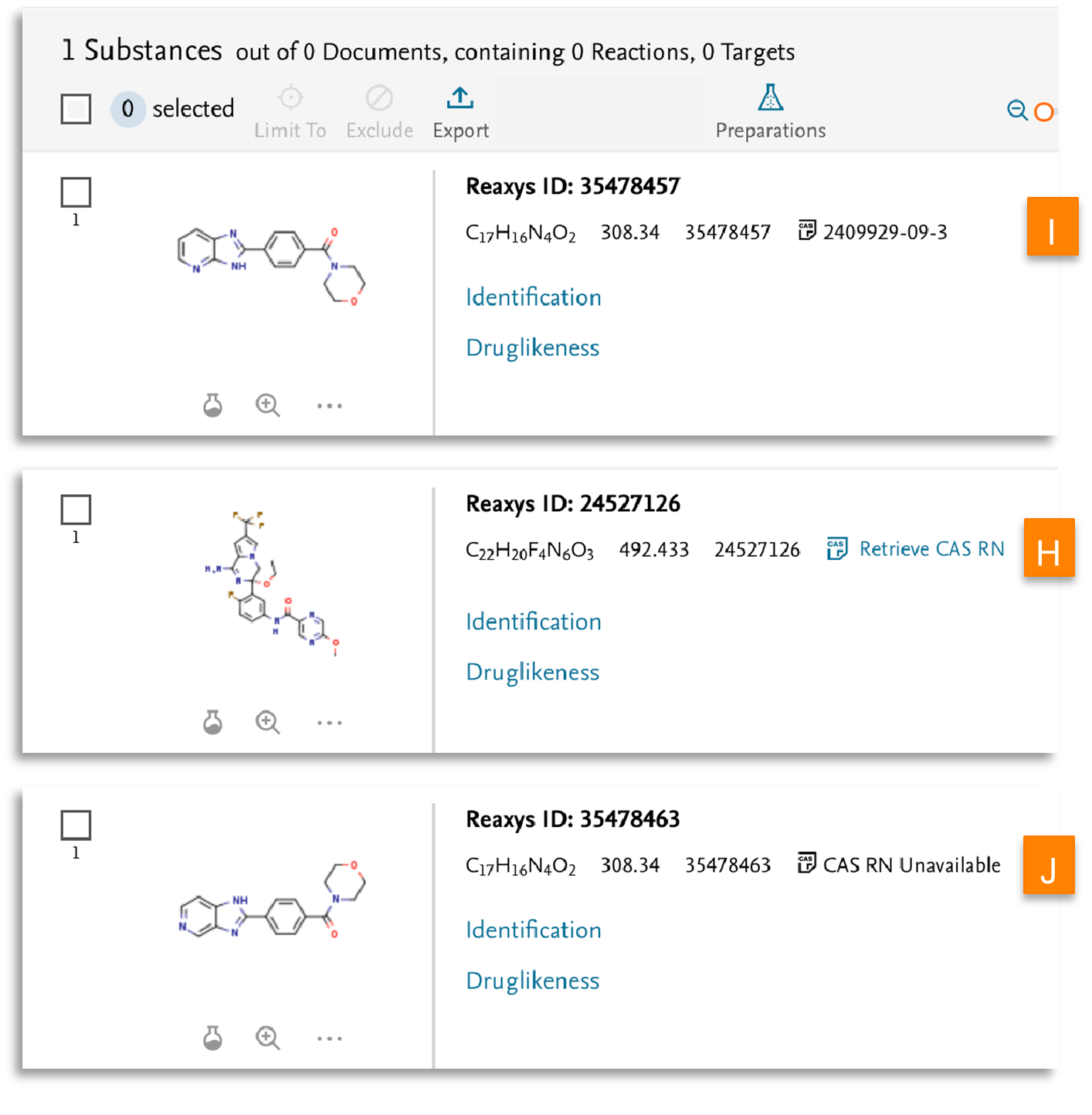
Substances for which we do not have CAS RN, now show a button ‘Retrieve CAS RN’ (H) which allows you to request a CAS RN.
- For substances where a CAS RN exists, the number is displayed alongside the ‘CAS’ icon (I)
- If a CAS RN does not exist for the substance or is not retrievable, then the message ‘CAS RN Unavailable’ will be shown (J)
Request a CAS RN using the view details icon:
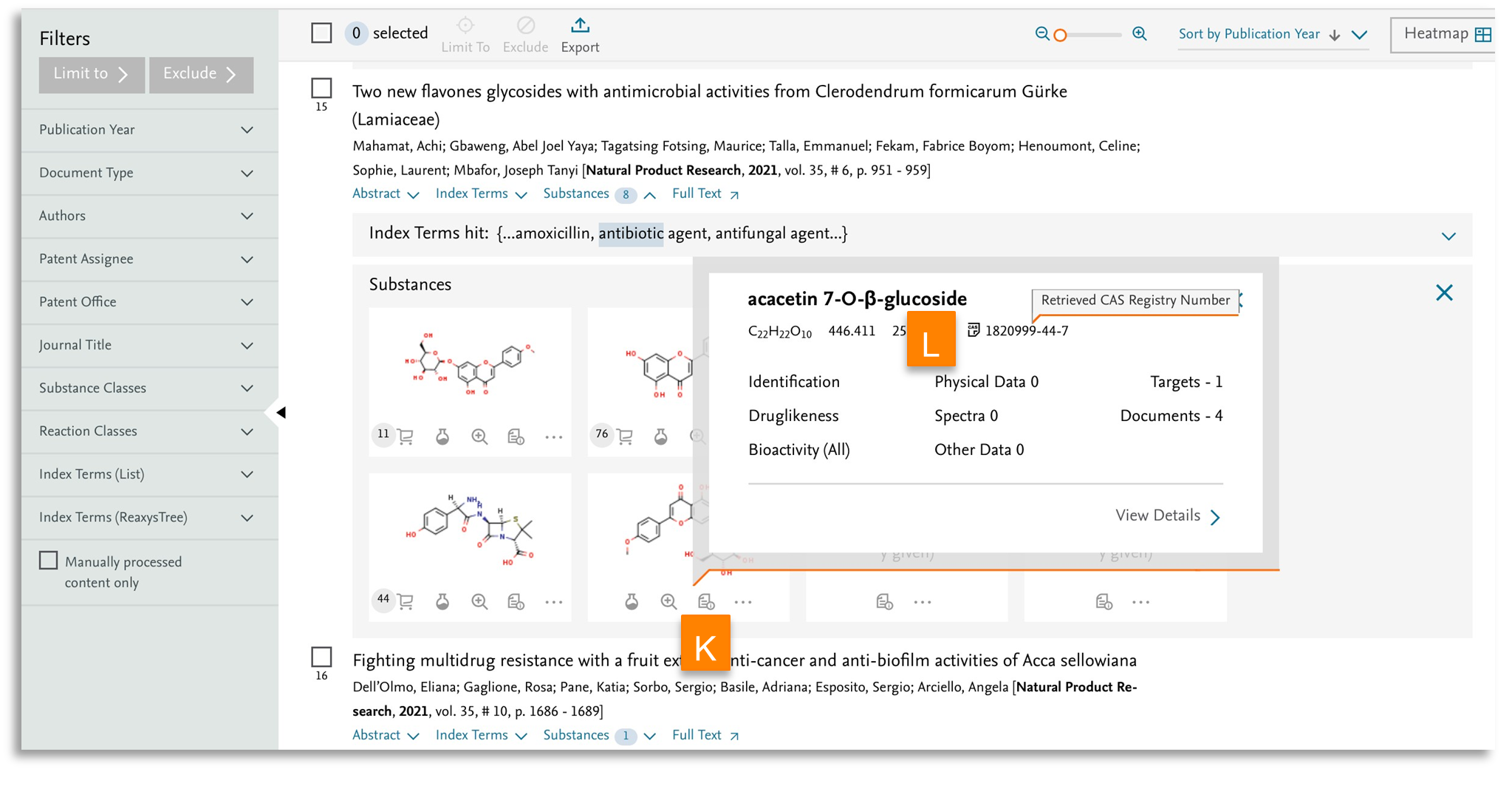
You can request a CAS RN using the view details icon (summary view of information available for a substance) available throughout Reaxys for example in a reaction, preview or document results, providing access to the identifier seamlessly as you move around different types of information within Reaxys
- Select ‘view details’ (K) icon will provide an overview of all available substance data including their identifiers:
- A CAS RN is shown directly if available (L)
- If a CAS RN is not available, then the message ‘CAS RN Unavailable’ will show
Additional details:
- CAS RN displayed without the CAS icon are retrieved directly from within Reaxys. These are available to you at all times and do not need to be requested with a button.
- Substances which do not have a CAS RN (CAS icon) will show a button to request the CAS RN.
- All requested CAS RN are temporary and are only available for the length of an active session. After which they are removed from Reaxys
- Temporary CAS RN cannot be exported. There are no changes to export of existing CAS RN already available in Reaxys
- The new ‘Retrieve CAS RN’ button is currently available for both Reaxys database and Pubchem (RCS to follow).
What’s next:
- Retrieve CAS RN button for Reaxys Commercial Substances database
- CAS RN retrieval feature via quick search and query builder
Did we answer your question?
Related answers
Recently viewed answers
Functionality disabled due to your cookie preferences