
How to handle multiple Editorial Manager registrations found in a journal?
Last updated on October 06, 2026
Watch this short video opens in new tab/windowto see how to handle multiple Editorial Manager registrations.
If you are using the Elsevier single sign-on to log in to Editorial Manager (EM), and you have two duplicate accounts registered within the EM site for a journal, with the same e-mail addresses listed in your Elsevier account, you are notified that multiple EM registrations have been found for this journal and are prompted to merge or disclaim the registrations, or contact Support.
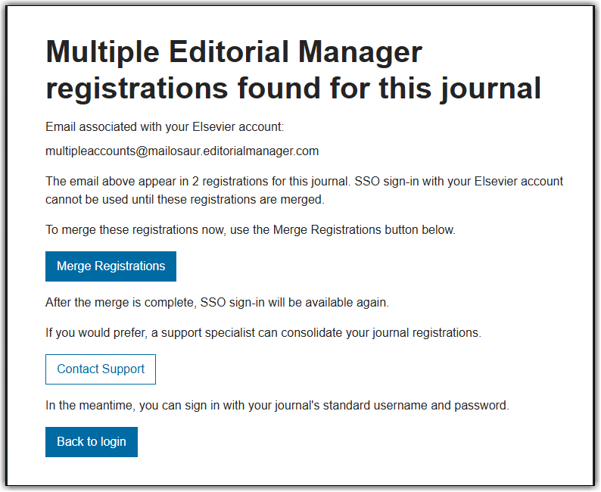
Please find further information hereopens in new tab/window regarding multiple registered profiles in EM.
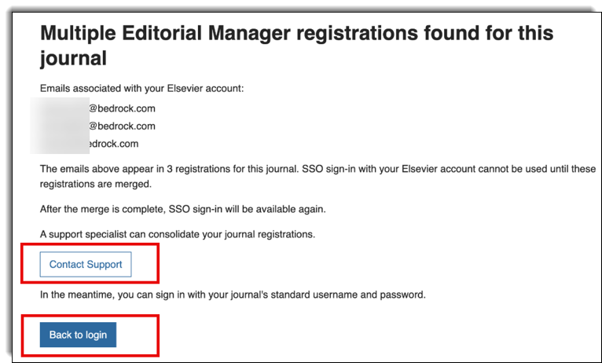
If you have more than two duplicate registrations in the EM journal with the same email addresses, it is not possible to complete the merge process yourself. Instead, please contact the Support team for assistance via the Contact Support button presented. In the meantime, you can return to the main sign-in page and use your regular username and password to access your account.
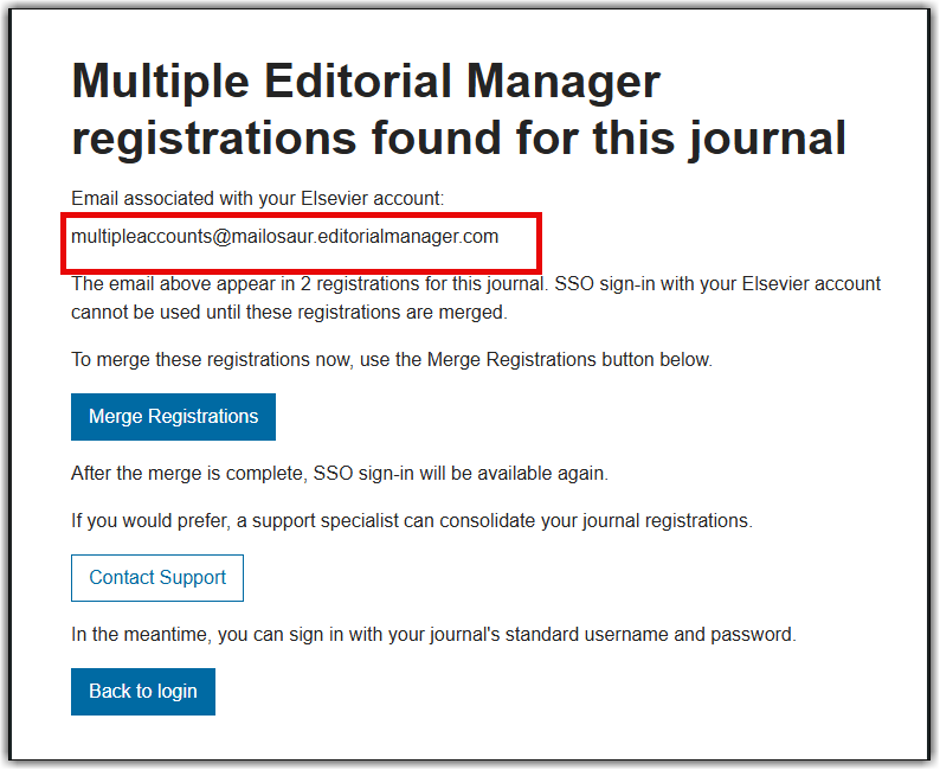
When two duplicate registrations are identified within the journal, the email addresses associated with the two registrations are listed on the screen.
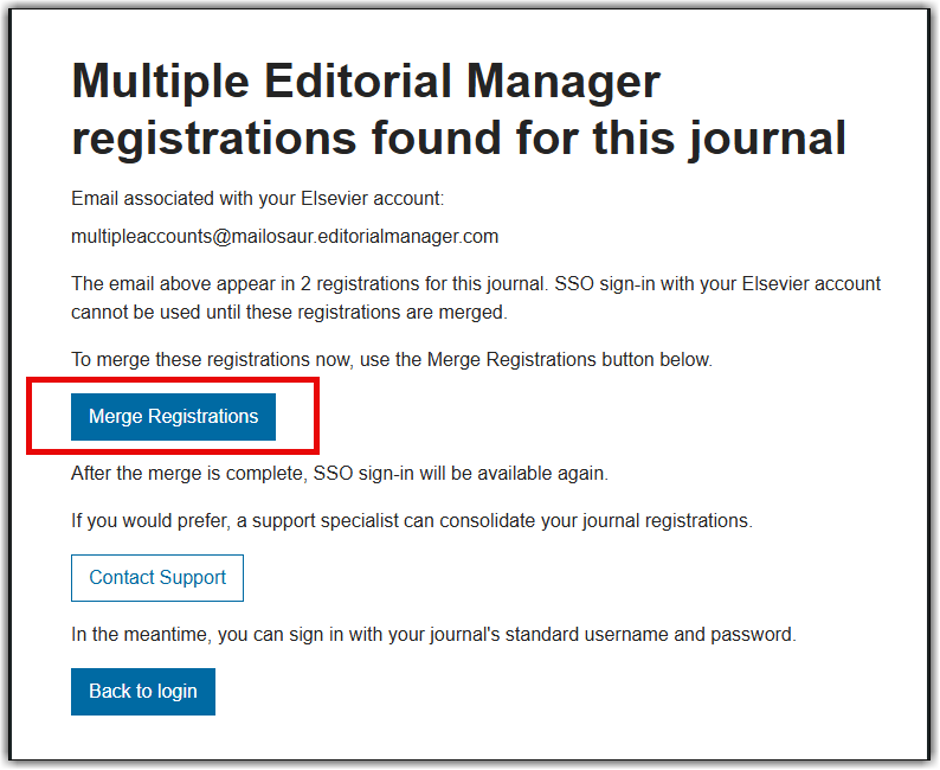
- You are prompted to merge your multiple registrations into one main account. To start, select Merge Registrations.
- On the next screen, you can see the details for both registrations and are asked to verify the data presented. Take a moment to review each one, then choose which profile you would like to keep as your primary registration. This is the registration with the most accurate data associated with you and that most closely matches your details.
- Select the option Keep these contact details & merge journal activity on the profile which most closely matches your account. The journal activity from the other registration is consolidated to your main account. Nothing in your journal activity is lost.
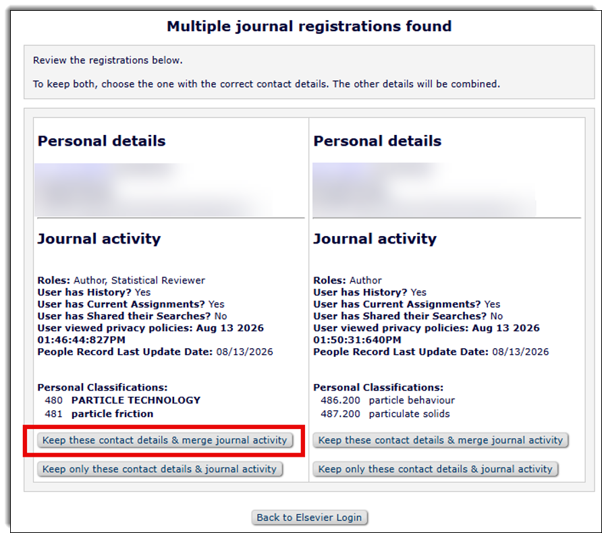
NOTE: the personal information from the profile you choose is kept as the primary information.
- A confirmation window appears. To proceed, click OK. To return to the previous step, click Cancel.
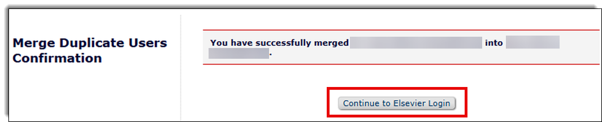
- After clicking OK, a confirmation window lets you know that your registrations are merged successfully. Select Continue to Elsevier Login to finish and login.

The benefits of merging include:
- All invitations and correspondence from that journal are sent to your preferred email address.
- One username and password for you to recall.
- All history in the journal is combined in one account.
NOTE: It is not possible to reverse a merge once completed. If you completed a merge in error, please reach out to the Support teams for assistance.
Once the registrations are merged, you can also login and check or update any information in your profile. For more information, please visit How do I change my personal information in Editorial Manager?opens in new tab/window
Alternatively, from the Multiple journal registrations found page, select Back to Elsevier Login to return to the login screen and log in with your EM username and password. From there, you can also contact the Support team, who are happy to assist with merging your registrations.
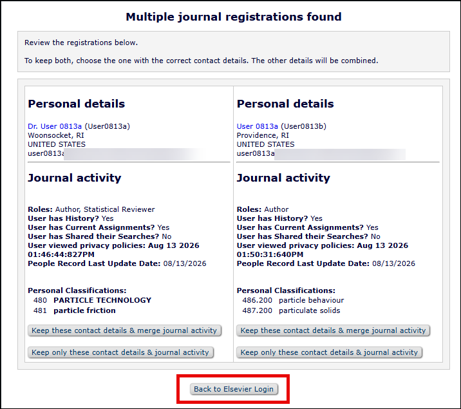
When presented with the Multiple journal registrations found screen, there is a second option to disclaim a registration, if you do not believe the details presented belong to you.
NOTE: This should only be used if you do not recognise any details from one of the accounts presented (e.g. name, email address, journal activity).
- In cases where a registration is presented which is an old email address that used to belong to you, but is no longer active, please follow the steps listed in “Merging duplicate registrations” to merge your registrations.
- You can then update your profile to remove any redundant email addresses. For more information and instructions on how to update your personal information, see How do I change my personal information in Editorial Manager?opens in new tab/window
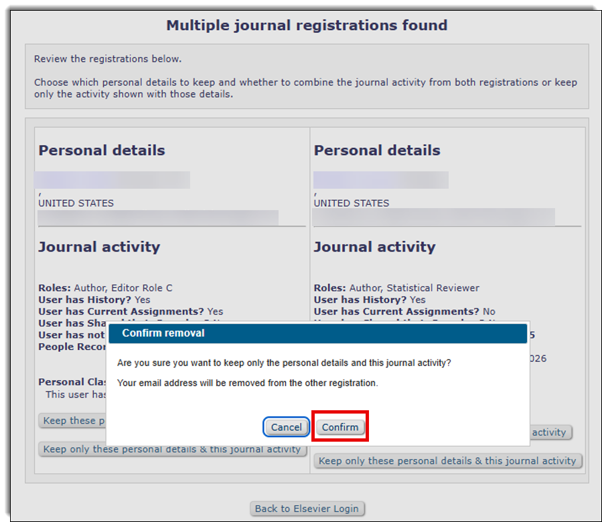
To disclaim a journal registration, select the option Keep only these contact details & journal activity on the account which you wish to retain.
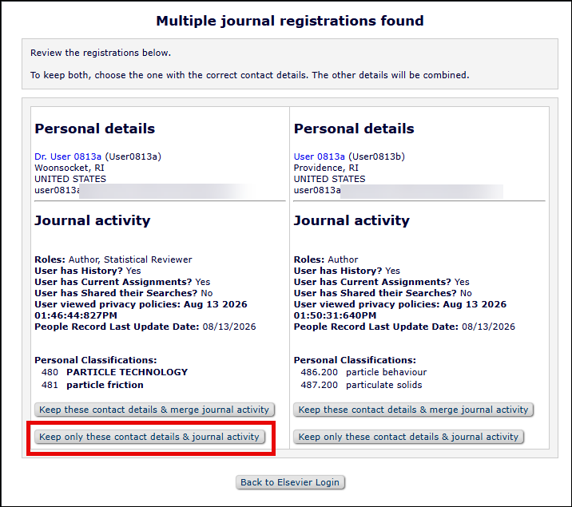
- This option should only be selected when you believe this registration does not belong to you. No merge action is completed, and the other registration which you did not choose is no longer in use.
NOTE: If you disclaim a journal registration in error, it is not possible to reverse this step. Please reach out to the Support teams who can assist you further with accessing your account.
- If you are unsure of which option to select, click Back to Elsevier login to log in with your EM username and password, or contact the Support team for assistance.
- Once you select the option Keep only these contact details & journal activity, select Confirm in the pop-up screen. You are then logged directly into the registration you have chosen to keep.
Did we answer your question?
Recently viewed answers
Functionality disabled due to your cookie preferences