
How do I use the Publishing Assistant?
Last updated on July 30, 2026
Users can easily keep track of what needs to be completed in their chapters with the Publishing Assistant.
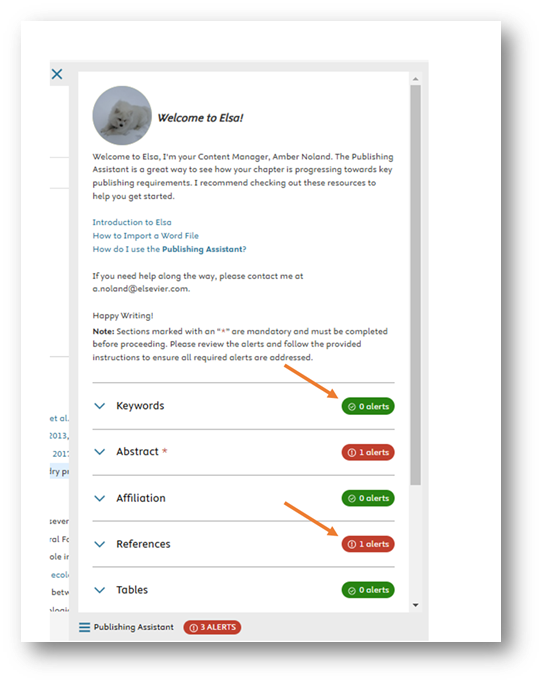
Located in the Write space, the Publishing Assistant provides alerts for some actions that have yet to be completed – like missing figure captions, permissions, and references. By resolving these items at the time of writing, you can minimize questions that may arise later in the production process.
Below are the items you may find listed in the Publishing Assistant:
- Keywords (must be enabled by Elsevier Staff in the project settings to appear on the Publishing Assistant; when enabled, this item requires a minimum of 5 keywords and is compulsory to send in the Elsa workflow)
- Abstract (must be enabled by Elsevier Staff in the project settings to appear on the Publishing Assistant; when enabled, this item requires a minimum of 150 words and is compulsory to send in the Elsa workflow)
- Affiliation: only contributors appear in the affiliation section, editor/author names can be added to a chapter during production. Author ordering can be changed on the Table of Contents page.
- References: Elsa will flag if there is a low count of in-text citations
- Allotments
- Tables
- Figures
- Callouts
- Permissions
- AI Disclosure
- Questionnaires (must be enabled by Elsevier Staff in the project settings to appear on the Publishing Assistant)
The Publishing Assistant can be customized to best reflect the needs of your project so some or all of these items may appear in your project.
To access the Publishing Assistant, go to your chapter and click on ‘Publishing Assistant’ at the bottom of the screen. Note that you can access the Publishing Assistant when the chapter is in View or Edit mode.
At the bottom of the page you can also see how many alerts you have in the Publishing Assistant.
- To clear the Publishing Assistant pane away, click on the 'x' at the top right of the Publishing Assistant pane.
If an item requires your attention, a pill with an alert will display to notify you that further action is needed. If an item displays as “0 results,” then this item has been resolved.
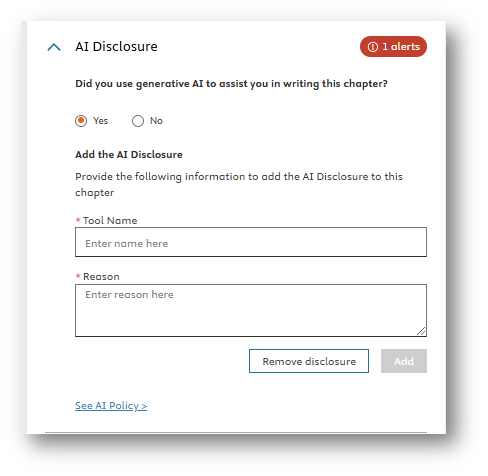
On the Publishing Assistant, you will may find a tab labeled AI Disclosure. Here you should indicate if you used assistance from generative AI in writing the chapter.
Selecting "Yes" prompts a window field where use of AI can be described in greater detail. Although not compulsory for moving of a chapter in the workflow, it will be flagged on the Publishing Assistant for your Content Manager that this step has not been completed. More information about Elsevier’s AI Policy can be found hereopens in new tab/window.
IMPORTANT: Authors preparing a manuscript for Elsevier can use AI Tools to support them. These tools must never be used as a substitute for human critical thinking, expertise and evaluation. AI Tools should always be applied with human oversight and control. Ultimately, authors are responsible and accountable for the contents of their work. Please read the policy for book and commissioned content authorsopens in new tab/window to understand the requirements for the responsible use of AI Tools. Please note that use of AI Tools in the creation or alternation of figures, images, and artwork is *only* permitted in some exceptional circumstances.
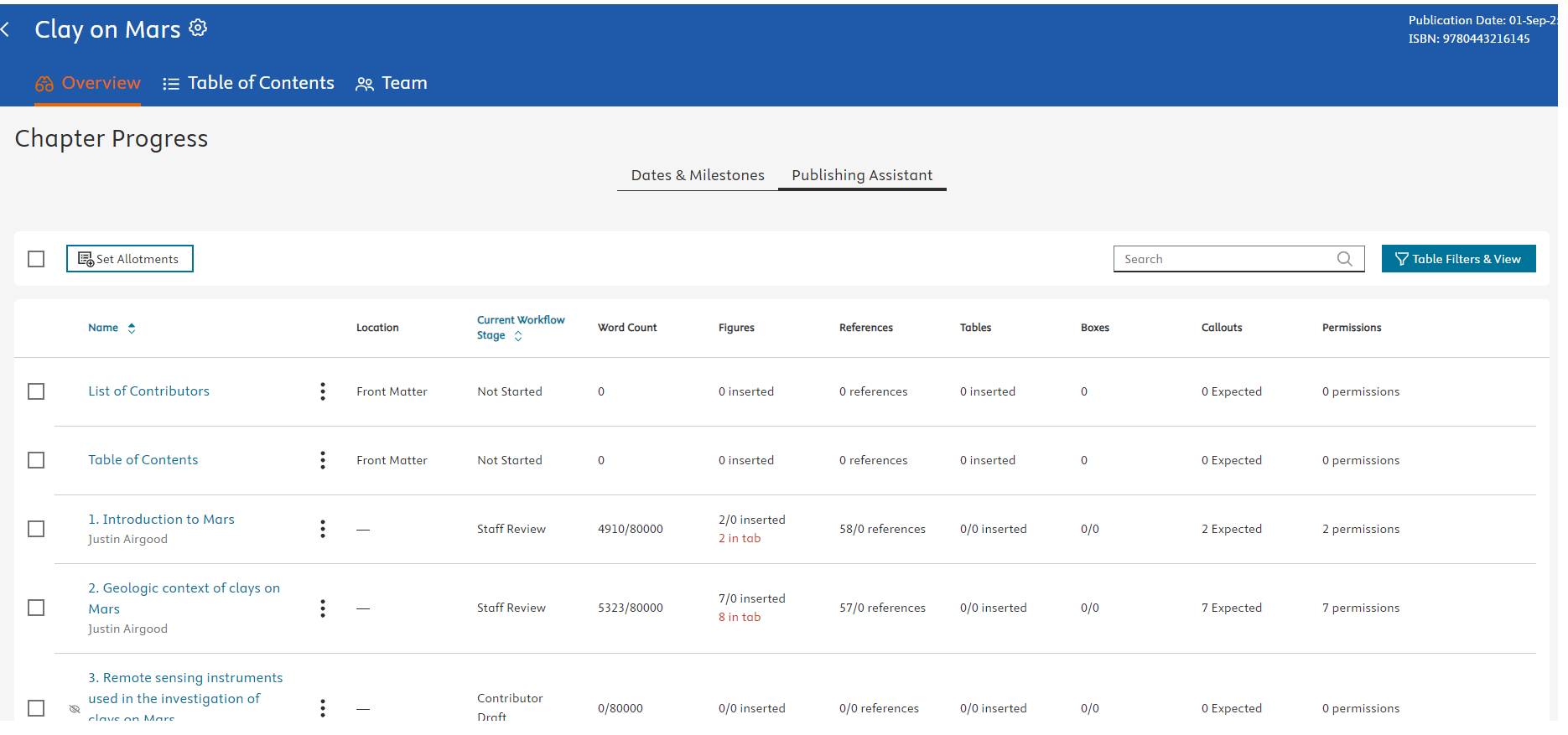
In addition to the Publishing Assistant pane in the document editor, the Publishing Assistant tab on the Chapter Progress page gives a high-level overview of any outstanding issues in each chapter.
To access the Publishing Assistant tab in your project, go to 'Overview' and then 'Publishing Assistant'.
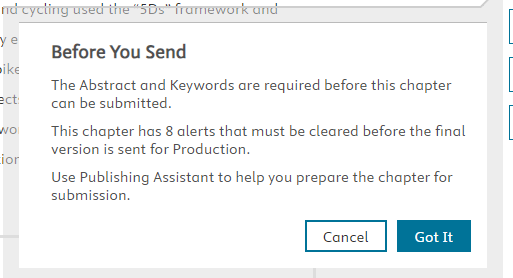
On many Elsa projects, there are Abstracts and Keywords (minimum 5 keywords) are compulsory elements on the Publishing Assistant and chapters cannot be sent in the workflow without entering these elements in the designated sections at the top of the Write Space.
If these items are not entered, an alert will display when sending the chapter:
Did we answer your question?
Related answers
Recently viewed answers
Functionality disabled due to your cookie preferences