
How do I add reviewers to my project?
Last updated on April 13, 2026
Video Guide: How to Add Contributors and Reviewers to Your Project:
Please note that your project workflow will need to be changed to include a Review stage before you add Reviewers to your project. For questions, please contact an Elsevier staff member or the Elsa Support Teamopens in new tab/window.
To add a reviewer to a project once your project’s workflow has been updated, you will need to add them to the Team page and then send the related chapters to them in the workflow. Note! Only Elsevier staff members have the ability to add Blind reviewers. If a reviewer has an existing role on the project and need to be added as a blind reviewer, they will need to be added to Elsa under a different email as their existing role will supersede their role as a blind reviewer and they will not appear as anonymized.
To add a reviewer to a project, navigate to the Team page and click on "By Chapter" option.
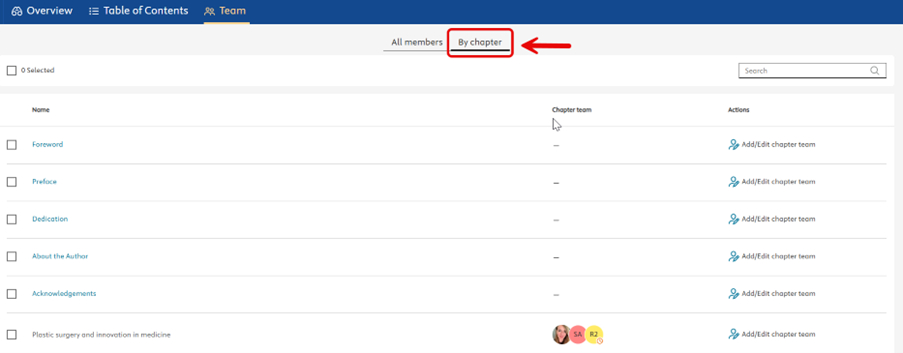
Scroll to the relevant chapter and click on "Add/Edit Chapter team"

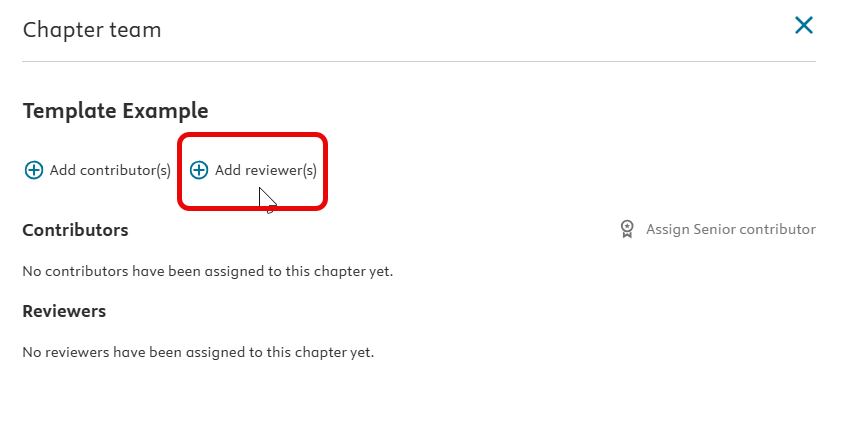
In the new side panel, click on "Add reviewer(s)"
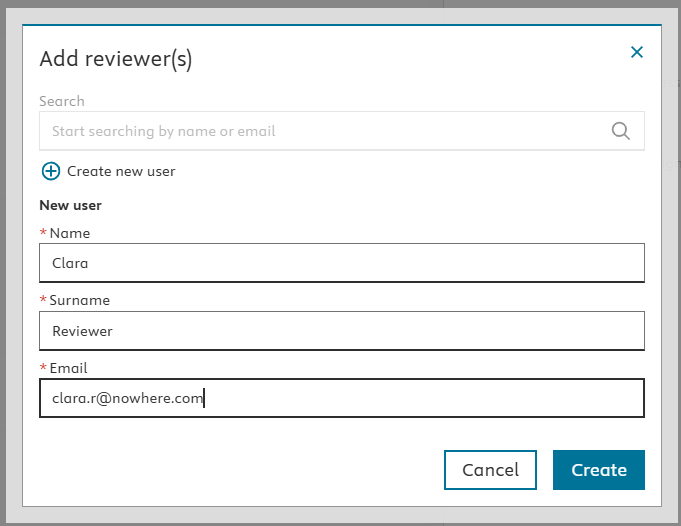
You can search for an existing user with their email address or add a new user (Elsa should notify you if you select “Create New” and a profile already exists under this email) in the pop-up window. If creating a new user, enter their name, surname and email in the fields. Select “Create”.
NOTE: if you need the review to be blind, your Content Manager should send the Reviewers invitations, since this option is available exclusively to Elsevier Staff. Your Content Manager also has the option to provide read-only access to Reviewers.
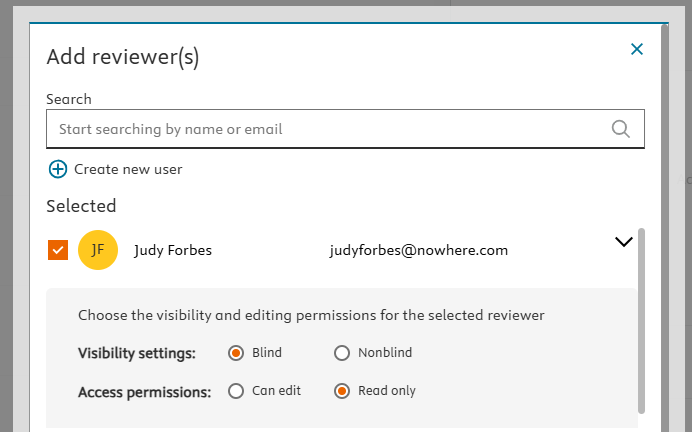
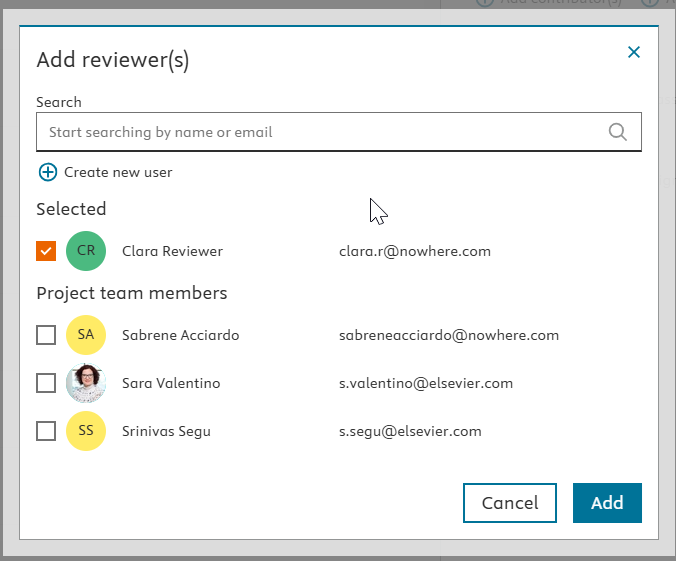
From the "Add reviewer(s)" modal window, finalize all reviewer selections and click "Add".
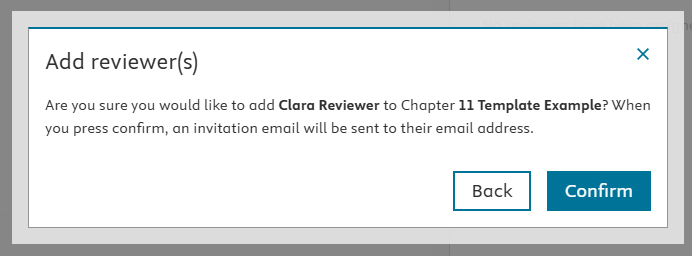
To complete the action, click on “Confirm” in the final check window.
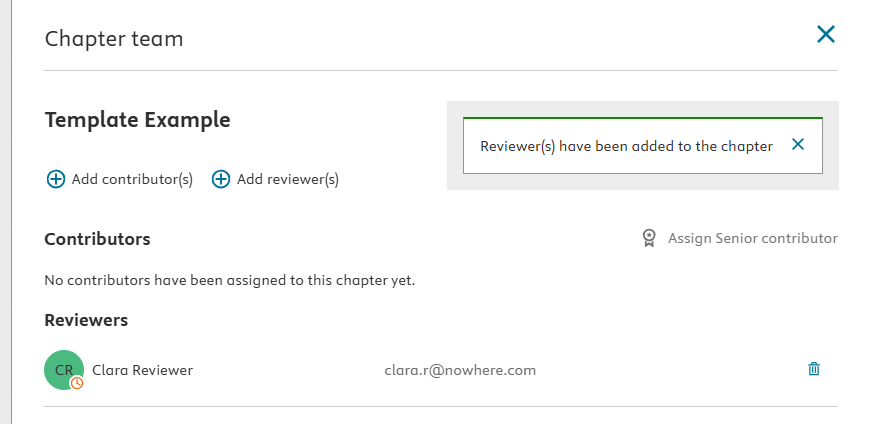
The reviewer will be listed in the side panel with their status
Once a Review stage has been added to the project and the reviewers have been added to the chapter from the Table of Contents, a reviewer gains access to the chapter once it has been sent to the Reviews stage in the workflow.
To do so, the chapter can be sent in one of three ways:
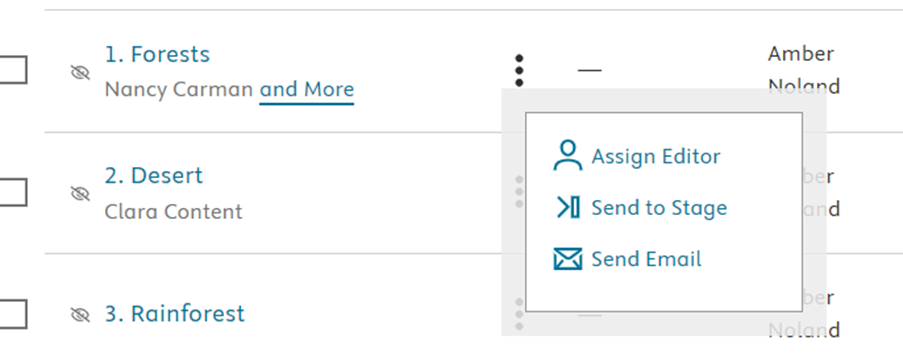
By selecting "Send to Stage" from the "More Options" icon on the Project Overview and choosing the Review stage from the dropdown menu.
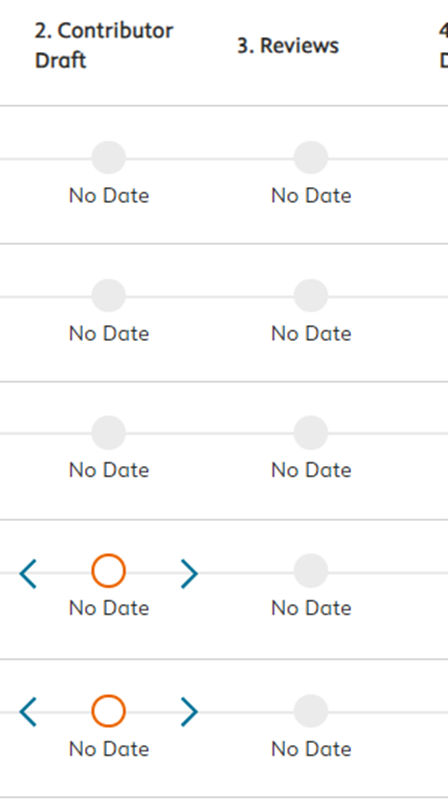
Selecting the blue arrow on the Project Overview to move the chapter to the next workflow stage until it reaches the Reviews stage:
By clicking on the "Exit" button in the Write space, selecting “Exit and Send chapter” and selecting the "Reviews" stage from the dropdown menu. Note: Workflow stage numbering may vary by project.
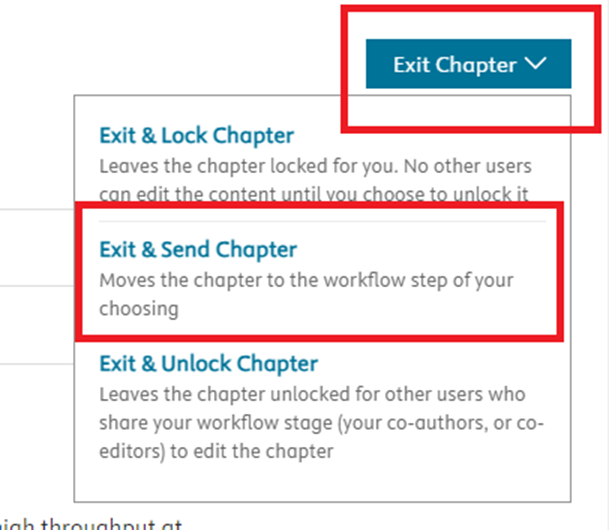
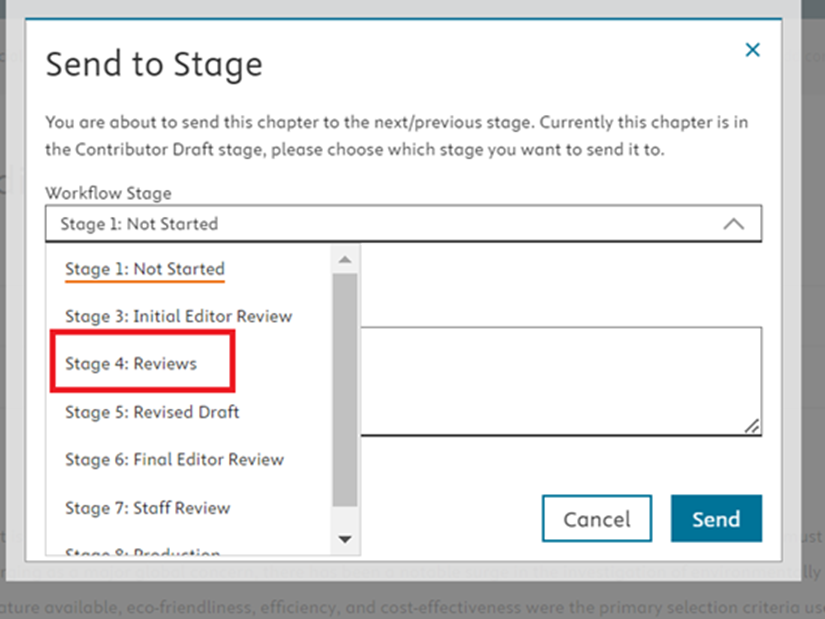
If you wish to send a chapter to a specific reviewer, we recommend including a note in the "Note" field when sending the chapter in the workflow indicating this or contacting the reviewers by email. A reviewer can share a chapter with fellow reviewers by selecting "Exit" > "Exit & Unlock Chapter".
- Reviewers can be added, edited, or deleted on the Team page.
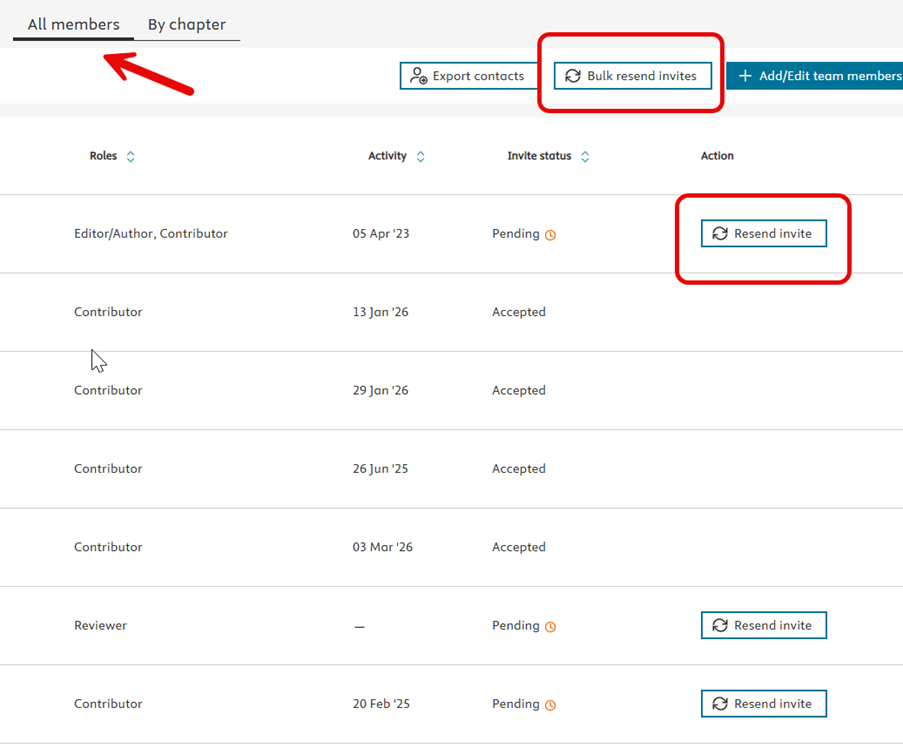
From the "All Members" option you can view the Invite status of each Team member, Resend invite to single reviewers, or bulk resend invites to everyone (contributors or reviewers) who is yet to respond to the invitation.
- Blind reviewers will be anonymized to Editors/Authors on the Teams pages.
Did we answer your question?
Related answers
Recently viewed answers
Functionality disabled due to your cookie preferences