
How can I check the version of Complete Anatomy on my device?
Last updated on May 07, 2026
Also available in
To help you find the version of Complete Anatomy installed on your device, please choose your device from the drop-down menu below.
For the latest information on the most recent version of Complete Anatomy, please visit our Updatesopens in new tab/window page.
Go to Settings > click About
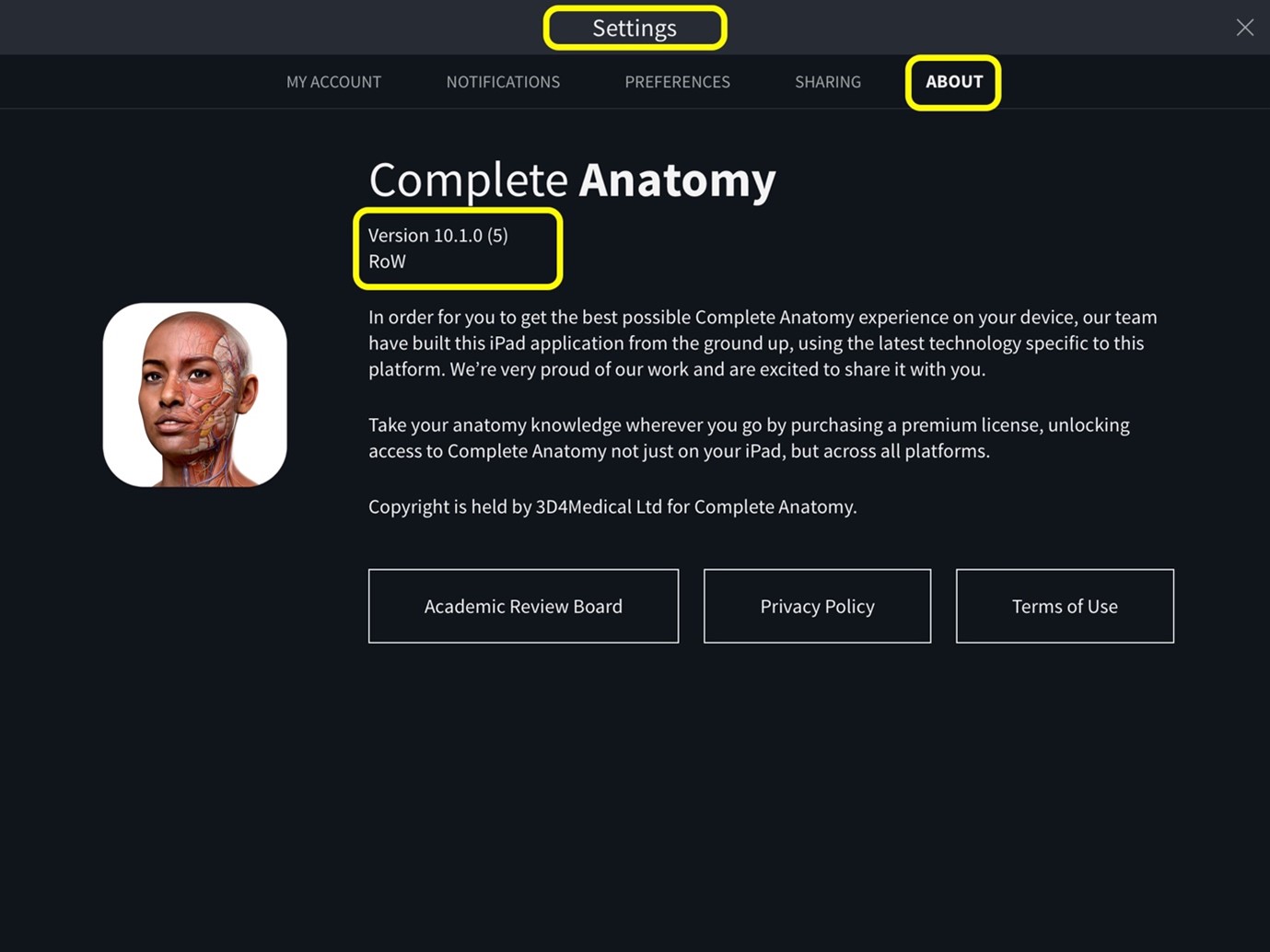
If you want to enable automatic updates for Complete Anatomy on your iPad, please follow these steps.opens in new tab/window
Navigate to the Apple menu bar > click C.Anatomy > click About Complete Anatomy
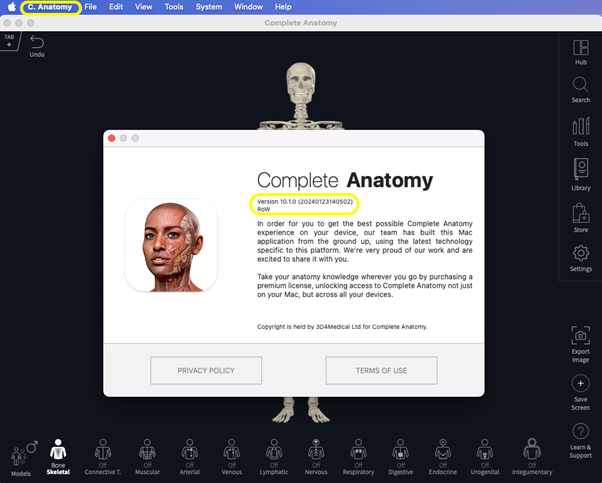
If you want to enable automatic updates for Complete Anatomy on your Mac device, please follow these steps.opens in new tab/window
Go to Settings > click About
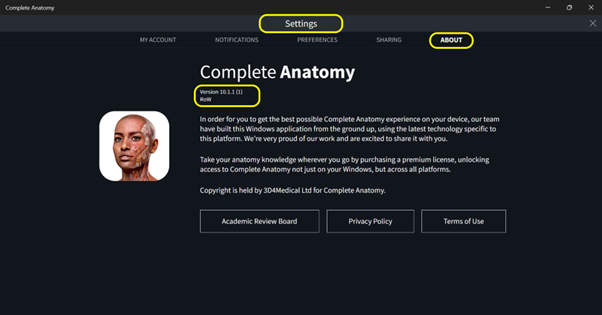
If you want to enable automatic updates for Complete Anatomy on your Windows device, please follow these steps.opens in new tab/window
Go to Settings > scroll over to About
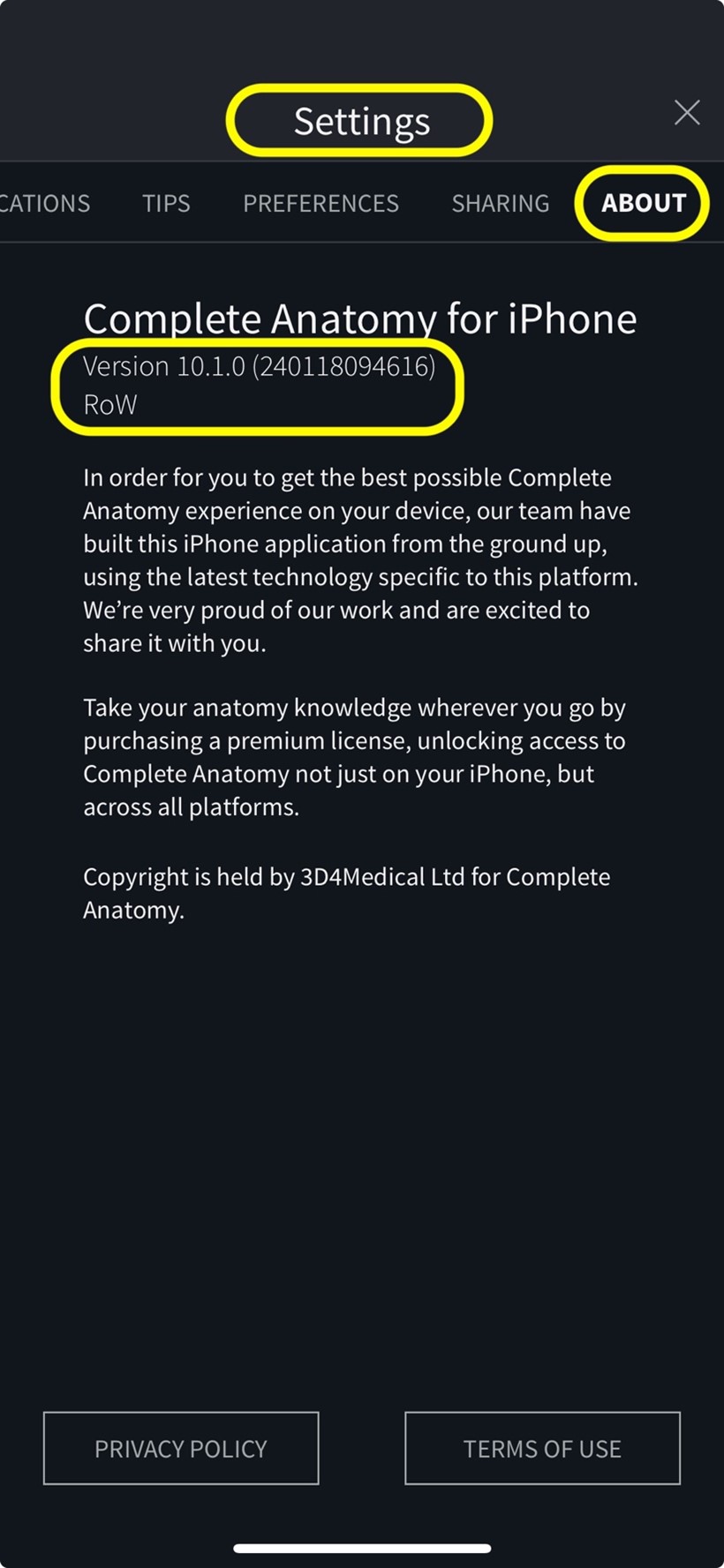
If you want to enable automatic updates for Complete Anatomy on your iPhone, please follow these steps.opens in new tab/window
Go to Settings > click About
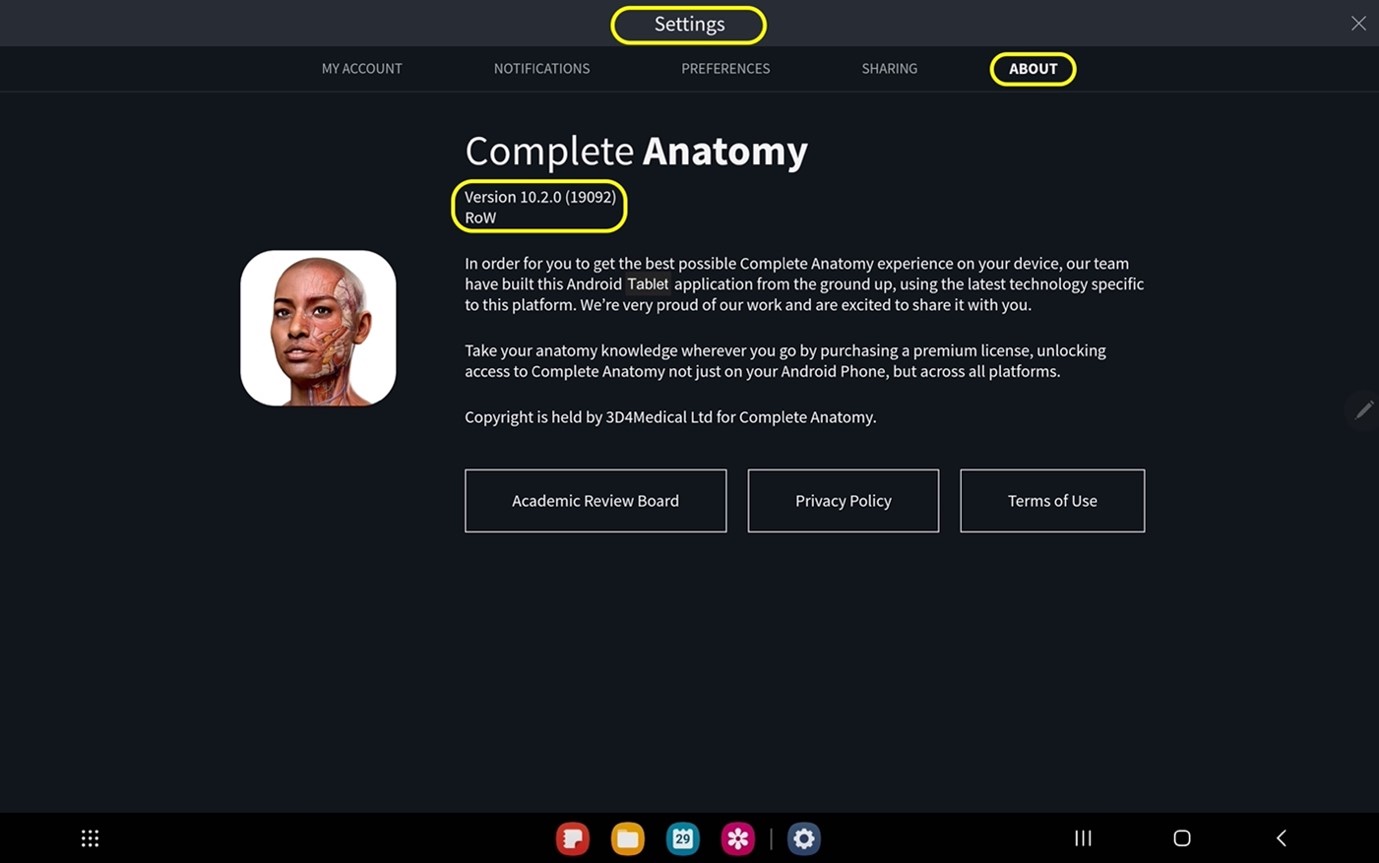
For mobile phone devices, go to Settings > scroll over to About
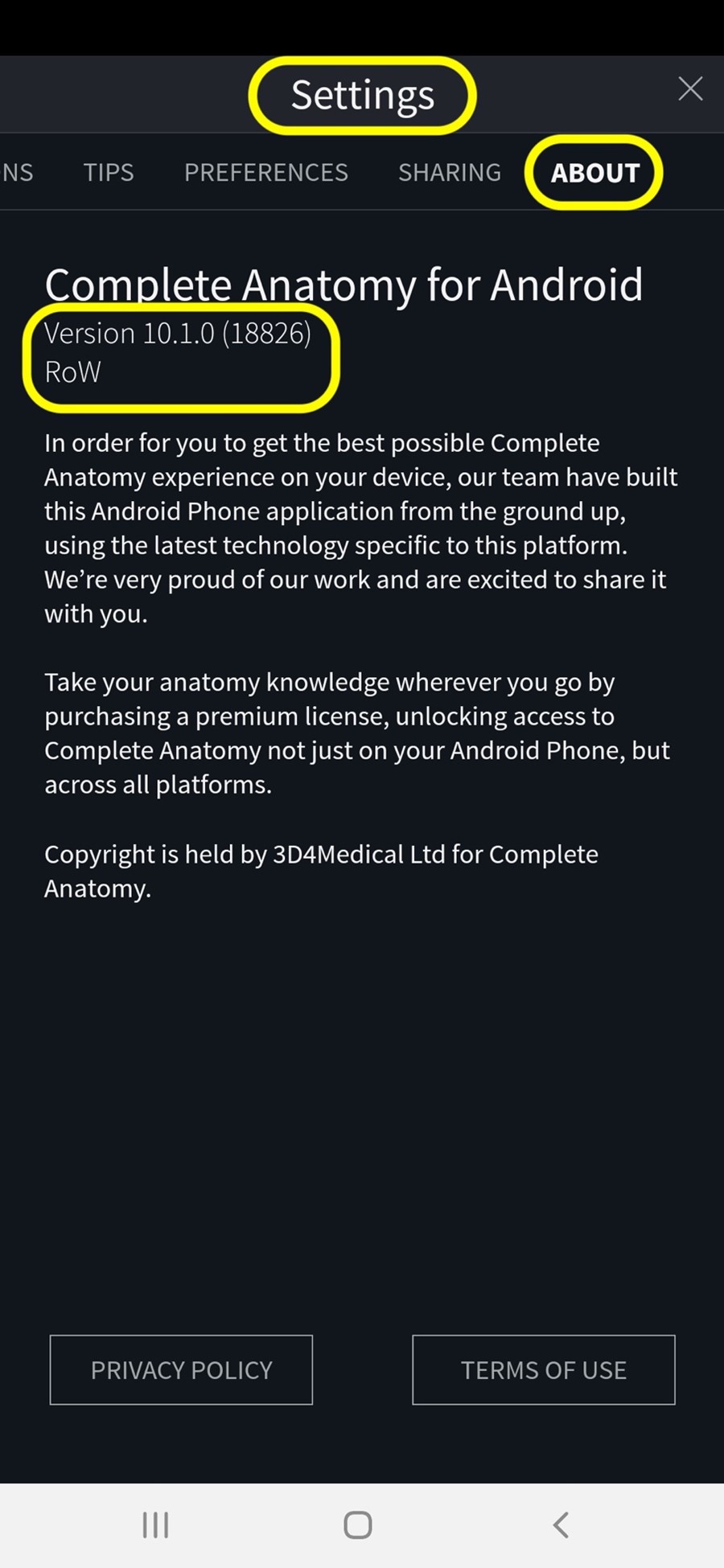
If you want to enable automatic updates for Complete Anatomy on your Android device, please follow these steps.opens in new tab/window
Did we answer your question?
Related answers
Recently viewed answers
Functionality disabled due to your cookie preferences