
Downloading and signing in to Complete Anatomy
Last updated on May 07, 2026
Also available in
- Download Complete Anatomyopens in new tab/window for your device.
- Once the app is downloaded, open it.
- If you have an existing account, click “Sign In”. Otherwise, click “Register”.
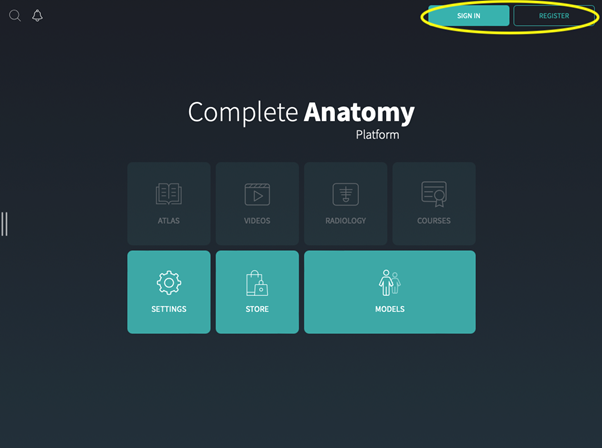
- Proceed with either the Sign In or Registration process.
You're all set to go! If this is your first time using the app, we suggest watching our Getting Startedopens in new tab/window guide to explore the features.
Did we answer your question?
Related answers
Recently viewed answers
Functionality disabled due to your cookie preferences