
Tips for using Marvin
Last updated on November 18, 2026
Description
Marvin is Chemaxon's next-generation chemical structure editor, now enhancing Marvin JS as the drawing tool built into Reaxys. It keeps the same chemical intelligence you're used to, wrapped in a cleaner, more modern interface built for both fast everyday drawing and publication-quality output. You can find lots of information about it on the ChemAxon websiteopens in new tab/window, How to Marvin videosopens in new tab/window and the full details in Chemaxon's Marvin User Guideopens in new tab/window
3 Key Benefits
Publication-quality drawings, right out of the box
Marvin adds a full styling toolkit: colour and highlight options for atoms, bonds, text and structures, shapes with shadows and custom colours, an advanced text editor (rich-text formatting, bulleted/numbered lists, symbols, formulas), and one-click journal styles (ACS, RSC, Nature, Wiley and more, plus the option to build fully custom styles) — so structures are ready to drop straight into a manuscript or report.
Faster, smarter drawing tools
Alignment/distribution guides, multi-selection editing, and on-canvas chemical calculations (formula, molecular weight, logP, pKa and more) can speed up your everyday drawing work.
Built for complex chemistry — and for everyone
Marvin supports advanced chemistry that goes beyond simple structures: Markush/R-groups, repeating units and polymers (S-groups), enhanced stereochemistry, electron-flow arrows, and built-in 1H/13C NMR prediction. It's also built to Web Accessibility Initiative guidelines, with full keyboard navigation and screen-reader support.
For the complete feature list, keyboard shortcuts, worked examples, and the full release history, see Chemaxon's Marvin User Guideopens in new tab/window
Tips for using Marvin in Reaxys
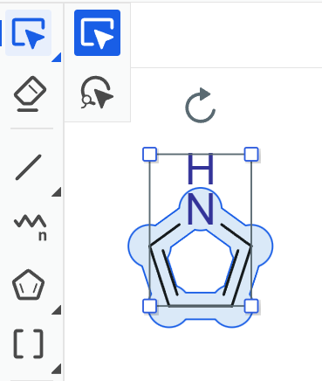
- Click one of the two Selection tools (Rectangle Selection or Lasso Selection) on the left toolbar.
- Press and hold your mouse button while dragging to select the structure. Double-clicking selects a whole structure in one click.
- Double-click an atom or any part of the structure to select the whole structure, then click and drag to move it. Ctrl+A selects everything. Clicking a bond selects it with its connected atoms; hold Alt/⌥ while clicking to select only the bond.
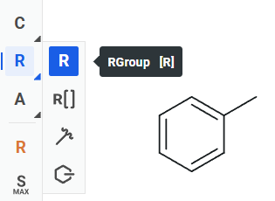
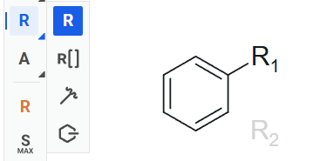
- Define the groups of interest and add the R-group attachment bond to each.
Select the Define R-group button on the toolbar, then click and drag to select the group(s).
R-group numbers (R1, R2, R3...) populate automatically and consecutively after each selection. The Text tool can change the numbering directly on the canvas.
Optional: Use the R Group attachment tool to mark the exact attachment point on the definition structure — useful when a member connects at more than one point.
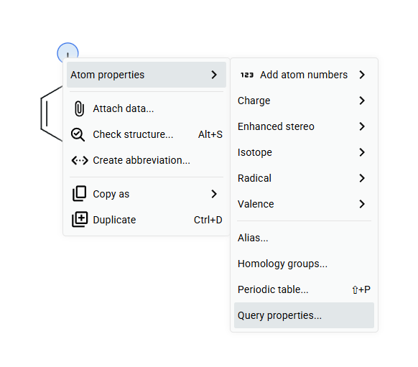
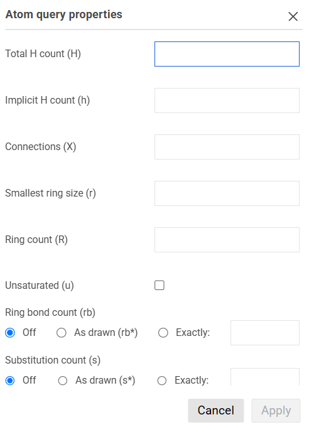
- Right-click an atom, click Atom Properties, then the Query properties tab.
- Find the Substitution count (s) line. Select As drawn to prevent substitution in a substructure search, or Exactly and type a number to retrieve substances with that many substituents on the atom. Options are Off, As drawn, or 0-99.
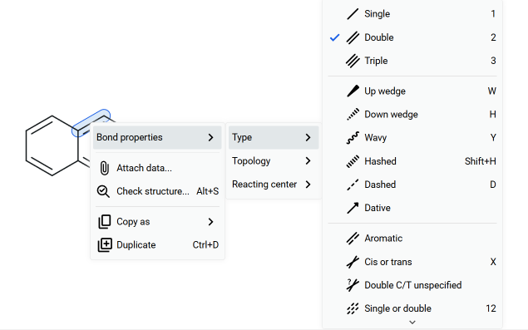
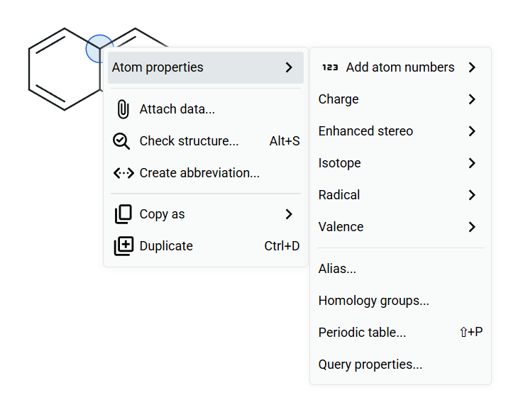
- Right-click an atom or a bond and select Atom Properties or Bond Properties.
Bond: Topology (ring/chain), Reacting center, bond type (single/double/triple, wedge, hashed, etc.)
Atom: Charge, Radical, Isotope, Valence
- Charges can also be set directly: hover over an atom and press + or - to increase or decrease the charge.
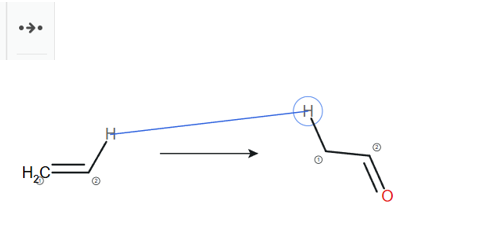
- Draw the reaction (reactants, arrow, products).
- Pick up the Map reaction atoms tool from the toolbar.
- Click an atom in the reactant and drag to the matching atom in the product. Both atoms are labeled with the same mapping number.
- To search for a substance with the Product role, draw a reaction arrow followed by the substance.
- To search for a substance with the Reactant role or starting material, draw the substance followed by a reaction arrow.
- To search for a substance with the Reagent/Catalyst role, draw the substance above a reaction arrow.
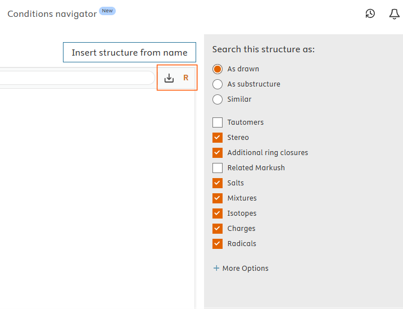
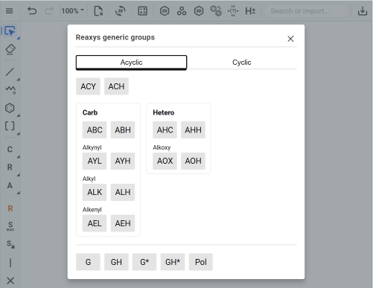
- Click the R icon.
- Select from the Acyclic or Cyclic tab.
- Click one of the two Selection tools.
- Press and hold the mouse button while dragging to select the appropriate atoms.
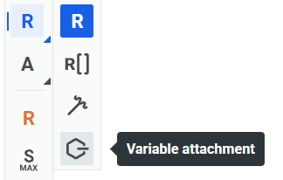
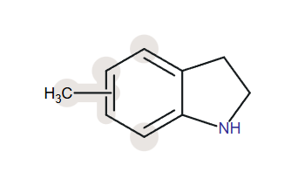
- Open the Markush tools on the left toolbar and choose Variable attachment.
- The atom on the new bond can be changed to another atom, a predefined generic/homology group, or an atom list.
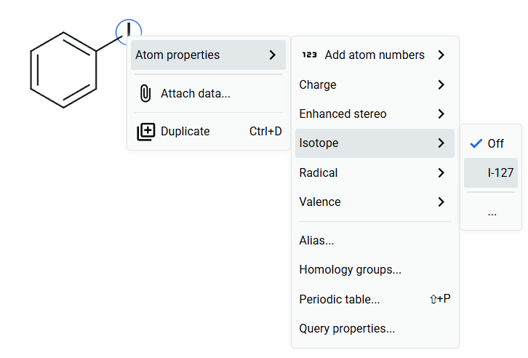
- Right-click the atom of interest and select Atom Properties.
- Open the Isotope field and select a specific mass number from the list or enter a custom value.
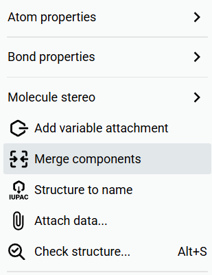
Select the fragments or reactants with one of the selection tools, then right-click and choose Merge components to merge reactants or products. Only chemical structures can be merged.
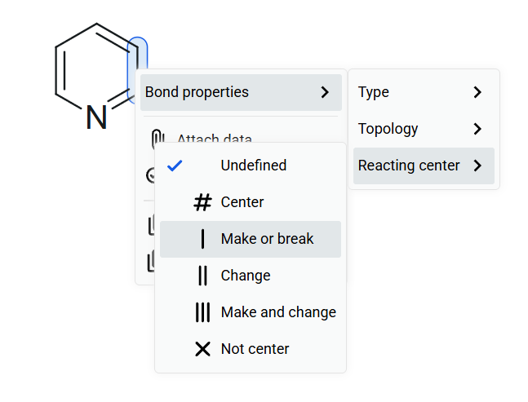
- Right-click the bond you want to make or break and select Bond Properties.
- Under Reacting center, choose Make or break, Change, Make and change, Center, or Not center as needed.
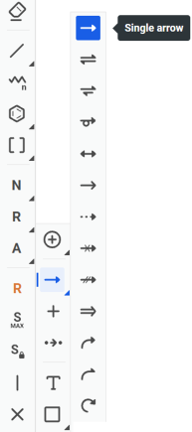
- Select the arrow button on the toolbar.
- Choose the arrow type from the flyout menu (e.g., Single arrow, Double arrow, Equilibrium arrow).
Note: The last arrow type selected is remembered and shown as the default option next time.
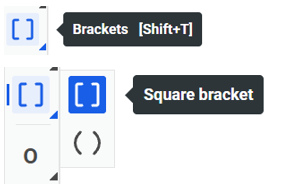
- Draw the backbone of the molecule of interest.
Pick up a Square bracket or Round bracket from the left toolbar.
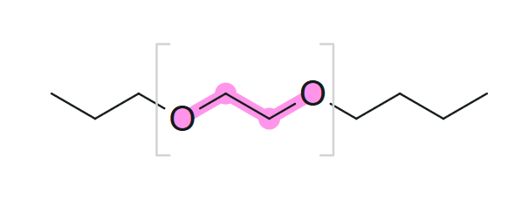
- Drag a box around the part of the structure that should be repeated.
Enter the repeat value or range (e.g., “2-6”) in the field that appears.
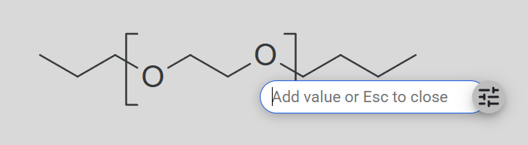
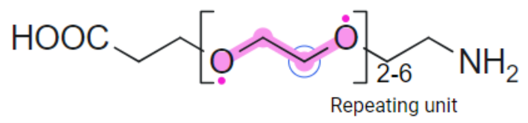
- The repeat value is displayed at the bottom right corner of the bracket.
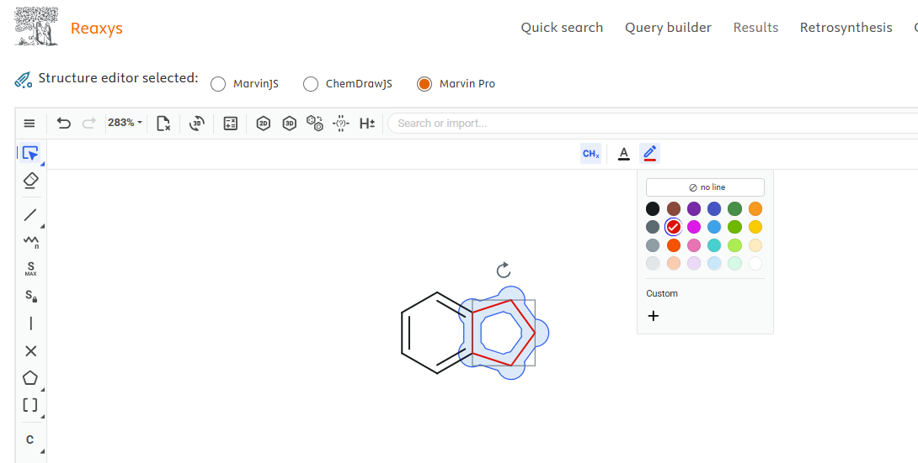
- Select a structure, part of a structure, or a text box.
- Use the Highlight color tool on the top toolbar and pick a color from the palette.
- To remove a highlight, select it again and choose No fill from the same palette.
Did we answer your question?
Related answers
Recently viewed answers
Functionality disabled due to your cookie preferences