
What do invite status and activity on the Team page mean?
Last updated on March 12, 2026
On the Team page, you can view all the users invited to work on your project as well as their role(s), invite status, and date of most recent activity.
To get to the Team page, go to the project overview page and then click on 'Team'.

Editors/Authors, Contributors, and Content Managers are each displayed in a different way on the Team page. Here, we will review the scenarios you may see.
For Contributors, Invite Status will appear as:
- Pending: The user has not accepted their Contributor Agreement yet.
- Accepted: The Contributor has accepted their Contributor Agreement.
- Declined: The Contributor has declined their Contributor Agreement.
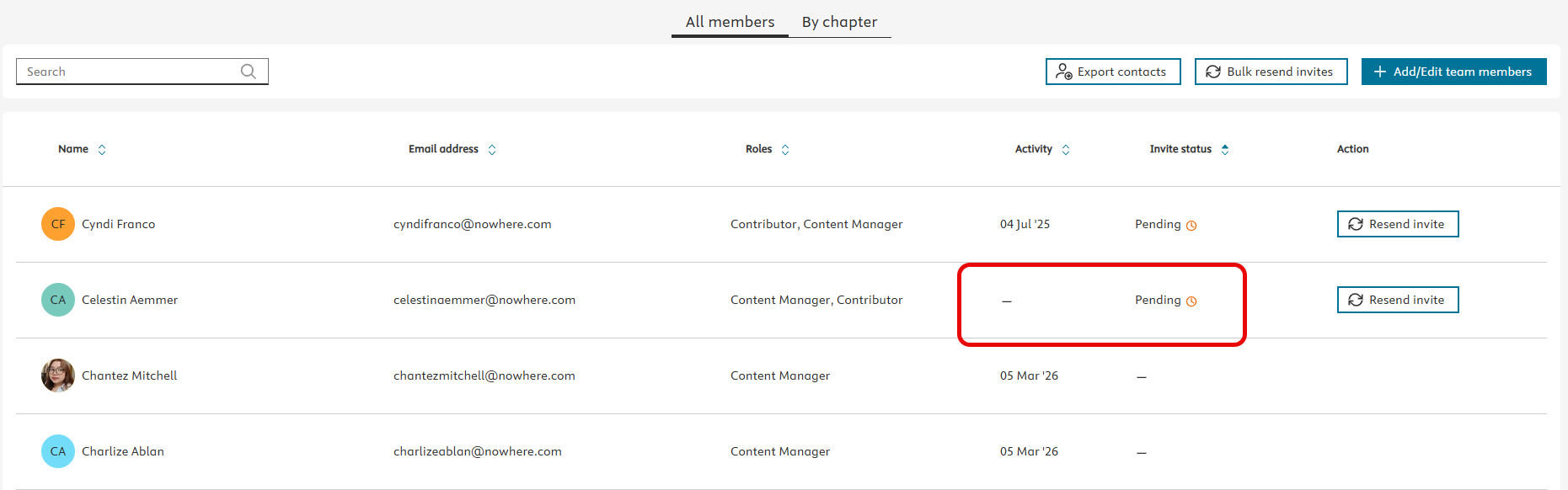
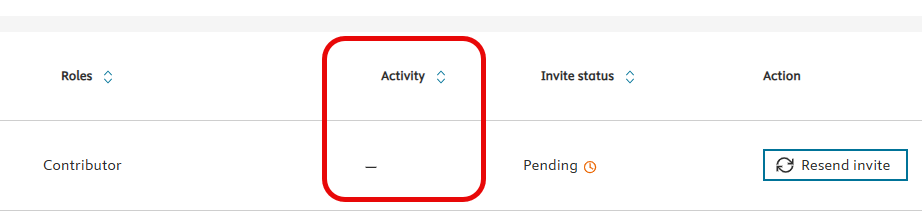
If the Invite Status is Pending or Declined for a Contributor, there will be no ‘Activity’ date, as the Contributor has not used Elsa yet.
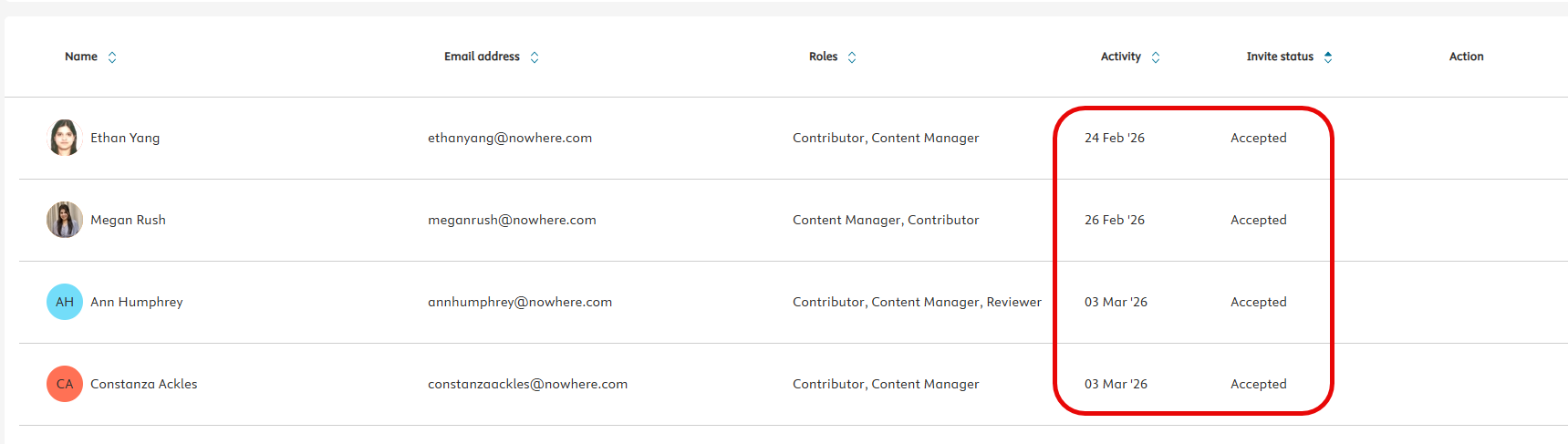
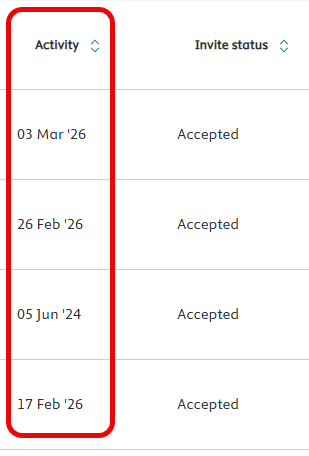
When the Contributor has accepted their Contributor Agreement, the invite status will move to Accepted and under Activity you will see the most recent date the Contributor used Elsa.
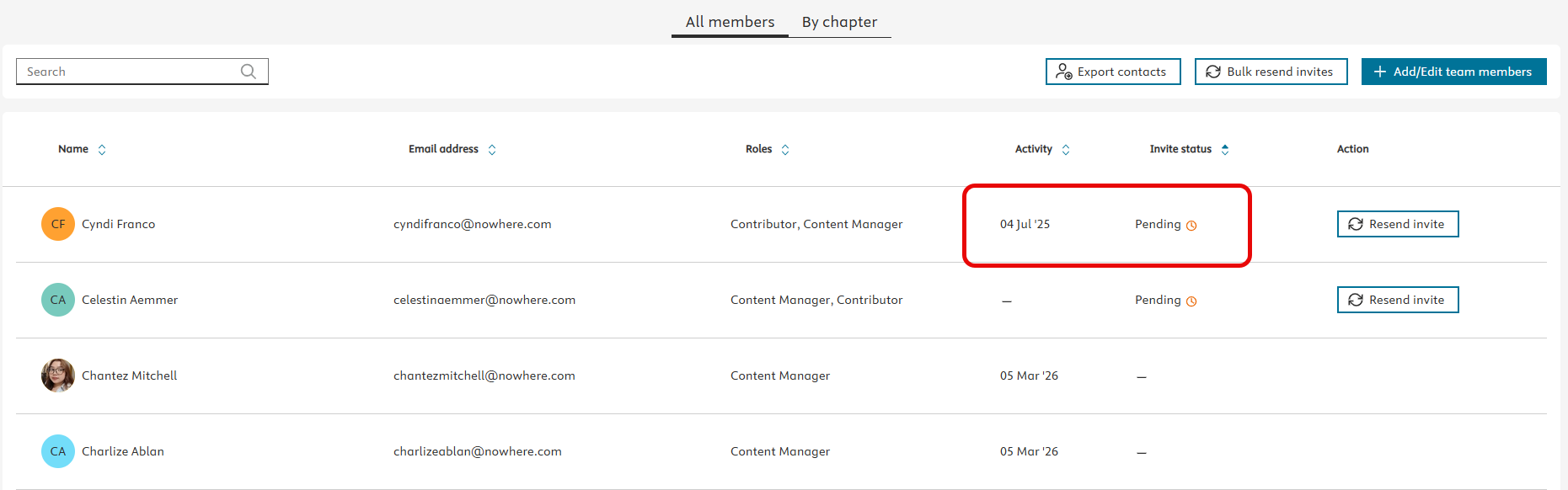
If the Contributor has been added to multiple projects, you may see 'Pending' as well as an Activity date when checking the Teams page on one of their projects. This means they have accepted a Contributor Agreement on a different project, but not this particular project. The Activity date reflects their Elsa activity in Elsa overall, not just in this particular project.
For Editors/Authors, Content Managers, and other non-Contributor roles, a dash will always appear under Invite Status.
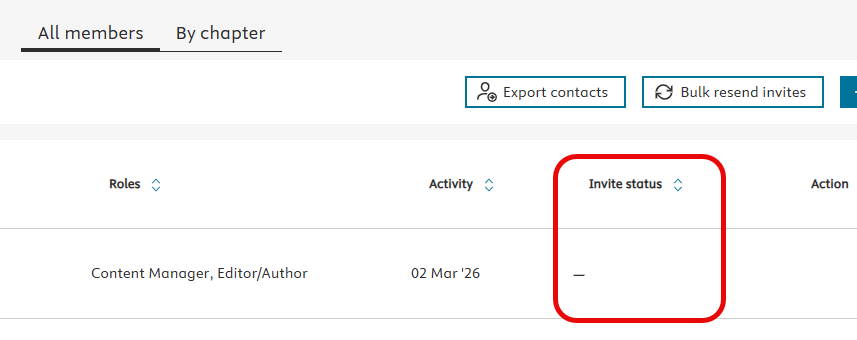
Under ‘Activity’ you will find the date of the user’s most recent activity in Elsa. This activity is not project-based, but system-based, so if the user is working on multiple projects in Elsa, the most recent activity is for any activity in Elsa, not just in a specific project.
If there is no activity date listed for an Editor/Author or Content Manager, it means they have not yet logged into Elsa.
For Editors/Authors who are also listed as Contributors, Elsa recognizes them as Editors/Authors first and automatically set the status as Accepted.

Did we answer your question?
Related answers
Recently viewed answers
Functionality disabled due to your cookie preferences