
Can I generate a print preview of my chapter in Elsa?
Last updated on October 04, 2026
Yes! You can create a PDF of your chapter using the ‘print preview’ button in the top right of the Write Space, at any point during the authoring process.
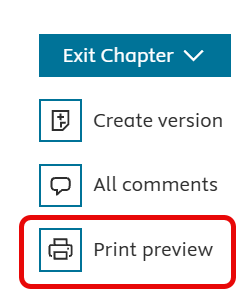
Note that the print preview is for reference only and is an indication of how your chapter might look when printed. It is not intended as a final proof, which you will receive once your project is in production. This is also when the final page layout is determined, which may differ from the print preview. The number of pages shown in the print preview does not reflect the actual number of printed pages.
These items may cause a print preview to fail or appear differently:
- Track changes being enabled or tracked changes being present in the chapter
- Extra-wide tables or large images
- Green shading in a print preview indicates a table is large for the page and will need to be formatted in production
- Special characters in the figure caption or alt-text fields
- Special characters and/or equations may not appear in the print preview but will appear in the published version so long as they are correct in the Write space
If you are trying to review content outside of Elsa, you can try creating a PDF through your browser by selecting ctrl+P (command P for a Mac) and adjusting the scale as needed. However, we strongly encourage making any edits directly in Elsa for continuity.
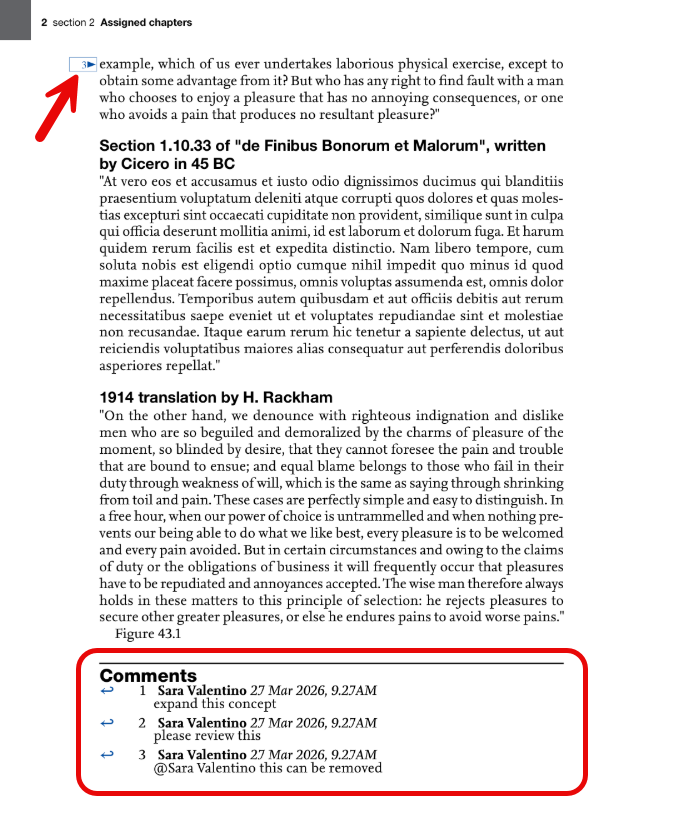
If your chapter contains active comments, they will be visible in the "Print preview". Each comment is marked by a number next to the relevant paragraph, with a complete list of active comments shown at the end of the chapter. Resolved comments are not included in the "Print preview".
Did we answer your question?
Related answers
Recently viewed answers
Functionality disabled due to your cookie preferences