
As an Educator, how do I create a Quiz for my Students?
Last updated on November 04, 2022
Also available in
Complete Anatomy offers simple, multi-choice formative quizzing, to reinforce your students’ understanding of anatomy, with a bank of over 500 undergraduate anatomy questions to choose from.
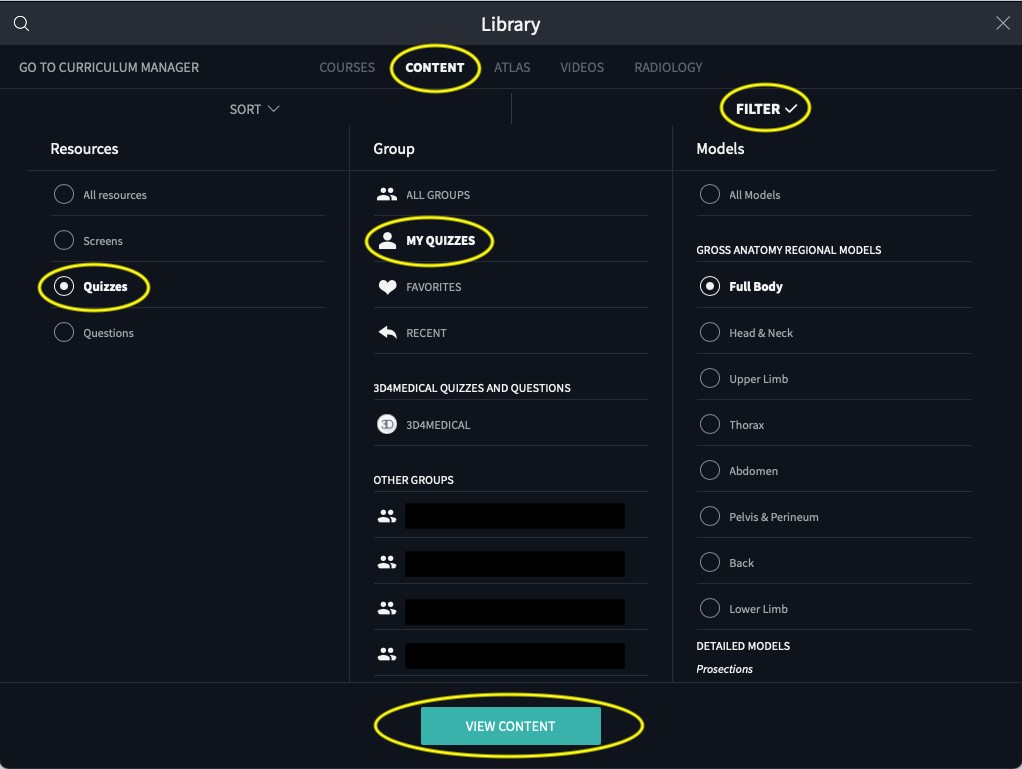
- Go to ‘Content’
- Choose ‘Filter’
- Select ‘Quizzes’ from Resources list
- Select ‘My Quizzes’ from Group list
- Choose ‘View Content’
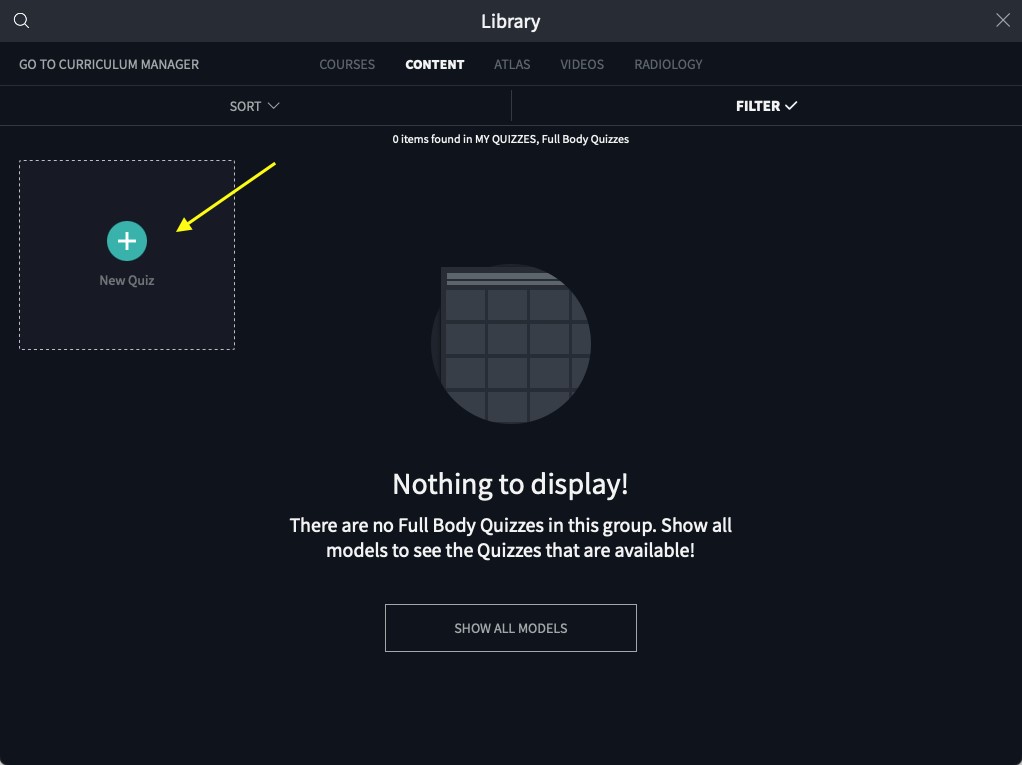
- Press the green circle ‘New Quiz’
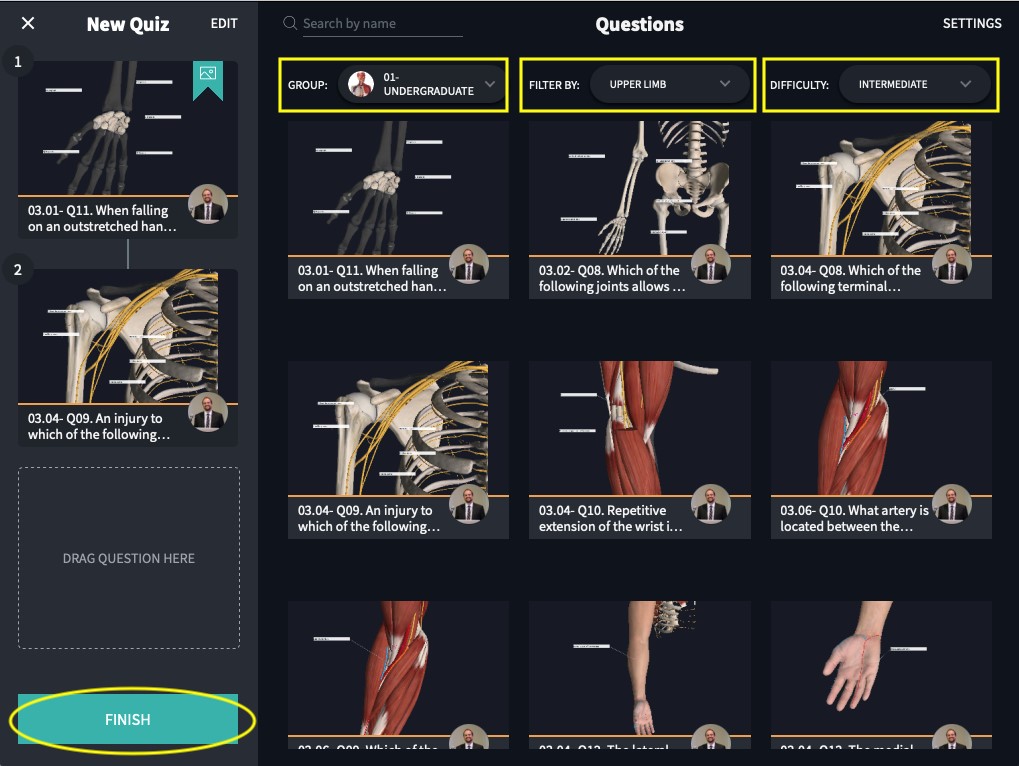
- In dropdown next to ‘Group’, choose either:
- 01- Undergraduate Human Anatomy: Regional or
- 02 - Undergraduate Human Anatomy: Systemic or
- any Group you may have previously created which contains questions
Note: You can also filter questions by Region and Difficulty level.
Drag & drop questions from the grid into the sequence along the left of your screen
When you’re done, hit “Finish”
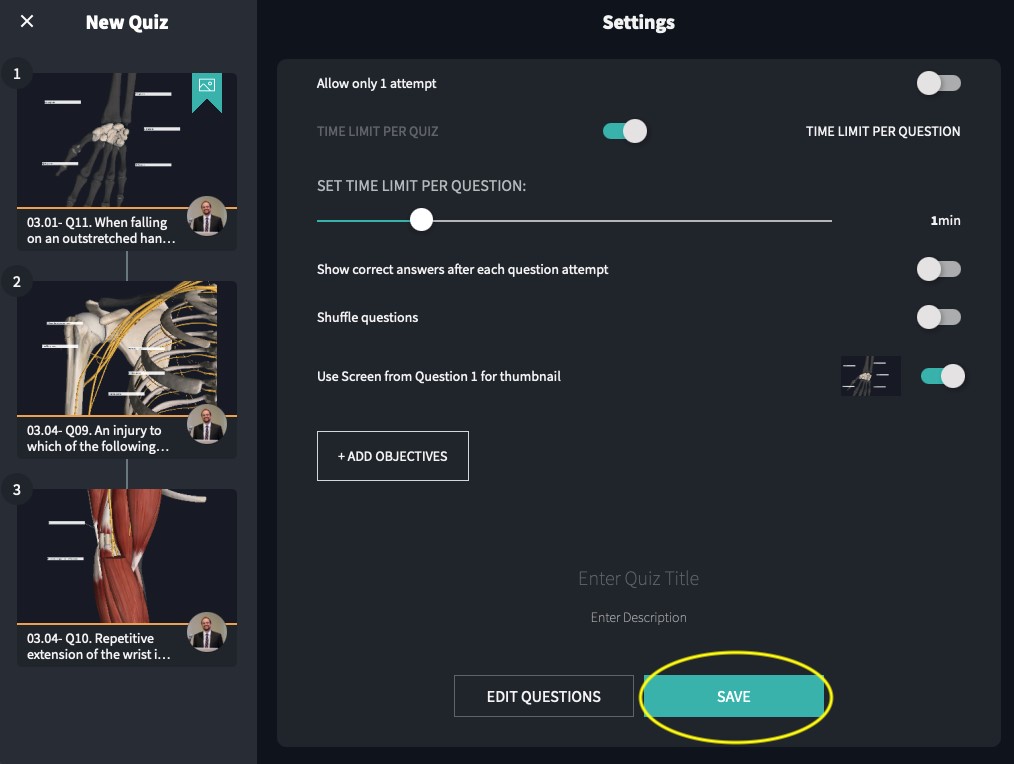
Choose your Settings
Hit ‘Save’
For more insights on creating Quizzes and Questions with your own content, please see our guide on creating a quiz.opens in new tab/window
Did we answer your question?
Related answers
Recently viewed answers
Functionality disabled due to your cookie preferences