
Required login: IP method access step by step
Last updated on October 21, 2025
IP access
How to register for Reaxys access
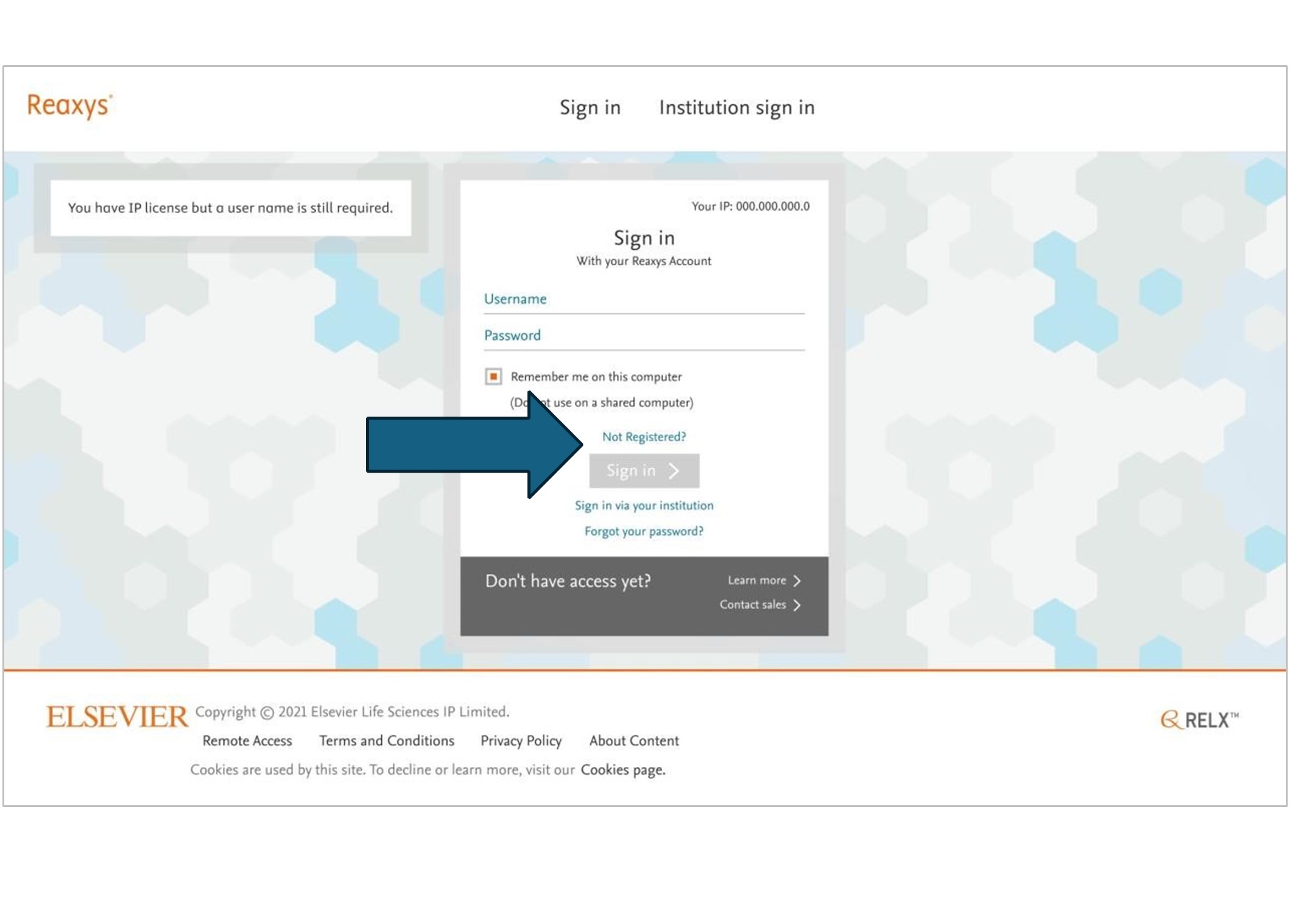
Step 1: Go to Reaxys.com.
Step 2: Click on not registered
Step 3: Fill in your name and your work email address on the form.
Check the ‘Remember on this computer’ box if not shared.
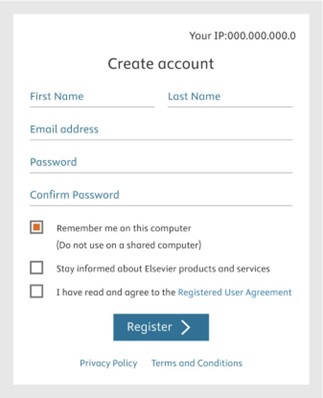
Step 4: Then create a password and enter the same password again.
Step 5: Check the I have read and agree to the registered user agreement
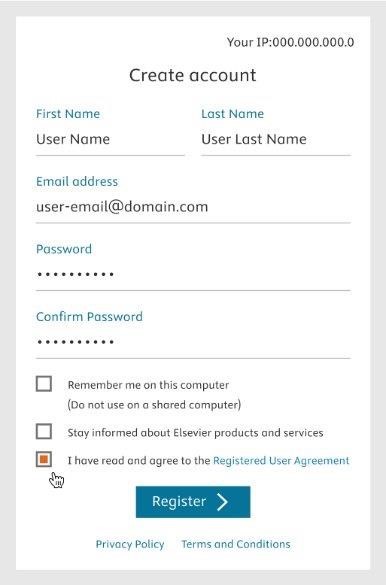
Step 6: Click the Register button.
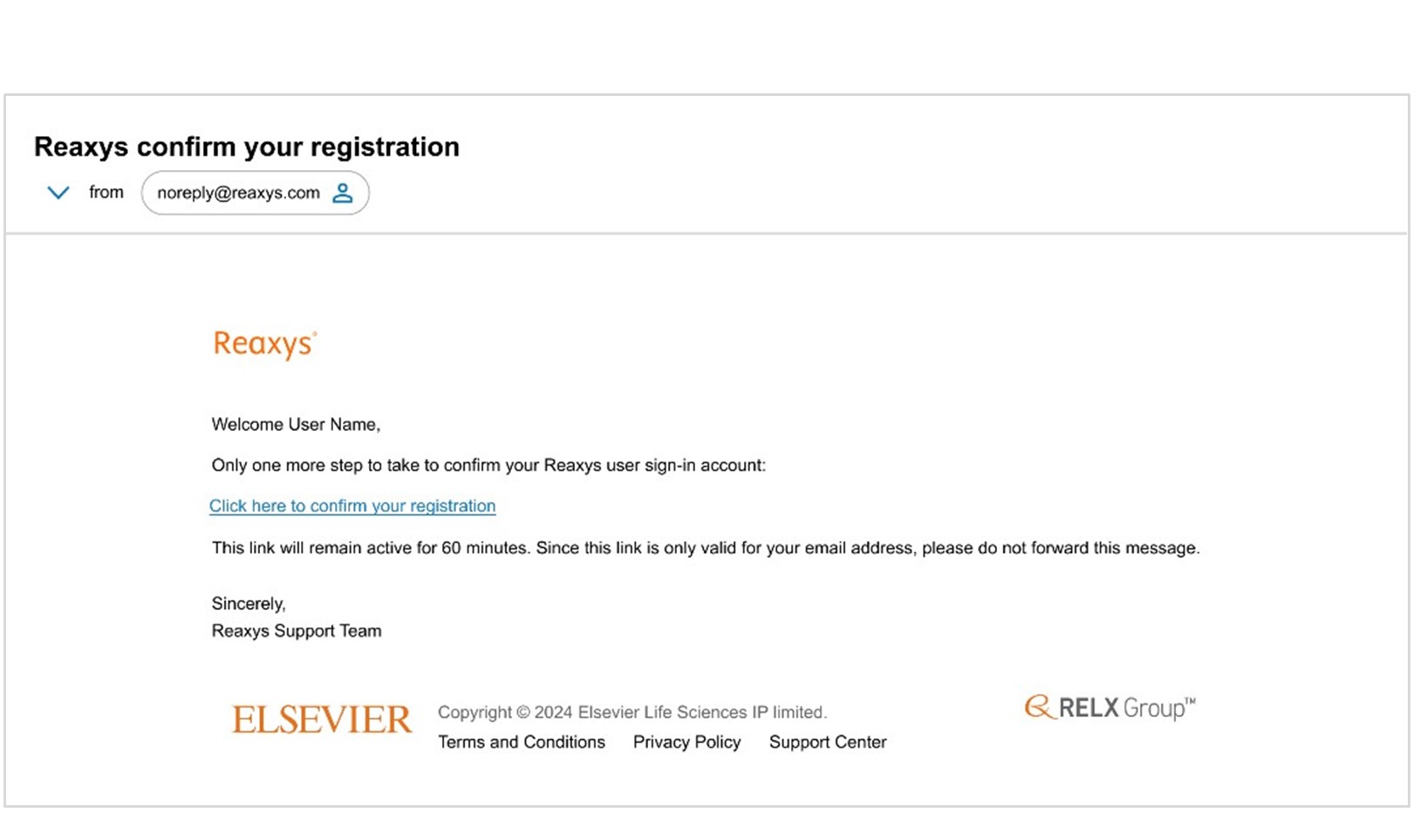
You will see a notice that a confirmation email has been sent to your email address.
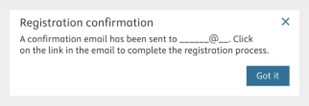
Step 7: Check your inbox for a confirmation email and click the link to complete your registration.
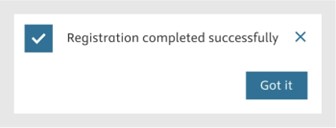
Once you see this note confirming your registration has been completed successfully, you’re all set!
Possible error messages
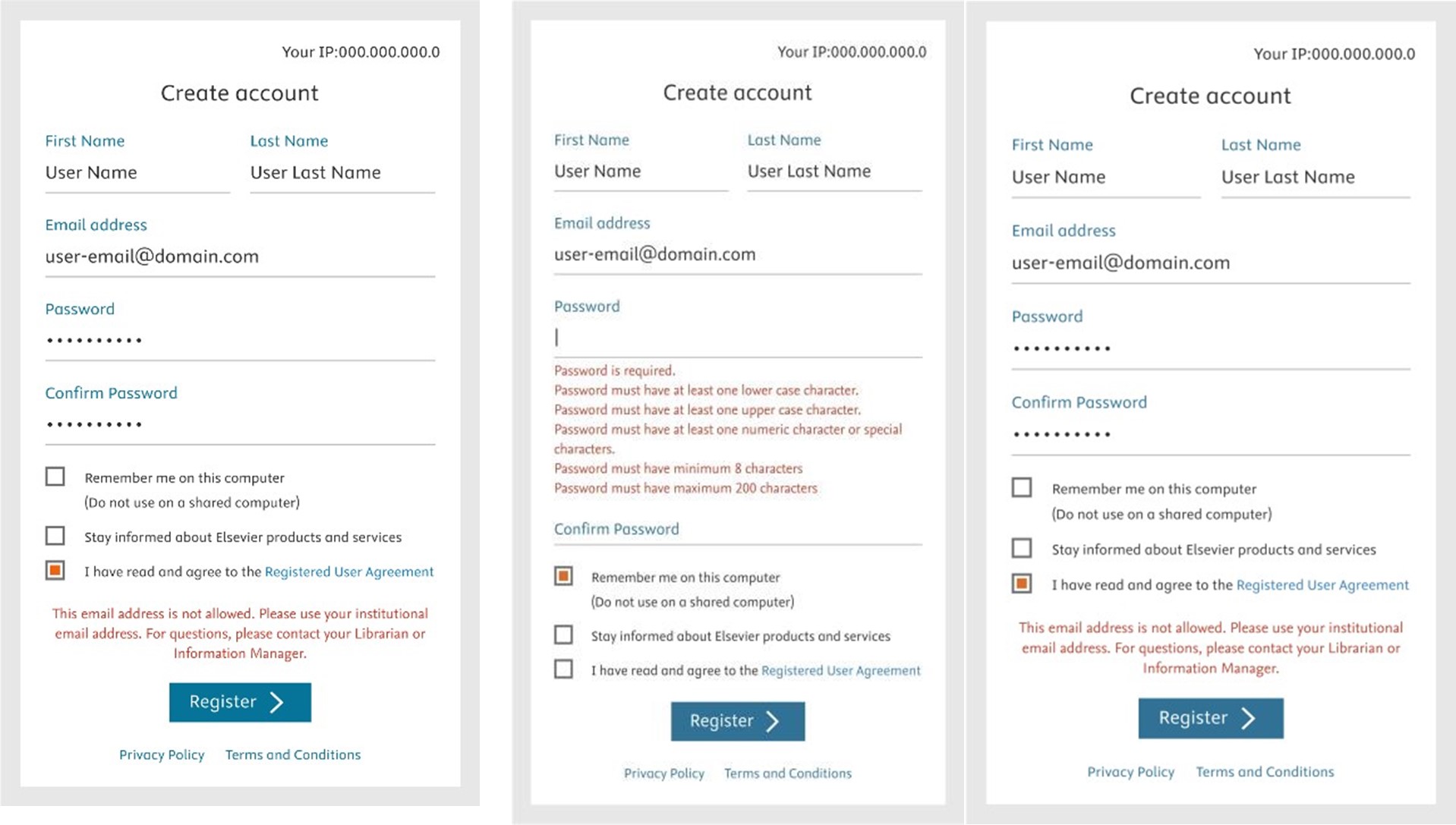
Check user agreement Create an allowed password Use your work email
If you have already registered click forgot password.
Did we answer your question?
Related answers
Recently viewed answers
Functionality disabled due to your cookie preferences