
Automatically Save Your Searches for Easy Access
Last updated on September 07, 2026
What’s new:
Reaxys now automatically saves your recent search history. If you're signed in, your searches are retained for up to 6 months across sessions, so you can easily return to previous work without manually saving every search.
Your recent searches are available in the Recent History tab (A) and include the search query, result count, search type, database, and timestamp (B).
Re-run Searches with One Click
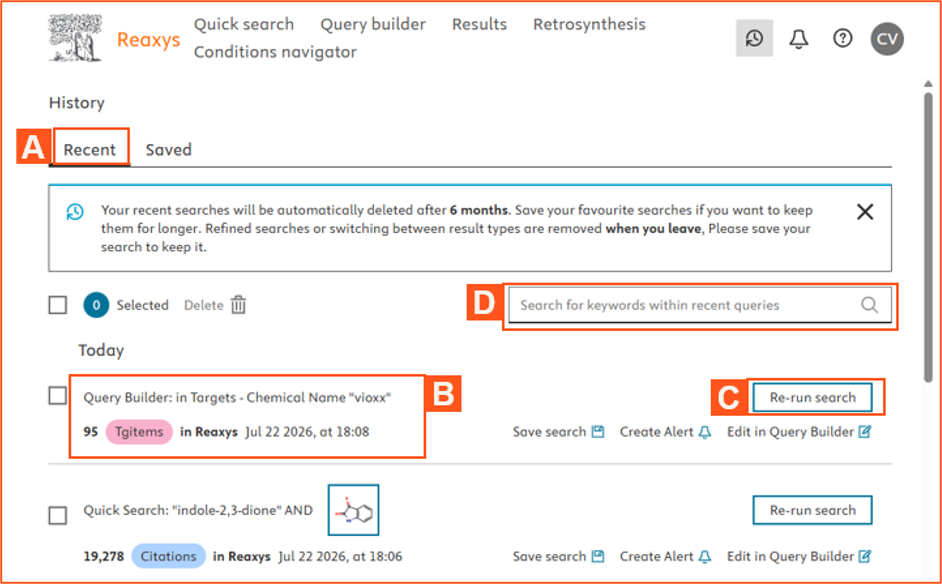
Re-run (C) any search from your history to retrieve the latest results and quickly see whether new content has been added since your last search.
Manage Your Search History
The Recent History tab lets you:
- Search your history by query text (D).
- Select and delete individual or multiple searches.
- Expand long search queries when needed.
Saved Searches Remain Unchanged
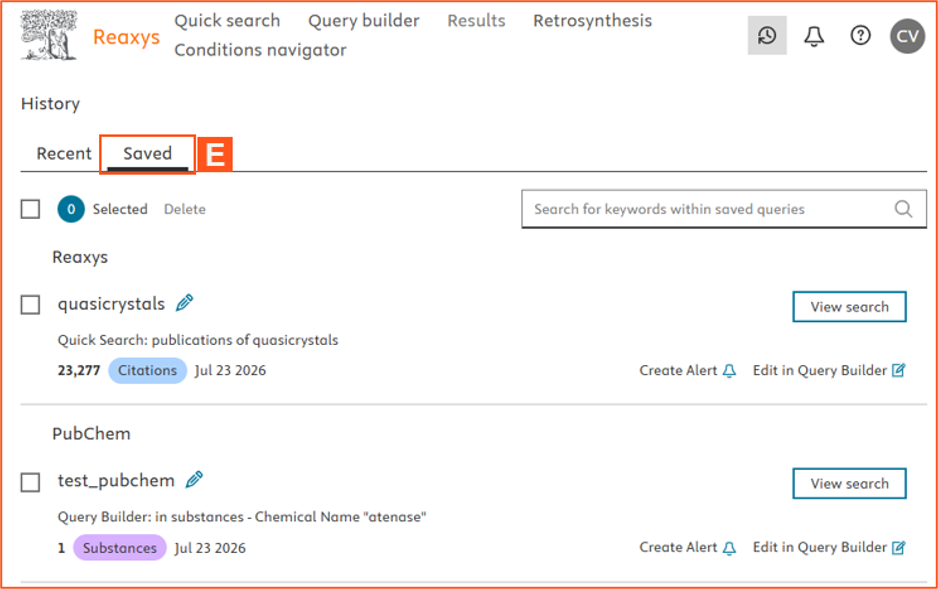
Automatic search history complements, but does not replace, manually saved searches. Searches you actively save continue to be stored in the Saved tab and are retained beyond the 6-month history period. Existing features such as search alerts and Query Builder editing remain unchanged.
For Users Who Are Not Signed In
Search history continues to work as before. Recent searches are available only for the current session and are cleared when the session ends.
Note: Only the original Quick Search or Query Builder query is retained. Filters and sub-search refinements are not saved across sessions.
Did we answer your question?
Related answers
Recently viewed answers
Functionality disabled due to your cookie preferences