
How can I merge multiple accounts using Mendeley Desktop?
Last updated on December 02, 2024
It's not currently possible to merge multiple accounts, however you can export your library from one account to your local machine and then import it to the other account via Mendeley desktop. Follow these steps to export and import your library.
How
- Login to one of your accounts in Mendeley Desktop.
- Press CTRL + A to highlight all references.
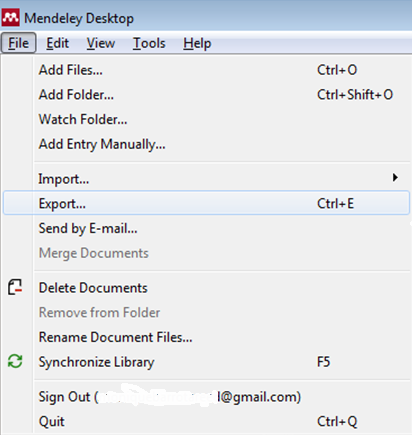
- In the 'File' tab, click 'Export'.
- Save the exported file to your local device.
- Login to your second account in Mendeley Desktop.
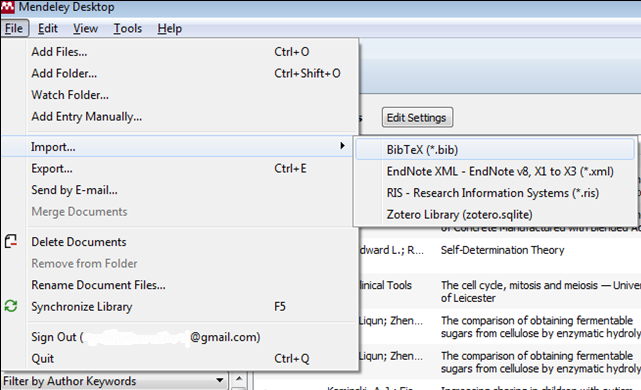
- In the 'File' tab, click 'Import'.
Only references can be exported and imported, PDFs and folder organization will not be included.
Did we answer your question?
Related answers
Recently viewed answers
Functionality disabled due to your cookie preferences