
View by category
How do I remove an image from a Curated Collection?
Last updated on August 17, 2026
After an image has been addedopens in new tab/window to a collectionopens in new tab/window and if you have permissionopens in new tab/window, you can remove the image from the collection at any time, if required.
Removing an image from a collection does not affect any projects that have already borrowed that image. However, if you add the removed image back to the same collection again as another instance of the same image, it is not possible to track the use of the imageopens in new tab/window consistently across the two instances in the collection. Consequently, the usage for the instance of the image that you have added back to the collection does not show the usage related to the instance of the image that you have removed.
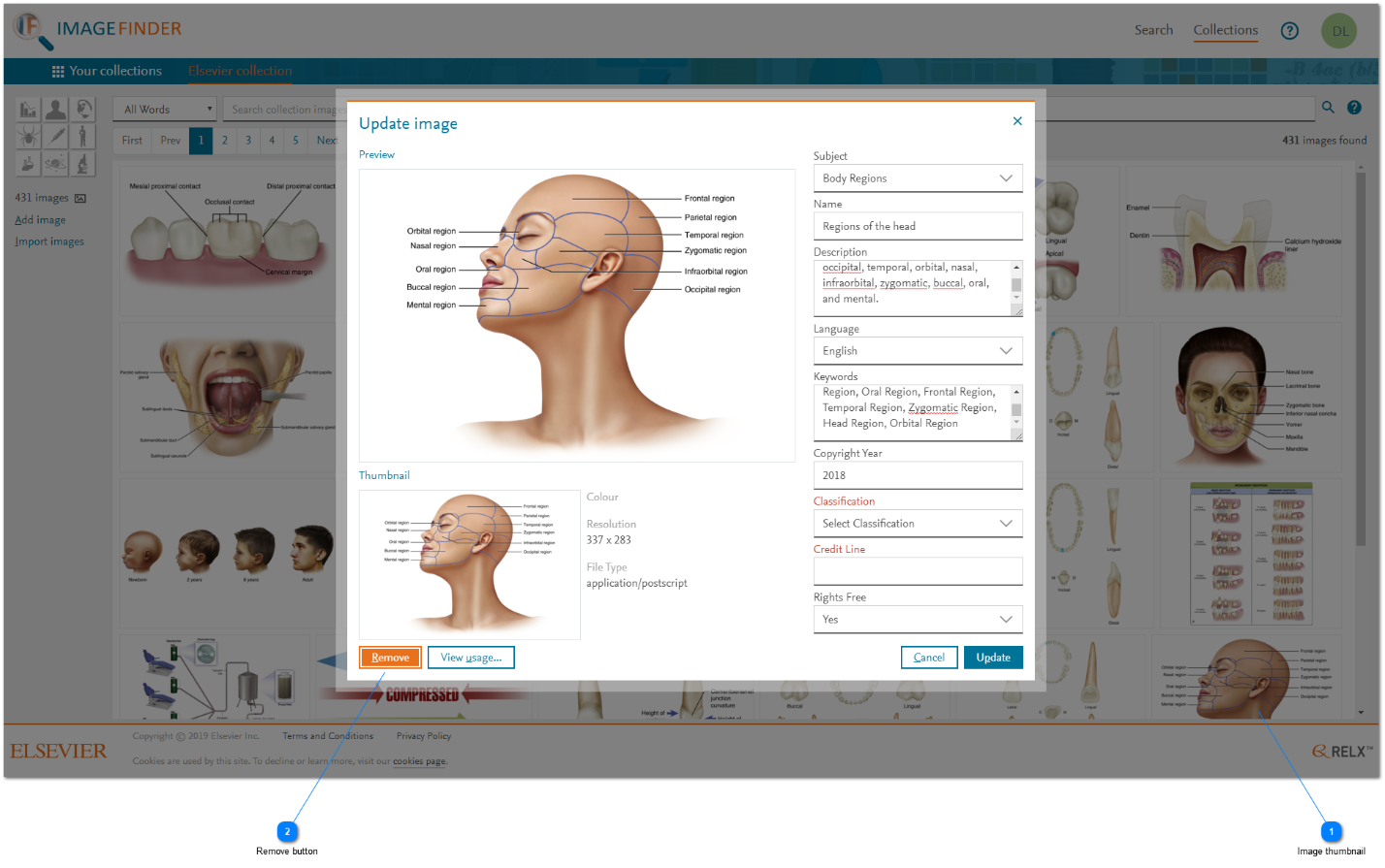
How
- Image thumbnail: To remove an image, click on its thumbnail in the search results grid of the collection's administration tab. The 'Update image' pop-up window is displayed.
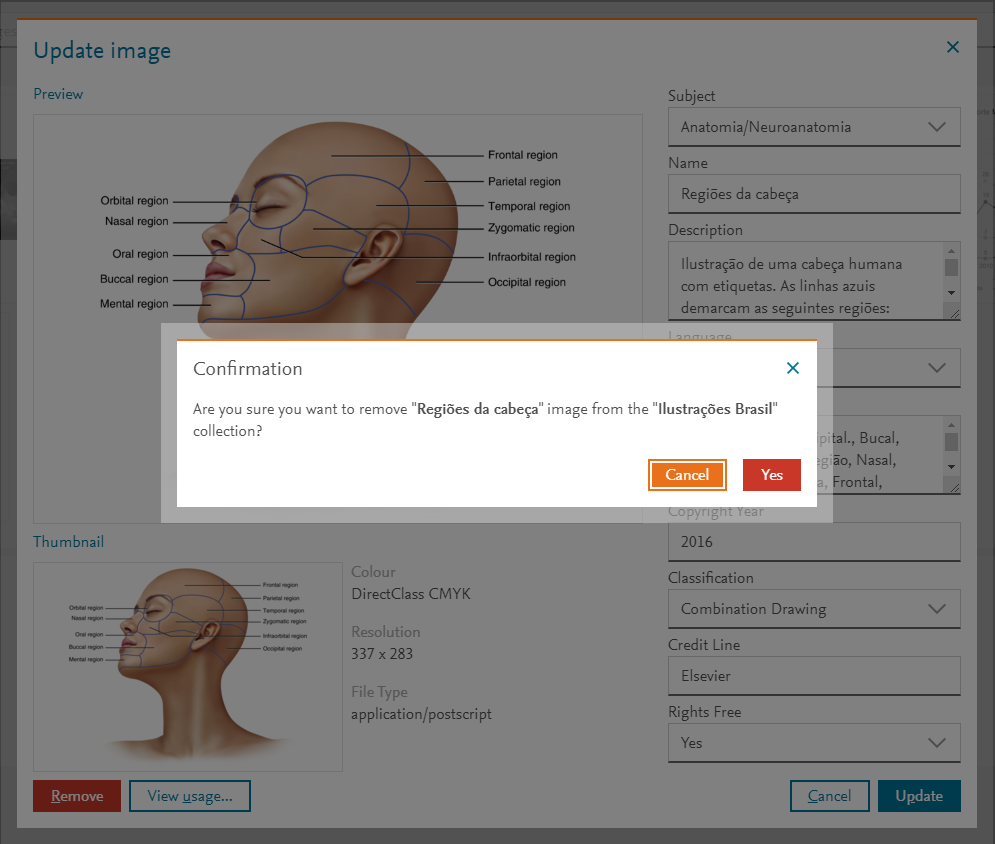
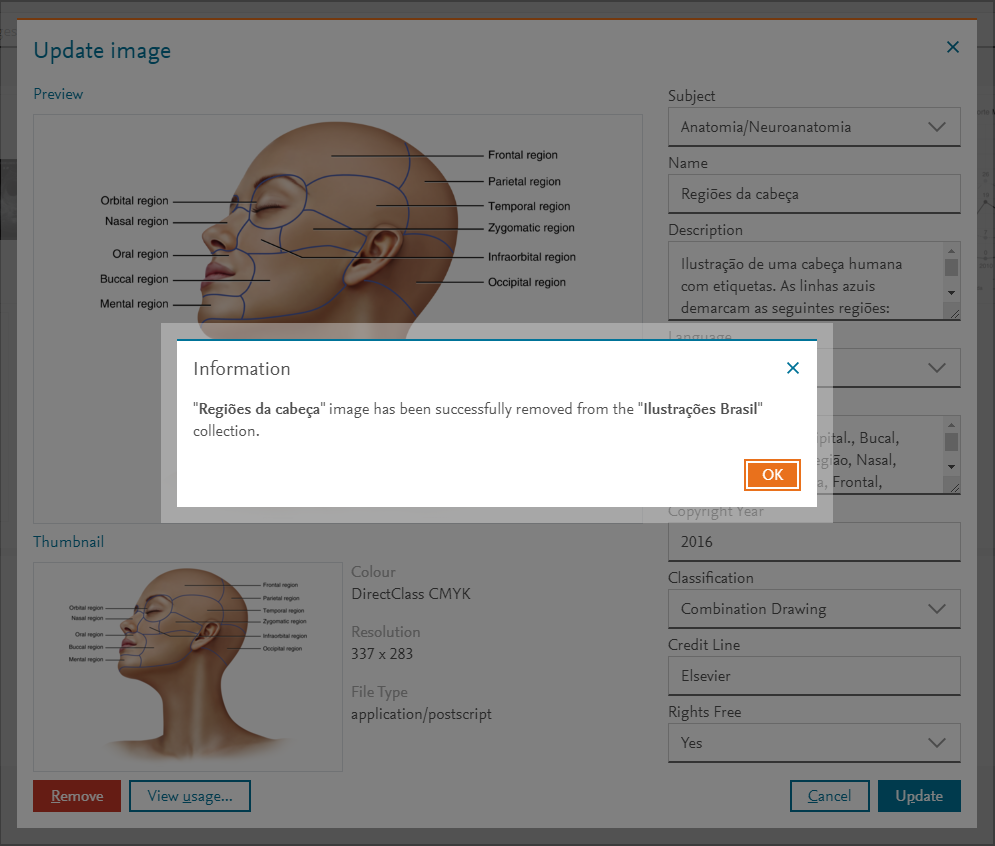
- Remove button: To complete the removal of the selected image, click 'Remove'. A Confirmation message is displayed. Click 'Yes' to confirm the removal. The selected image is removed from the collection, an Information message is displayed. The search results in the administration tab is updated without the removed image.

Did we answer your question?
Related answers
Recently viewed answers
Functionality disabled due to your cookie preferences