
View by category
On this page you can find solutions to issues that might occur when signing into an Elsevier product. Select one of the topics below for more information and solutions. Alternatively, you can find all access-related FAQs here: Home - Elsevier Access Support Center
Verifying your email address NEW
At certain times, or for certain Elsevier products, email verification was not required. If you are now being asked to verify your email, it is because you have never been asked to do so before for any Elsevier product. For security reasons, we must make sure that the emails/accounts used when signing in to any Elsevier product belong to the person who created that account.
On some occasions, an individual creates an Elsevier account using, for example, a university email address. When the student later leaves their university, they no longer have access to that email inbox. However, the former student may still want to sign in with that email address, since it is linked to personal searches, references, or other information.
If you no longer have access to your old email address, we recommend adding a new one. |
You can do this under your account settings (Elsevier Account Settings) and use the new email to sign in. When you add a new email address to your account, you will be asked to verify it.
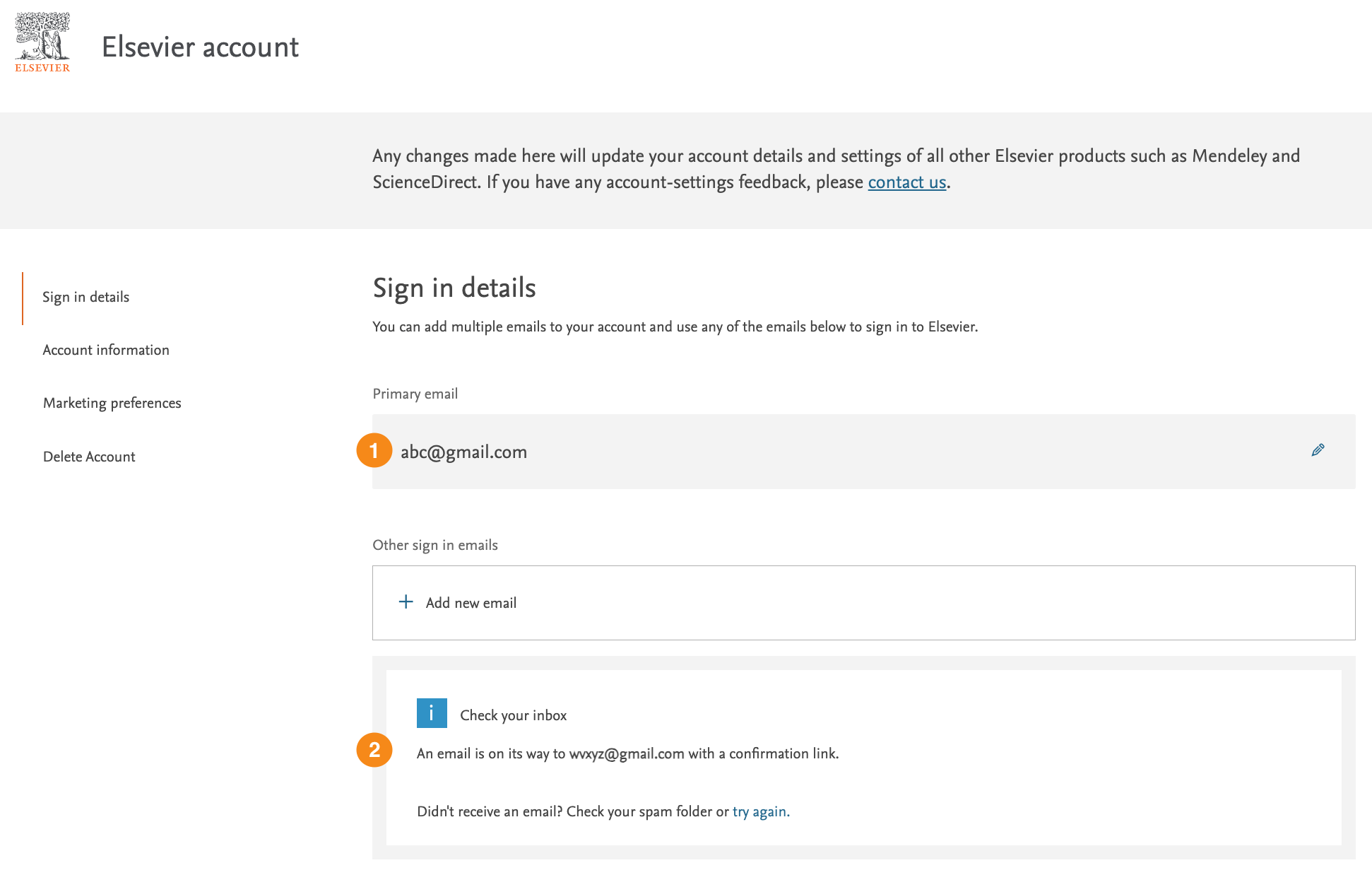
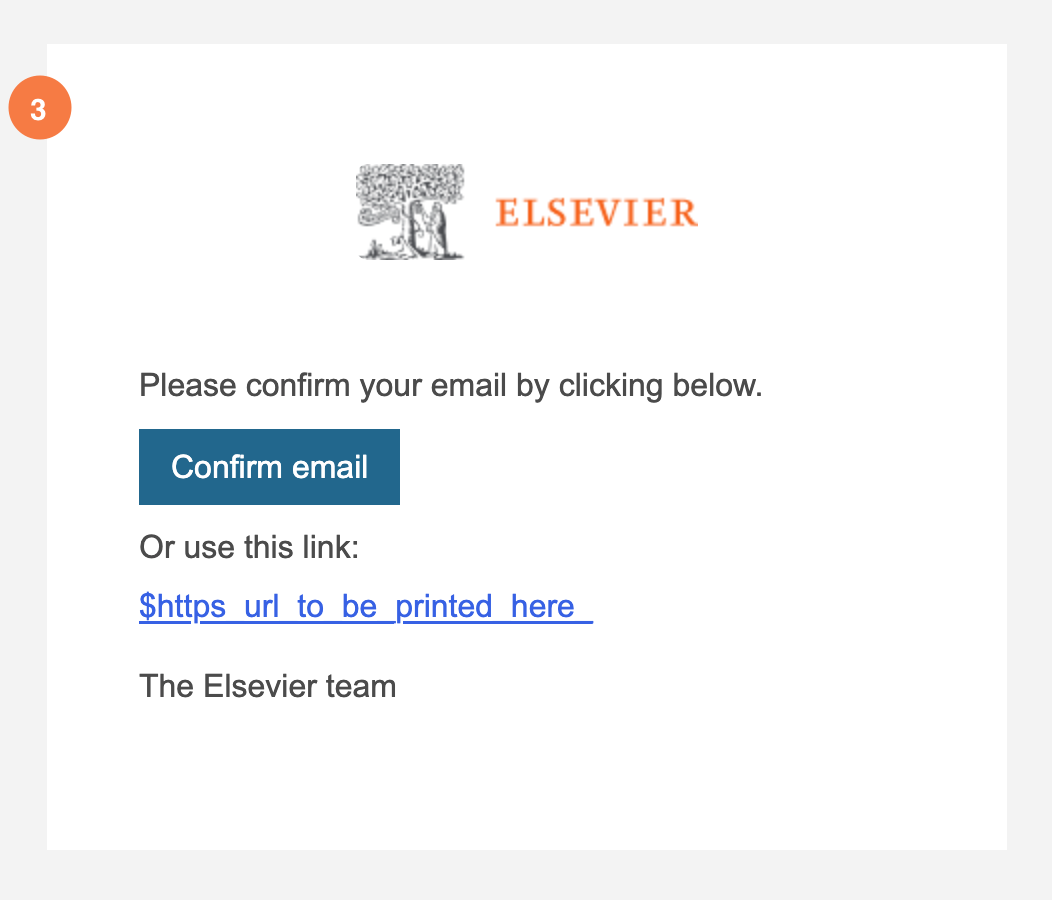
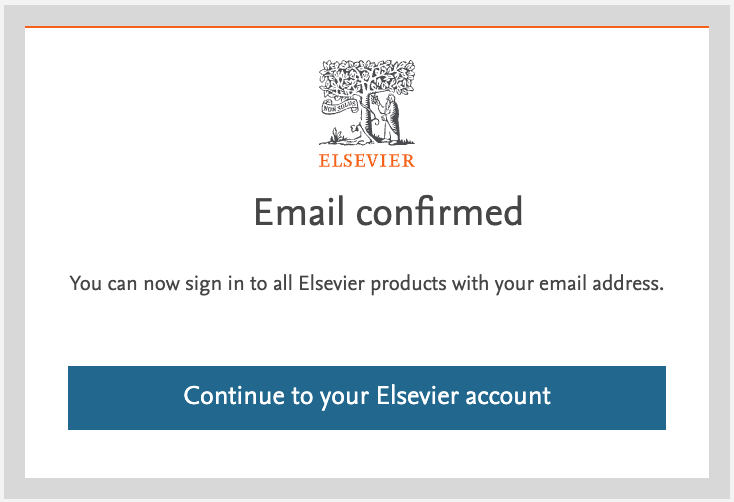
Because both addresses belong to the same account, you can sign in with either email address using the same password. Your personalization stays with your account, so regardless of which email address you use to sign in, you will still find your personal information (saved searches, references, etc.) for each Elsevier product.
Please make sure you check your Spam/Junk folder. Elsevier Identity emails are, on many occasions, routed there.
You can resend the email by selecting "Try again" on your account settings page (Elsevier Account Settings).
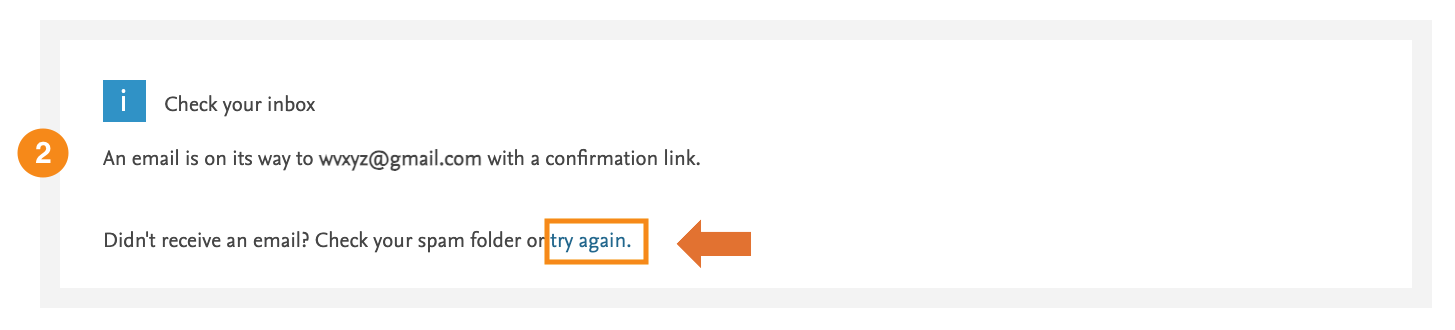
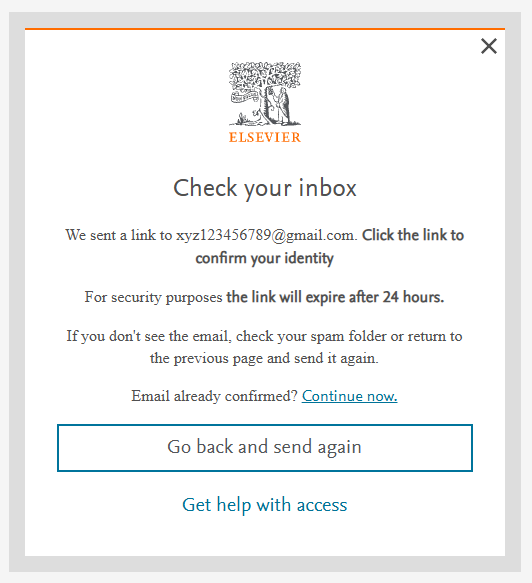
Alternatively, you can resend the verification email in the “Check your inbox” screen by selecting the “Go back and send again” button.
If you are asked to verify your email and do not do so, you will be asked again each time you sign in until your email is verified.
Important: You will not be able to complete the sign-in process until your email is verified.
If you still do not receive your verification email, it may be because your organization's systems are blocking Elsevier Identity emails. Your IT department can help by whitelisting [email protected].
If you no longer have access to your email inbox and have forgotten your password, you will not be able to verify your email address. In this case, you can create a new account via the “Register” button under any of the Elsevier products.
Resetting your password
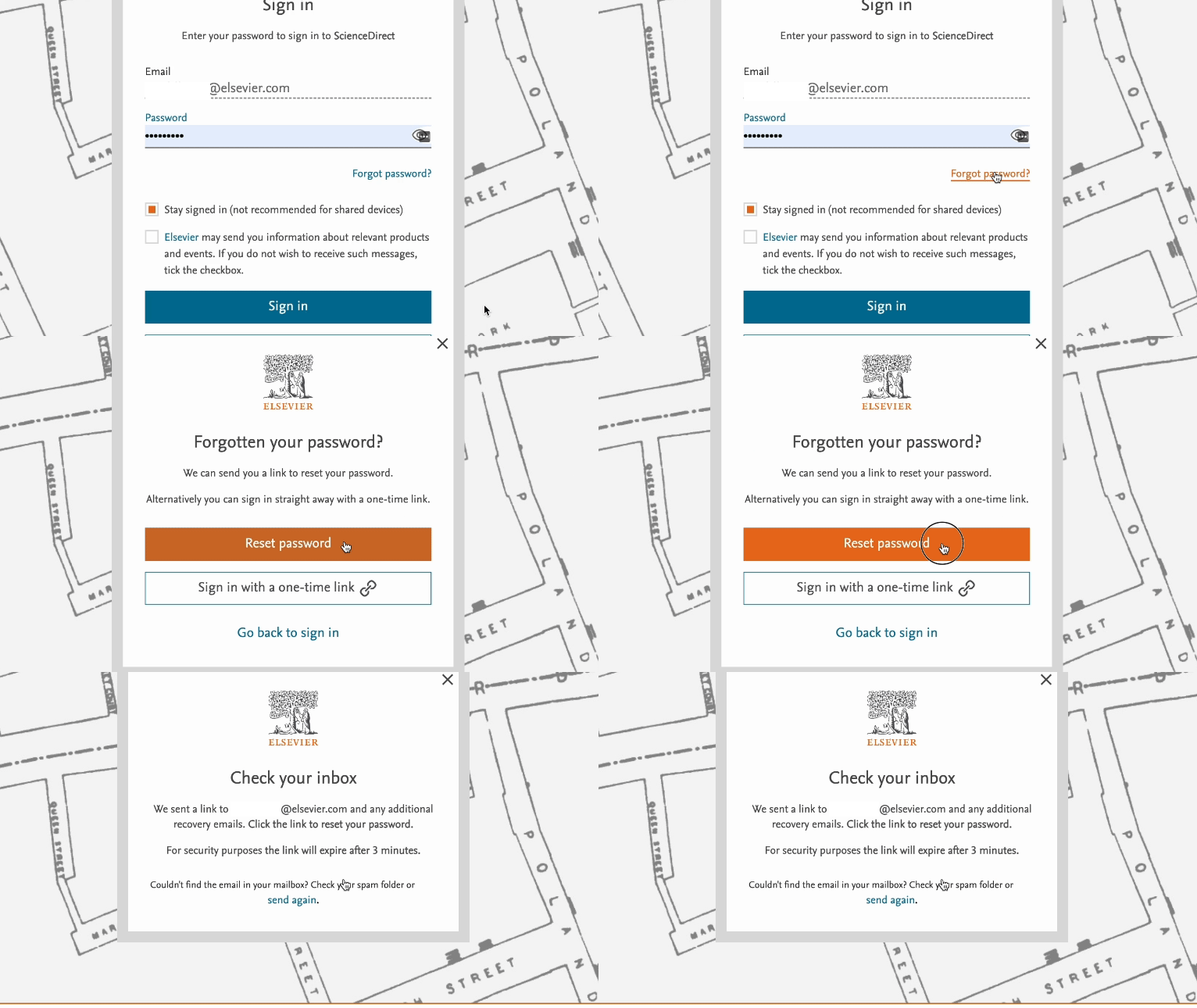
- Enter your email address on the sign-in screen
- Select the 'Reset password' or ‘Forgot password?’ link
- Select the link in the email you received and choose a new password.
FAQs on this topic: |
Using one-time links
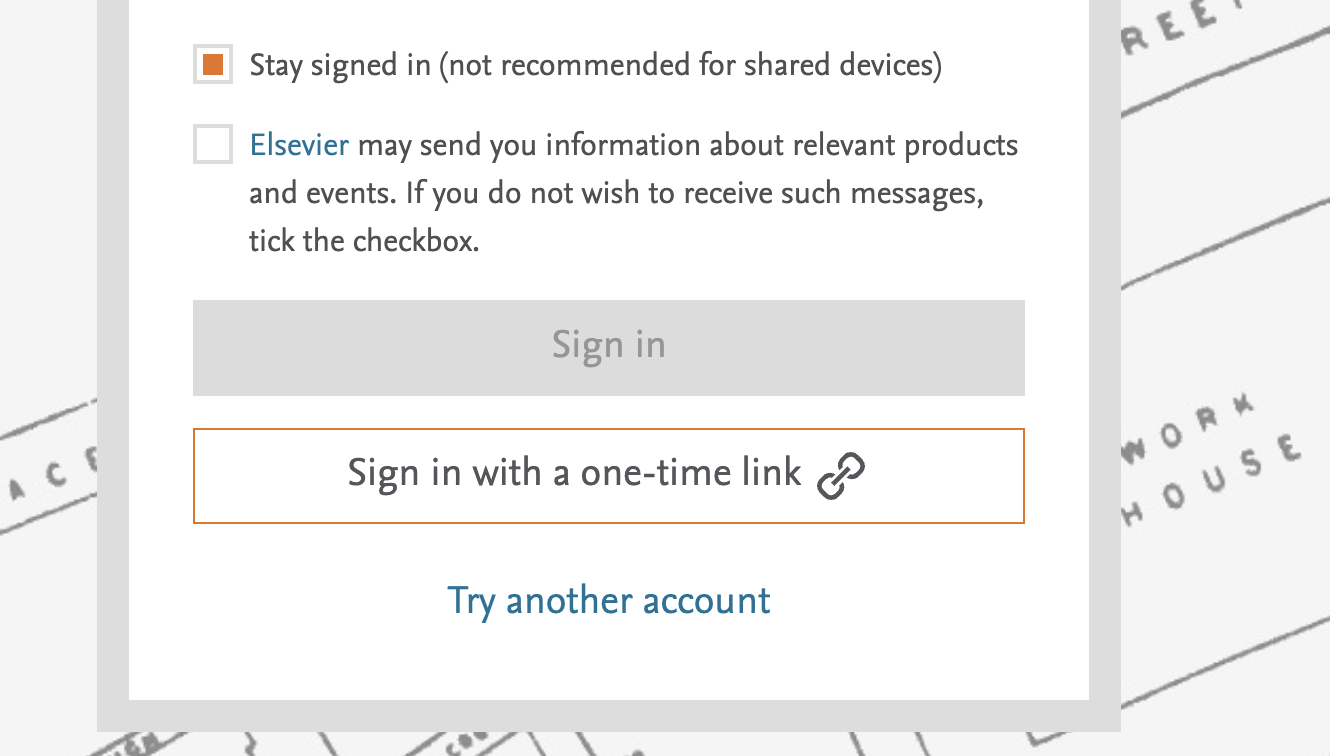
You can choose to receive a one-time link to your email inbox instead of entering your password.
This link will allow you to sign in with less steps. Your password will not be changed when using a one-time link.
FAQ on this topic: How do I sign in using a one-time link? - Elsevier Access Support Center |

We will send a link to your email inbox if for example, you reset your password or request remote access through your institution. This link is to make sure the email address you provided is real and belongs to you.
For security reasons the link expires after some time (from a few minutes to 48 hours), which will be specified in the screen requesting to check your inbox. If your link has expired, please follow the same steps to receive the link again.
Note: Sometimes, email providers may utilize an automated system to visit the link sent to you to verify the nature of the site. Although this is done for security reasons, this action may result in the link being marked as used and appearing as expired when you click on it. We are actively working on a long-term solution for this matter. For more information on this topic please see the FAQ below.
FAQ on this topic: Why is my link expired? - Elsevier Access Support Center |
Finding your organization
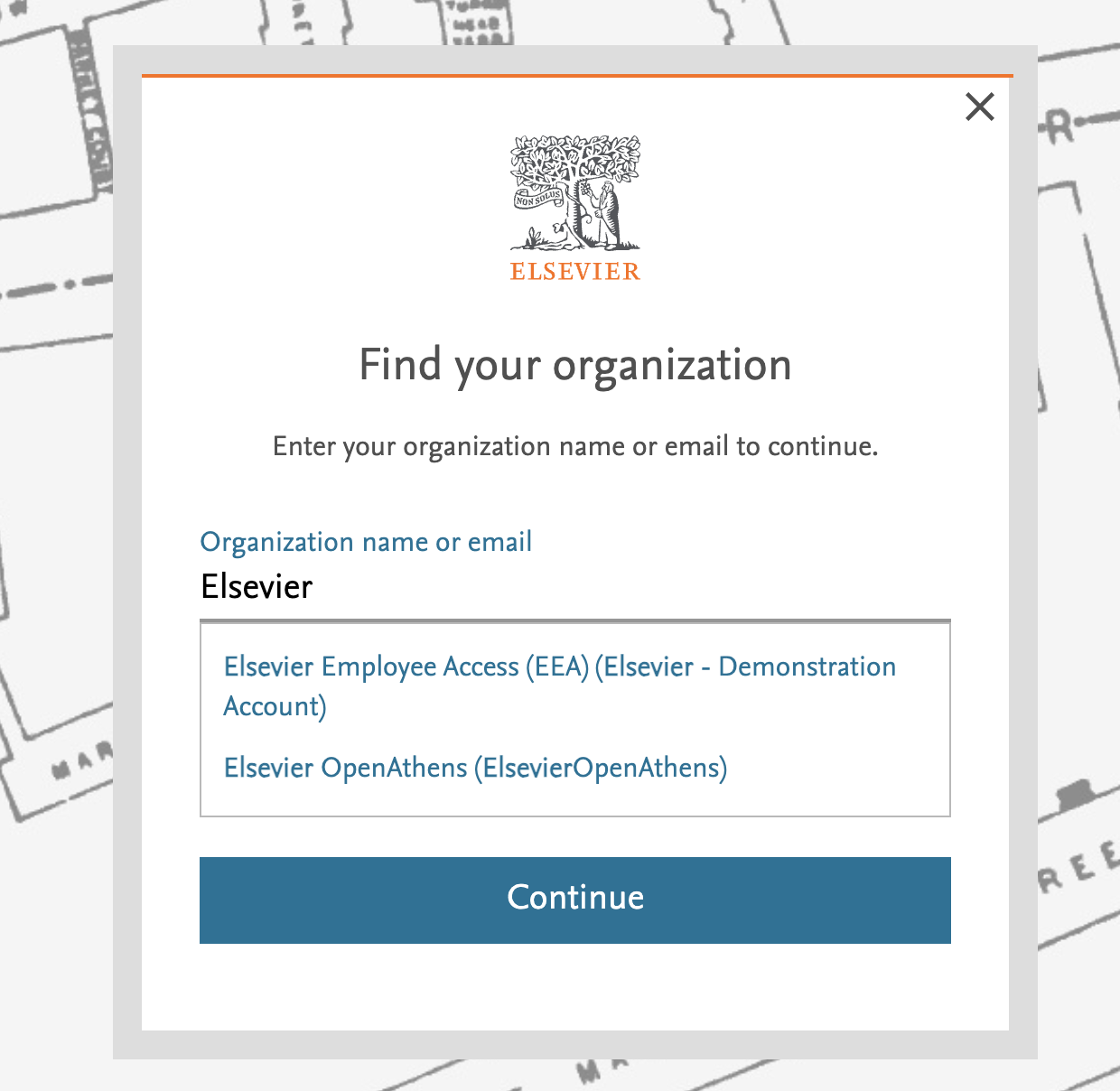
To access Elsevier content with your organization account, start typing the name of your organization or your email address.
If your organization or department has a subscription to the product content you're trying to access, their name will appear on the screen.
`
Sometimes although you may be able to find your organization in the above screen, it might happen that your organization only provides access via IP or VPN. Then, you will not be able to access Elsevier paid-for content if you are outside of your organization premises / VPN.
Large institutions and organizations may have multiple accounts aligned to departmental expertise and budgets. Contact your administrator or librarian to find out which account you should choose.
We only list organizations or departments with a subscription to an Elsevier product. You will not be able to access paid content within a product via your organization if they are not subscribed to that Elsevier product.
Changing your organization
It might happen that you need to change your associated organization (e.g., due to a job change or department move).
Some products, such as ScienceDirect, have a ‘Change organization’ link in their menu.
If that option isn’t available to you, follow these steps:
- Sign out of your current account.
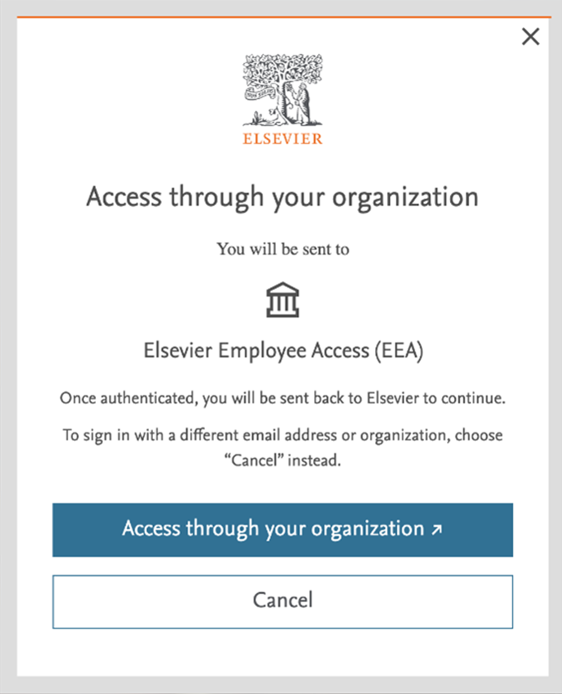
- Select ‘Sign in’, and then choose
- ‘Cancel’ whenever the old organization is prompted or;
- ‘Sign in via your organization’ instead of entering your email address in the "Welcome" screen.
- Start typing the name of your new organization or department and select the correct option from the auto-complete list.
- If you don’t know which option to select (e.g., you don’t recognize the account name, your organization is listed multiple times), contact your organization’s admin or librarian.
- Follow the steps on the screen to sign in with your new credentials.
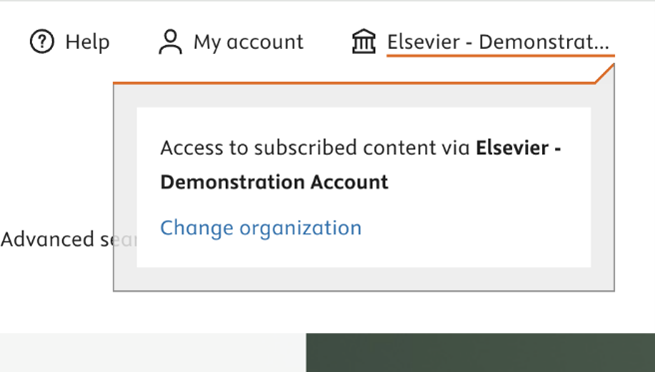
If your new organization isn’t listed or you still see your old organization, it might be due to your cookies.
Clear your cache and cookies to remove stored login details and restart your browser. View the steps for your browseropens in new tab/window and more information on the use of cookies and our policy on our FAQ page.
FAQs on this topic: |
Benefits of registering an account
Although you can use many Elsevier products through your organization without an individual account, there are several benefits to creating an account via our registration process.
With an Elsevier account you can:
- Edit your details
- Personalize your product experience (if applicable)
- Make organizational connections for a range of Elsevier products
Signing in with your individual account
Certain products, like LeapSpace, may require you to sign in with your individual account to access their content or features. This will be necessary whenever your organization does not subscribe to the product content. If only see your organization, it might be due to your cookies.
To sign in to your personal account follow the steps below:
- Clear your cache and cookies to remove stored login details and restart your browser (there is no need to clear your passwords). View the steps for your browser.
- Select 'My account' or 'Sign In' (depending on the product).
- Enter your email address on the Welcome screen.
- Enter your password in the 'Sign In' screen.


Note: For products like LeapSpace, signing in with an email address is required even when your organization is subscribed to the product content. Be sure to select "Sign in via your organization" to access that content. You will then be prompted to either register or sign in using your organization's email address.
Did we answer your question?
Related answers
Recently viewed answers
Functionality disabled due to your cookie preferences