
View by category
You can sign in to your Elsevier account by clicking a link in an email sent to your inbox.
You can choose to receive this link instead of entering or resetting your password.
If you sign in via a one-time link you will stay signed in for 30 days.
To sign in via a one-time link, click the option shown here during sign in: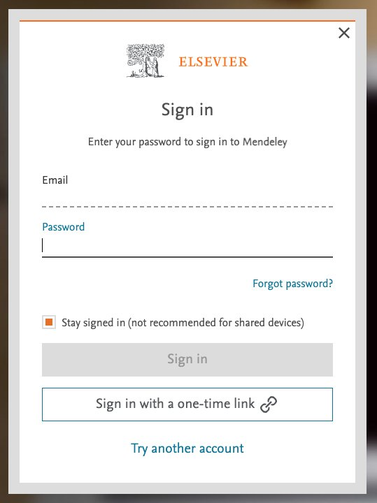
You will see a screen informing you that an email has been sent: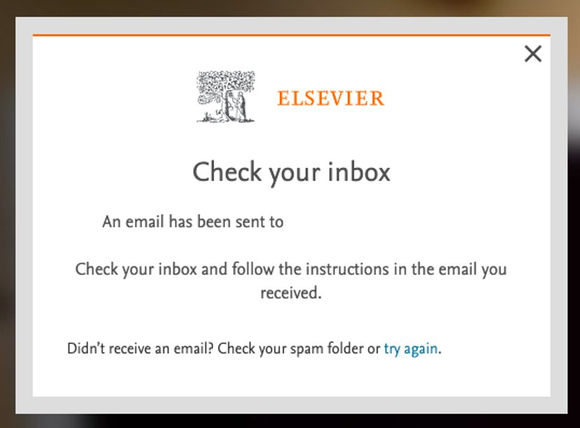
Check your inbox and click the link in the email to sign in to your Elsevier account: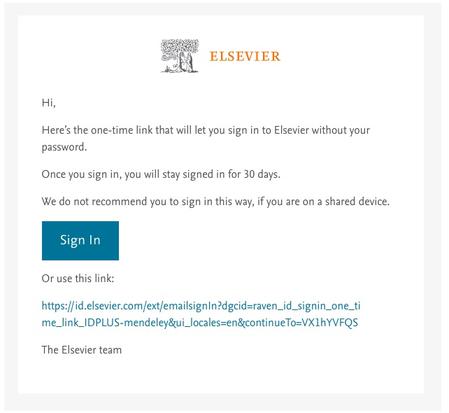
Make sure your emails are not redirected. You can sign in without a password only if you use the same email address where the one-time link was sent
Did we answer your question?
Related answers
Recently viewed answers
Functionality disabled due to your cookie preferences