
How do I add ChemDraw files to Elsa?
Last updated on August 07, 2026
To add ChemDraw files to Elsa, you can upload the files as figures and insert them into the Write space.If importing a Word file, ChemDraw images won't be recognized—insert them separately using the instructions below. These figures can be made as numbered or un-numbered (see How do I insert figures in Elsaopens in new tab/window)
To upload your ChemDraw files:
First add the file to your Figure library by navigating to the Figures tab at the top of the page or navigating to the Insert ribbon of the toolbar and selecting "Figure".
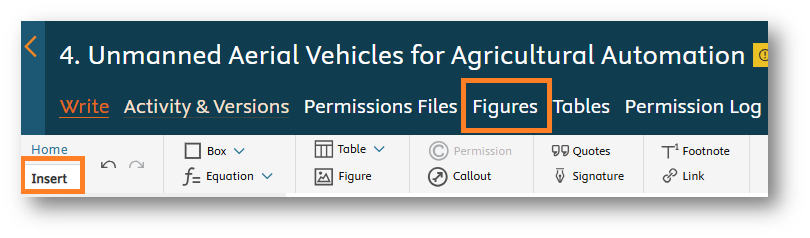
- Select the Upload option and browse for your file, then click "Upload"
To insert your image into the Write space, use the Figure icon on the Insert tab of the toolbar, select your image from the Library and then click "Insert"
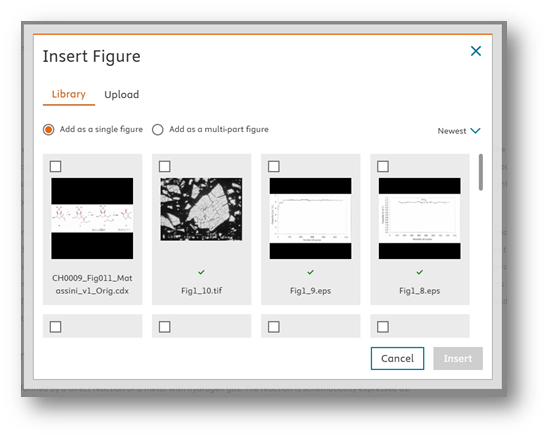
Note: If your original image was created in black & white, it may appear as color in the Write space. You can note this for an Elsevier staff member, and it will be adjusted in production.
Did we answer your question?
Related answers
Recently viewed answers
Functionality disabled due to your cookie preferences