
How do I view an electrocardiogram (EKG) of the Heart?
Last updated on August 04, 2026
Also available in
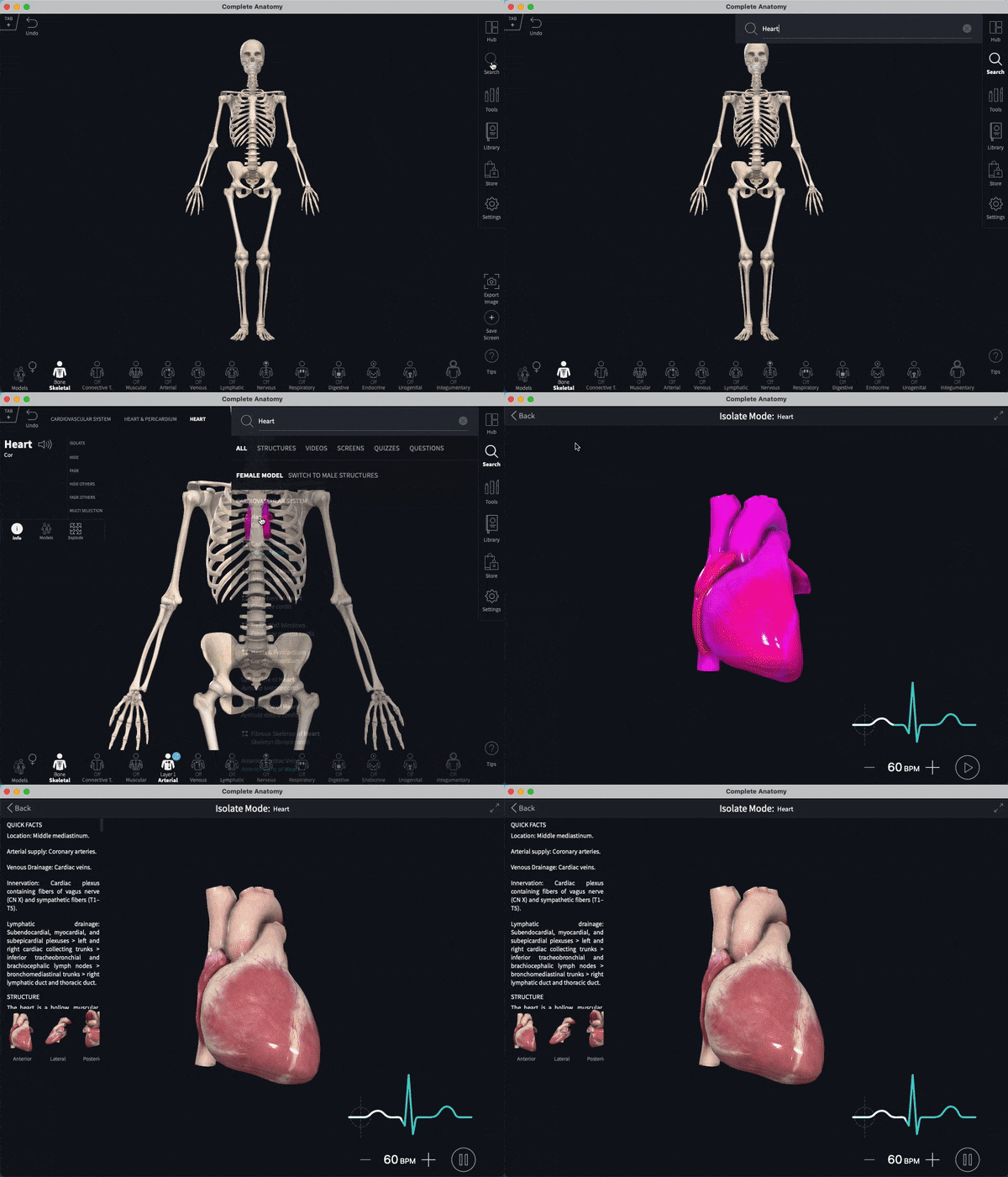
To view an electrocardiogram (EKG) of the heart, follow these steps:
- Go to Search and type "Heart"
- Select "Heart" from the dropdown menu
- In the "Info" box, choose "Isolate"
- Click "Play" in the bottom right-hand corner to see the EKG
- To adjust the speed of the beats per minute (BPM), use the "+" and "-" buttons
Did we answer your question?
Related answers
Recently viewed answers
Functionality disabled due to your cookie preferences