
How can I update or reset my password for my Complete Anatomy account?
Last updated on May 07, 2026
Also available in
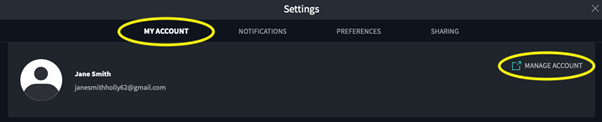
- Within Complete Anatomy, go to MY ACCOUNT and click “MANAGE ACCOUNT”:
- Under Sign in details, click on the “pencil icon”:
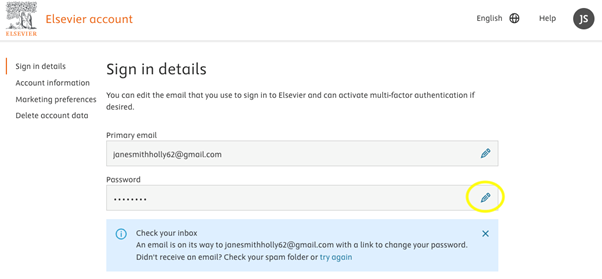
An email with a link to change your password will be sent to your email address.
Please note, if you do not receive an email, please check your Spam/Junk folder or try again.
- Navigate to your My Account.
- Enter your email address and click “Continue”.
- Click “Forgot password”.
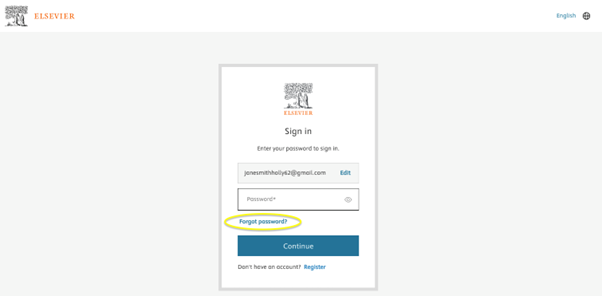
An email with a link to change your password will be sent to your email address.
Please note, if you do not receive an email, please check your Spam/Junk folder or try again.
Did we answer your question?
Related answers
Recently viewed answers
Functionality disabled due to your cookie preferences