
How can I change the email address associated with my Complete Anatomy account?
Last updated on May 07, 2026
Also available in
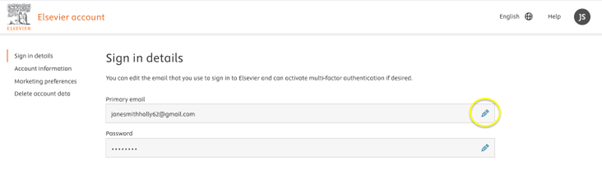
- Navigate to your My Account
Under “Sign in details” beside “Primary email”, click on the “pencil icon”:
- Enter the email address to which you would like to change your current email.
Click “Save”:
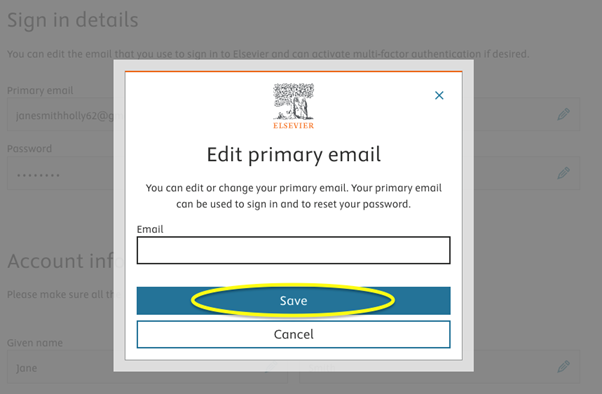
You will receive an email to the new email address, allowing you to activate it and sign in using the new email address.
Did we answer your question?
Related answers
Recently viewed answers
Functionality disabled due to your cookie preferences