
View by category
Create rich reports specifically tailored to support your institution’s research strategy. Speed up repetitive tasks by selecting from one of the SciVal-created or customer-endorsed report templates or by creating your own report template.
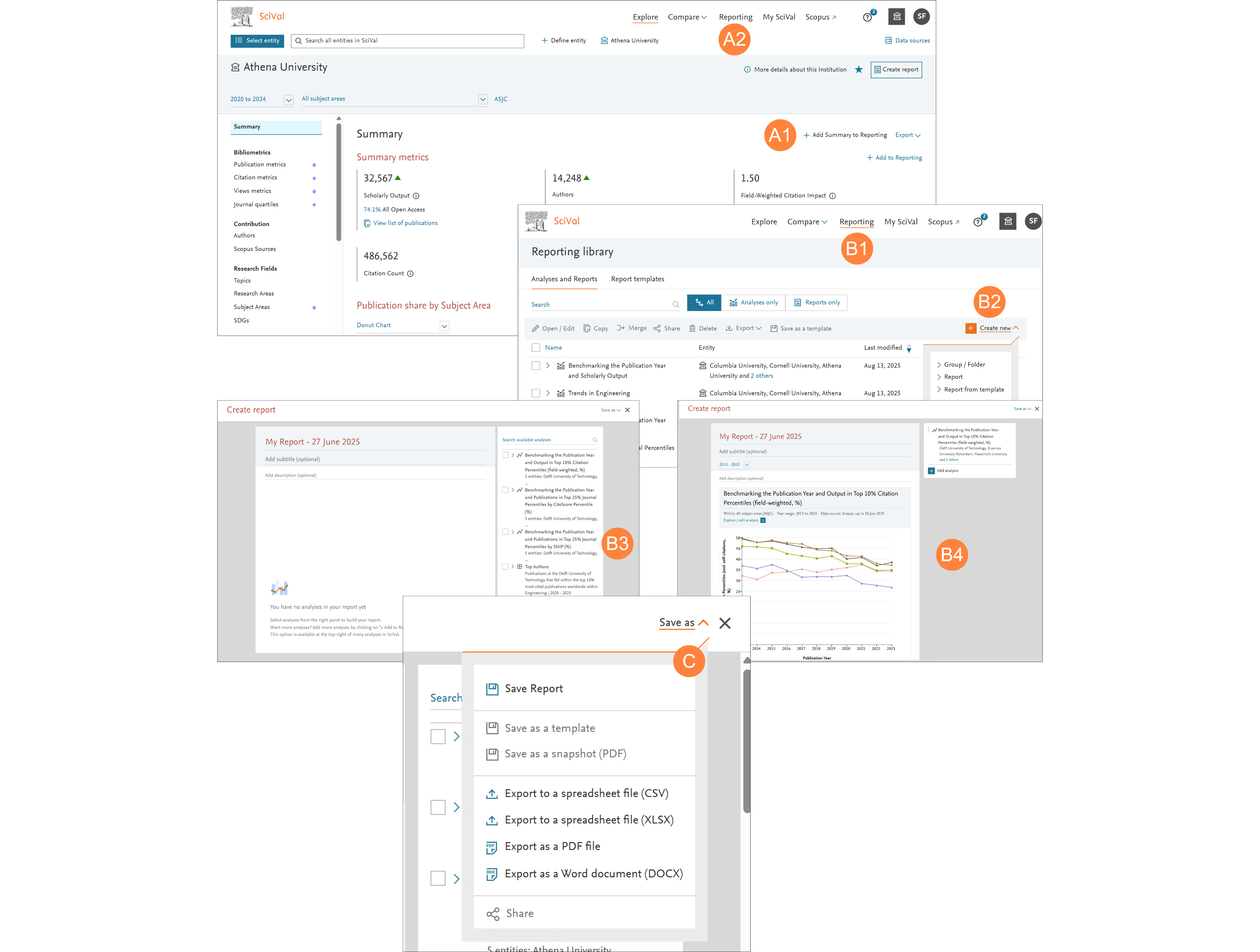
- Saving and using analyses
- Select the entities, metrics and options of interest and click ‘Add to Reporting’. You can add and name as a new report or toggle to select an existing report
- Go to ‘Reporting’ in the global navigation bar at the top of the screen to add analyses to an existing Report or create a new one
- Creating, Sharing and Exporting a Report
- Go to ‘Reporting’ in the global navigation bar at the top of the screen
- Click ‘Create new’ and select ‘Report’
- Select the analyses you would like to use and click add
- Review the Report layout, adjust and add descriptions as needed
- Save as Template, Share or Export your Report as required
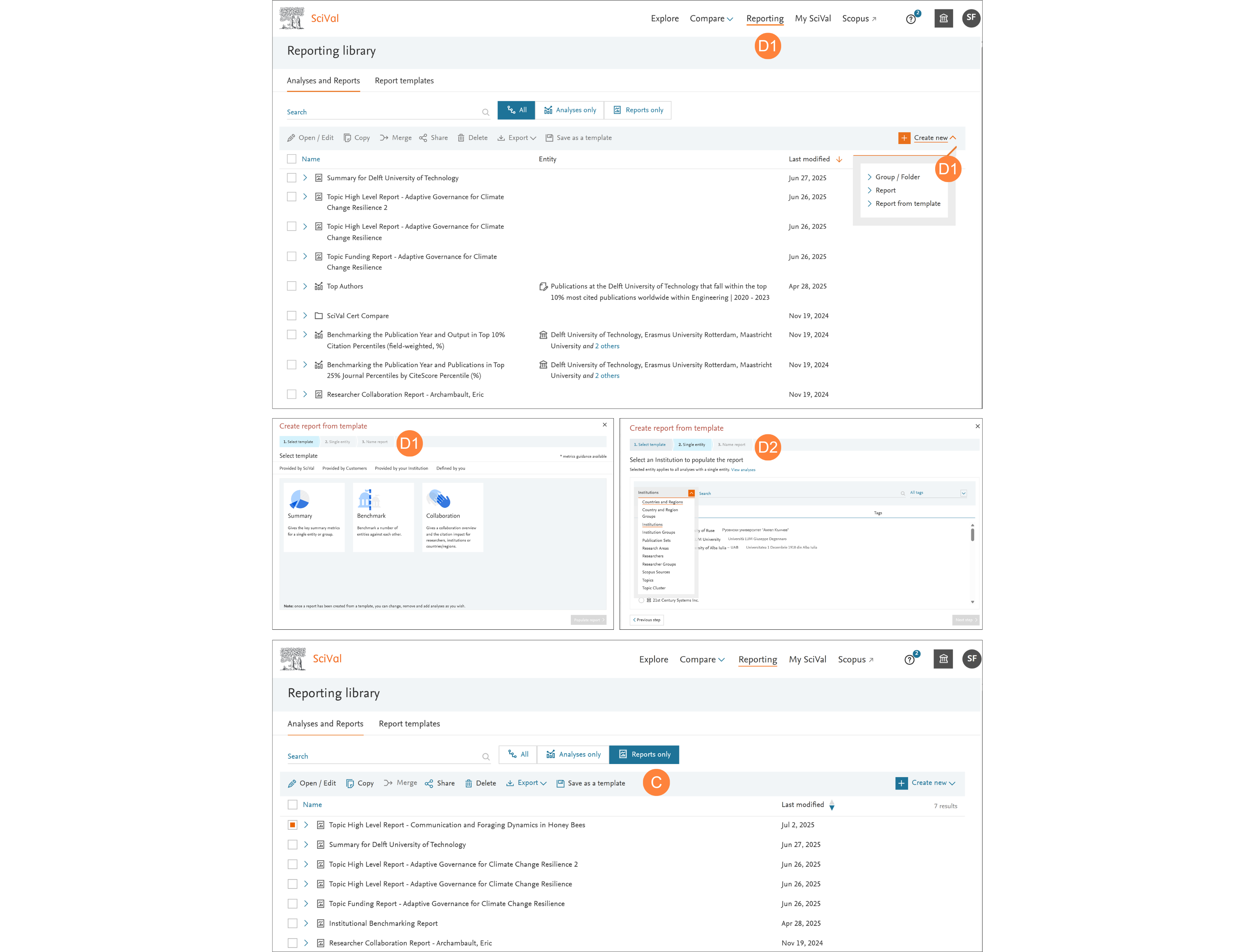
- Using report templates
- SciVal-created report templates, including customer-endorsed templates
- Go to Reporting and click ‘Create new’ and then ‘Report from Template’
- Select the template you would like to use from ‘Provided by SciVal’, ‘Provided by Customers’, ‘Provided by your Institution’ or ‘Defined by You’
- Select the entity or entities you would like to analyze
- Follow the steps to name and save your Report, which will now be a standard Report that you can change, remove, add analyses to or share
- Creating your own reporting template
- Select the Report you would like to save as a Template
- Click the ‘Save as Template’ link
- Name and save the Template and it is now available with the other Report Templates in the tab ‘Defined by you’
Tip: Speed up repetitive tasks by selecting from one of the SciVal-created or customer-endorsed report templates or by creating your own report template.
Note: A template with analyses from Compare, plus an Explore page requires an additional step where a ‘core’ entity is selected.
Did we answer your question?
Related answers
Recently viewed answers
Functionality disabled due to your cookie preferences