
View by category
Entities are the building blocks of your analysis in SciVal, representing the research areas, topics, or organizations you focus on to gain targeted insights and make data-driven decisions.
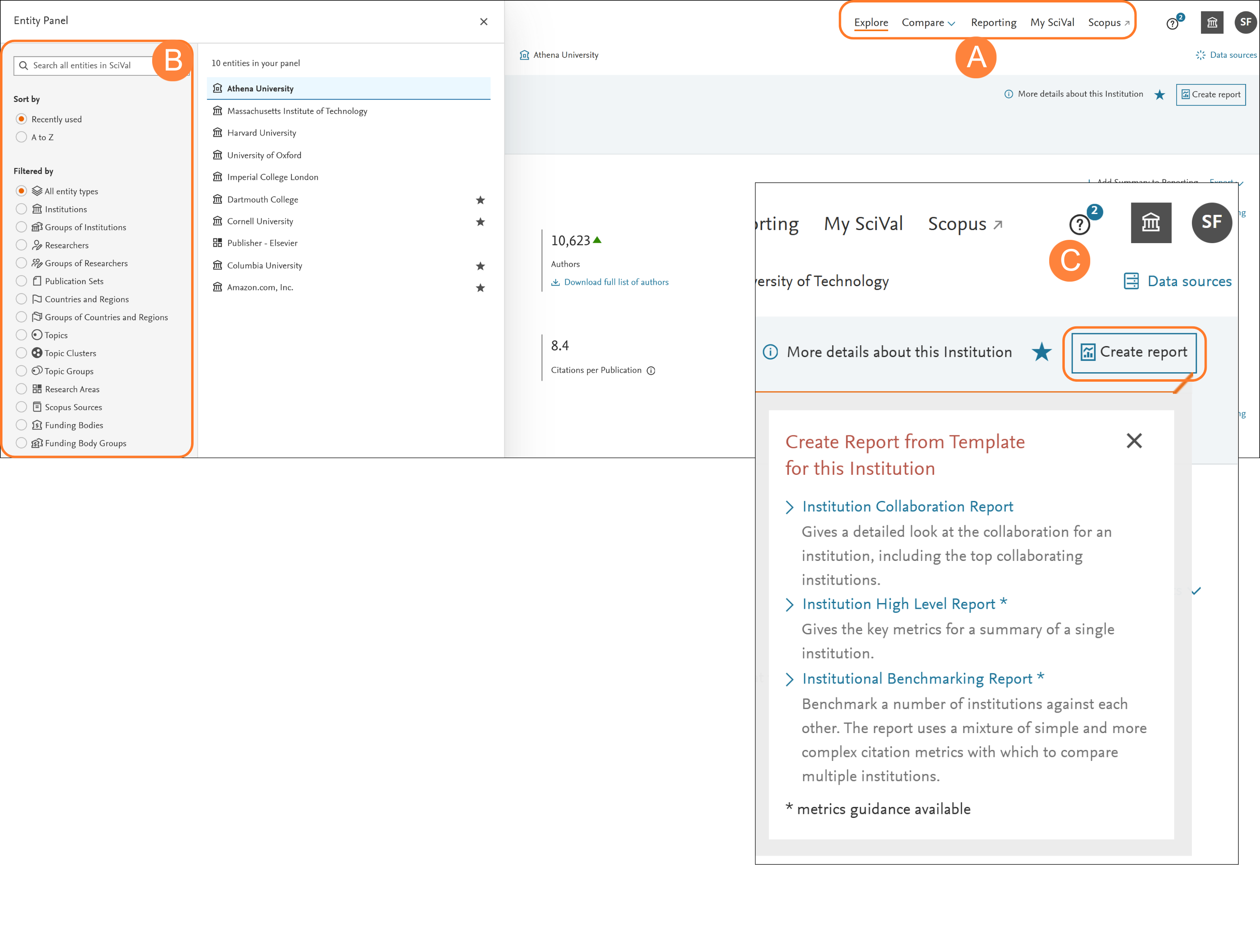
- Select the section that meets your analysis needs:
Explore: The Explore section allows you to select and analyze one entity at a time
Compare: The Compare section allows you to select multiple entities for the purpose of benchmarking or intersecting the entities
Reporting: Reporting allows you to create custom reports based on analyses saved from across SciVal pages
My SciVal: Manage your entities, add tags and share with colleagues at your Institution - In the Entity panel you can select the entity/entities that you wish to analyze/benchmark
An entity is anything that can be viewed in SciVal and used for analysis, benchmarking or reporting. Entities in SciVal include:- Researchers/Groups of Researchers
- Publication Sets • Research Areas
- Institutions/Groups of Institutions
- Countries and Regions/Groups of Countries and Regions
- Topics/Topic Groups/Topic Clusters
- Scopus Sources
- Funding Bodies/Funding Body Groups
- For each entity you can ‘Create report’ and select from pre-defined report templates. The templates offered will depend on the entity selected
The entity panel enables you to define, add, remove, organize and use all your entities of interest while working in SciVal. You will learn more about this in future sections of this guide
You may not always see the same pages (analysis options) for each entity type. Some analyses are only available for specific entity types.
Did we answer your question?
Related answers
Recently viewed answers
Functionality disabled due to your cookie preferences