
View by category
How can I benchmark Institutions using ranking metrics?
Last updated on November 15, 2024
Also available in
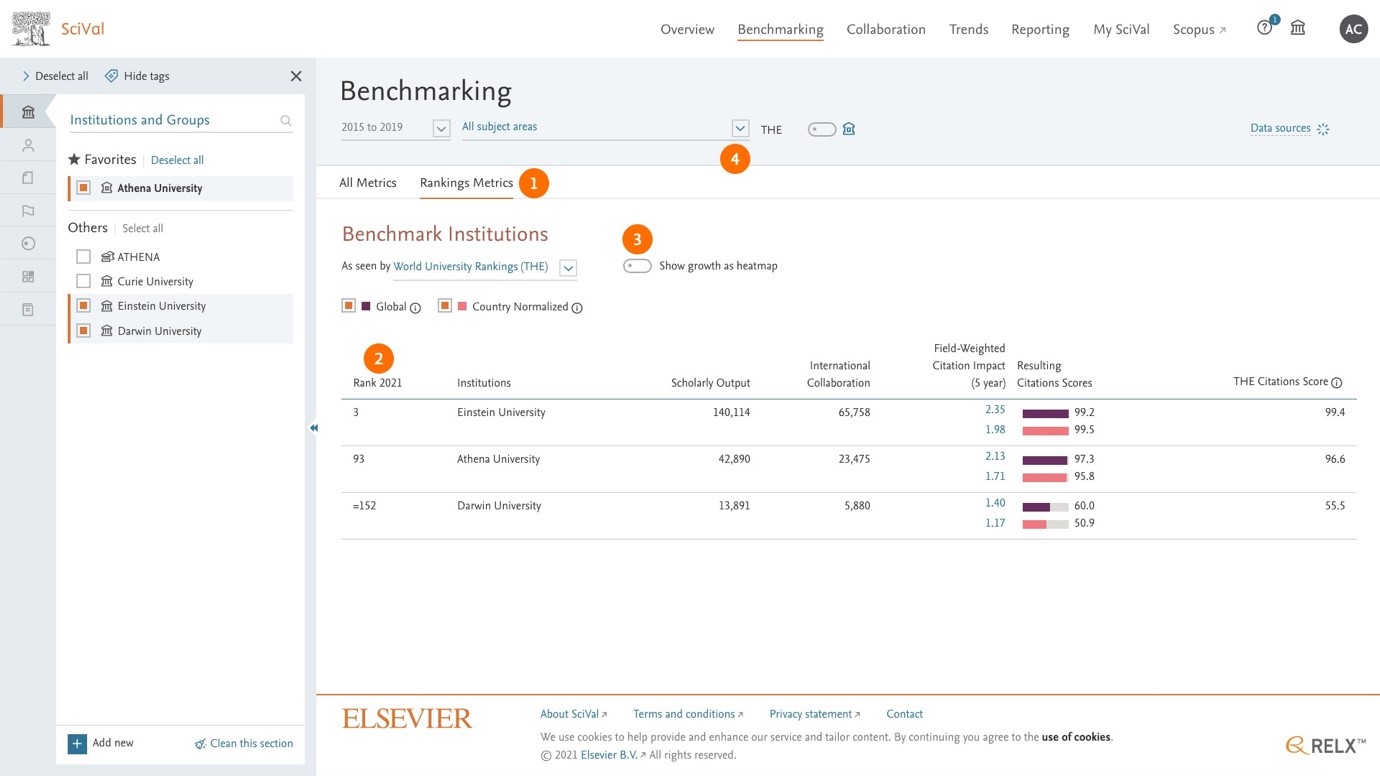
- ‘Rankings metrics’ tab in ‘Rankings’ helps SciVal customers:
- Analyze, benchmark and produce peer comparison reports across all bibliometric drivers directly in the Benchmarking module.
- Benchmark at the THE subject level for a deeper understanding of your university’s position and to inform faculty and department level plans.
- Analyze trends in the bibliometric drivers for the rankings to help enrich your understanding of them and inform plans accordingly.
- Select ranking years:
- Ranking years available for anlysis are 2021 and 2022.
- You can select either 2021 or 2022 or both.
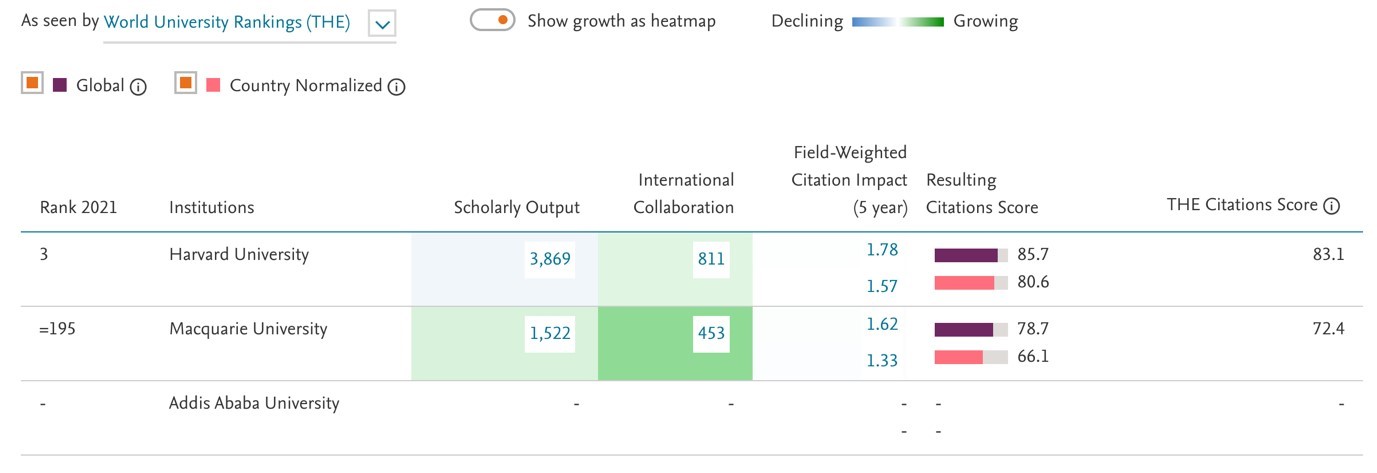
- The following scores, indicators and metrics are only available for ranked universities. Unranked universities will have a dash displayed as there are no available metrics.
- Overall ranking.
- Turn on the heatmap toggle to view the growth trend of the metrics as heatmap.
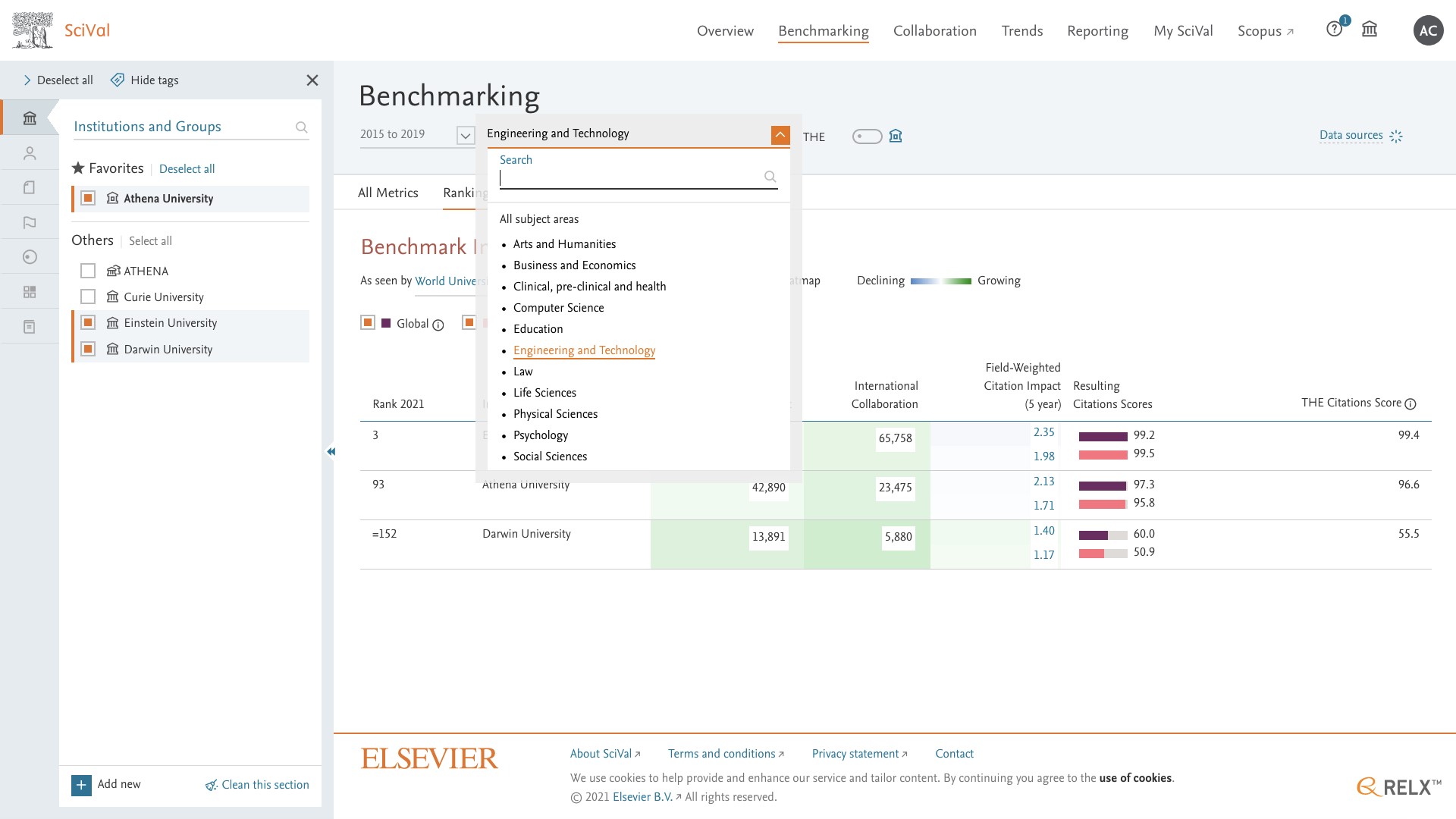
- Filter the metrics on the page using sub-categories of the THE subject classification, for example Engineering and Technology and see its impact on the overall FWCI and ranking.
- Only the THE subject classification is available as other ones are not relevant for THE World University Rankings.
- In addition, 2016-2020, for the ranking year 2022, is the only available year range as we do not have data for previous years’ rankings yet.
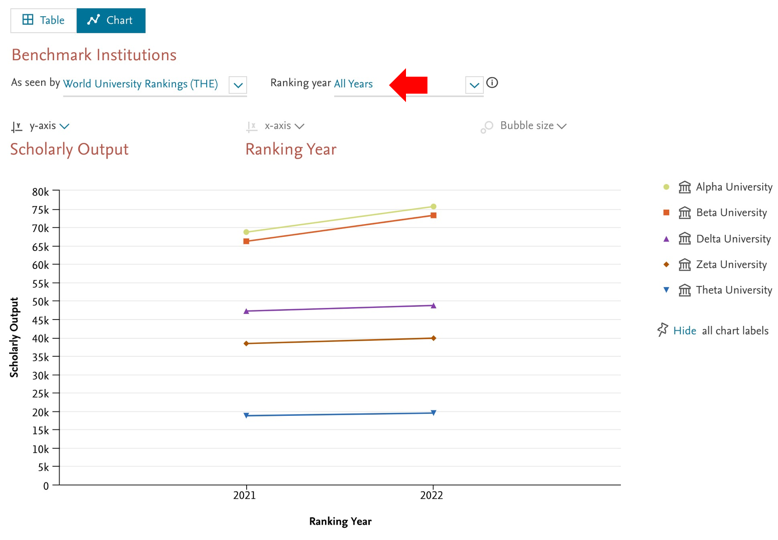
- Benchmark the ranking metrics with peer using chart.
- If you select one ranking year, you can pick up to three metrics.
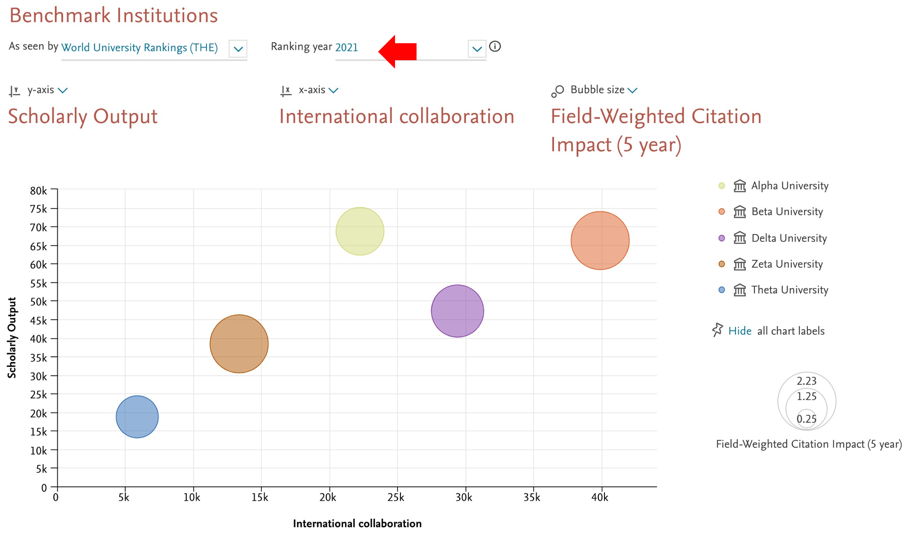
- If you select multiple ranking years, you can analyze changes in one single metric.
Did we answer your question?
Related answers
Recently viewed answers
Functionality disabled due to your cookie preferences