
View by category
How can I filter by single or multiple subject areas?
Last updated on August 18, 2026
Also available in
In SciVal, all data can be filtered by selecting one or multiple subject areas. You can choose from the ASJC (All Science Journal Classification), which has 27 main categories and 334 subcategories, or use different subject classification, such as UN SDGs, QS, THE, SCADC, KAKEN, FORD, NIRF, POL, DFG etc.
See more information on which subject classifications are available in SciVal.
You can use one or multiple subject areas as a filter for further analysis, using any of the subject classifications.
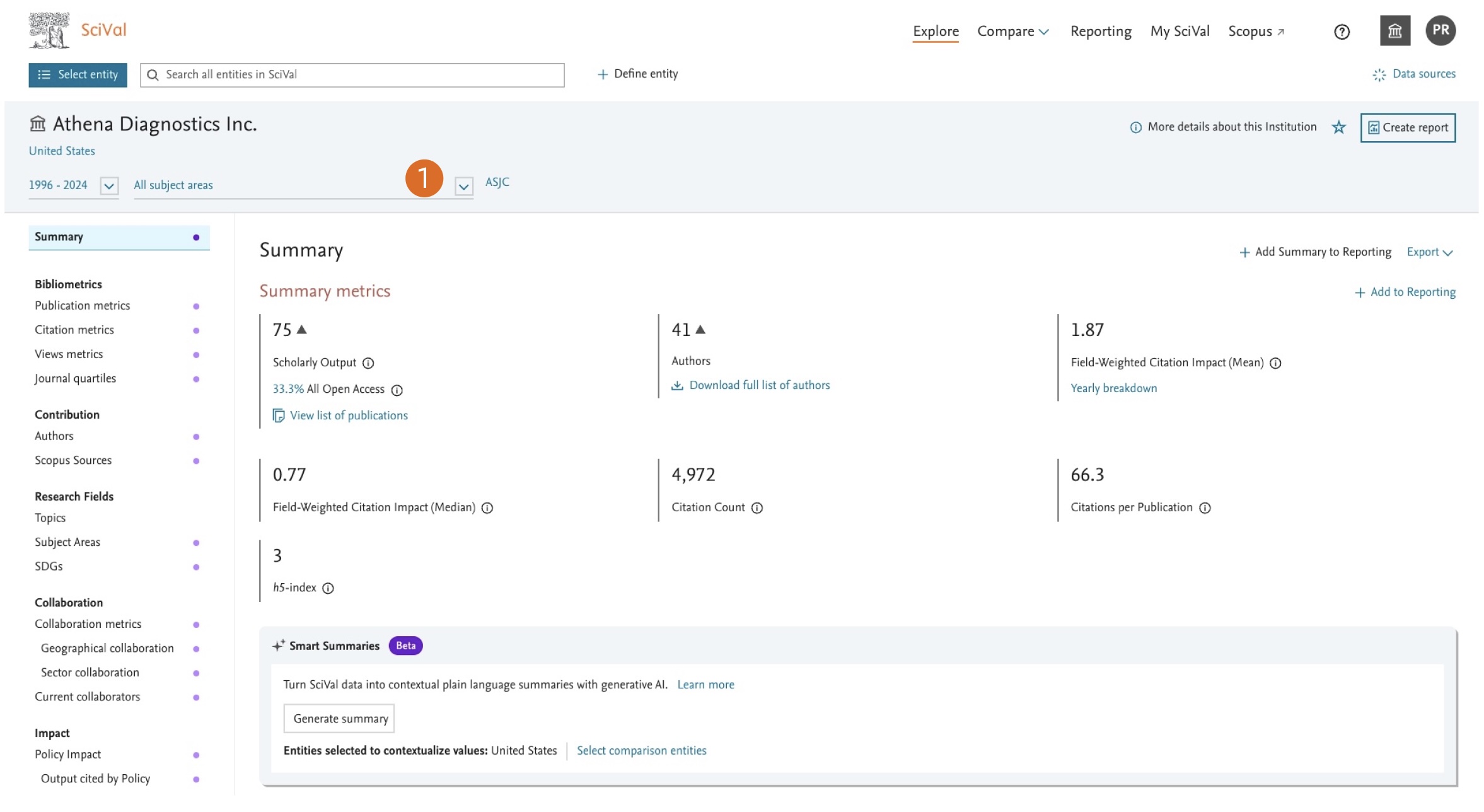
- The Scopus subject area filter dropdown is available on various pages in SciVal. ‘All Subject areas’ is by default selected.
Using the Multi-select Subject Area Filter
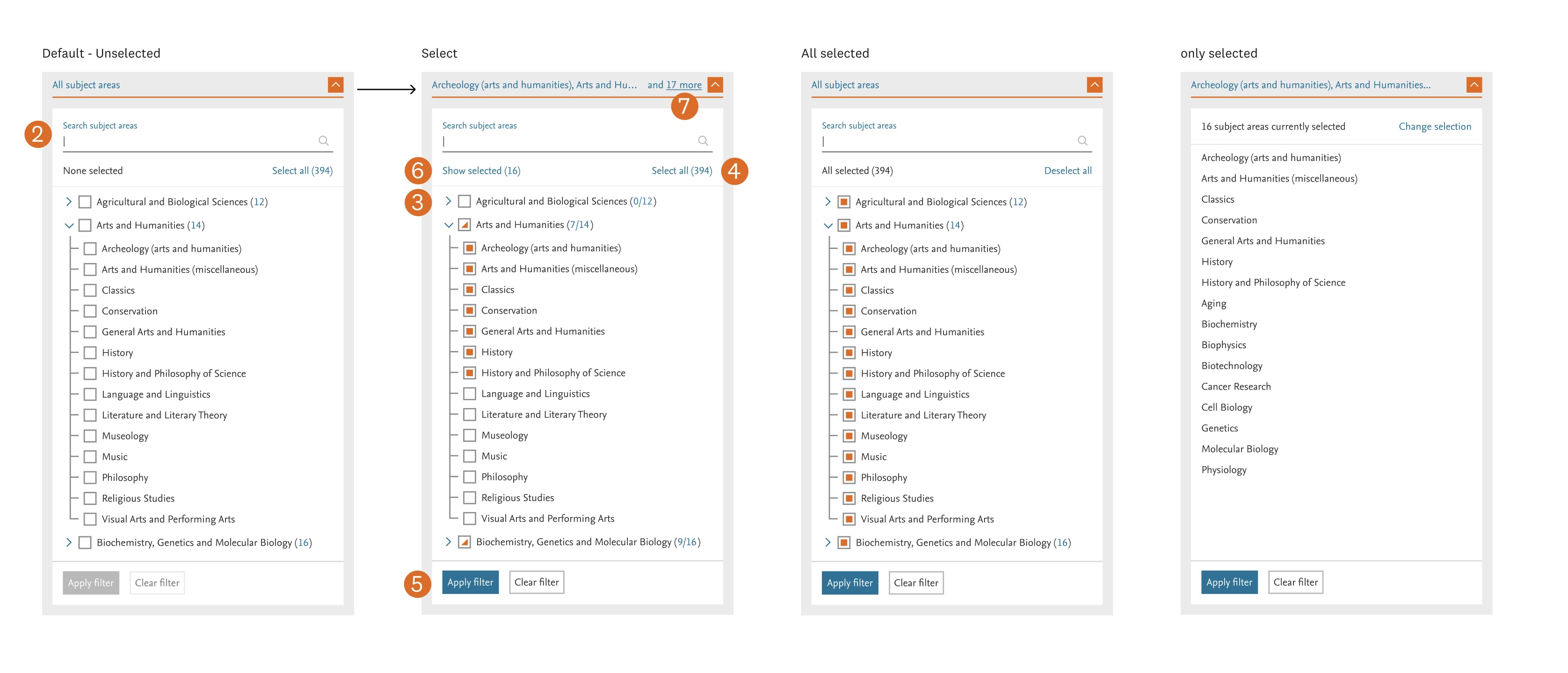
- Search for a subject area
Use the Search subject areas field to quickly find a subject area by name. - Browse and select subject areas
- Click the expand arrow next to a category to view its subcategories.
- The number in parentheses indicates how many subcategories are available.
- Select one or more categories and subcategories using the checkboxes.
- Select or deselect all
- Select all selects every available subject area.
- Once all subject areas are selected, the button changes to Deselect all, allowing you to clear the entire selection.
- Apply or clear your selection
- Select Apply filter to apply your selections and close the dropdown.
- Select Clear filter to remove all selected subject areas. The dropdown remains open so you can make a new selection.
- 6 & 7. Preview your selection
- Select Show selected to display only the subject areas you have currently selected.
- When subject areas are selected, the filter label displays the first selected item followed by a count (for example, .. and 17 more) as a quick preview of your selection.
Scopus sources can appear in multiple subject areas, as each publication gets its subject areas from the Scopus Source it is published in.
This means that when you look at the breakdown by subject area, a publication will be counted twice if it appears in a Scopus Source mapped into two categories, as SciVal doesn't use fractionalization.
SciVal deduplicates the publications within an aggregate entity, so that a publication is only counted once when you look at the overall scholarly output for that entity.
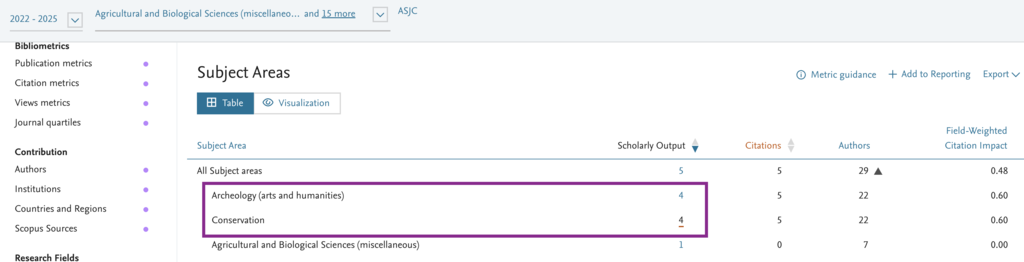
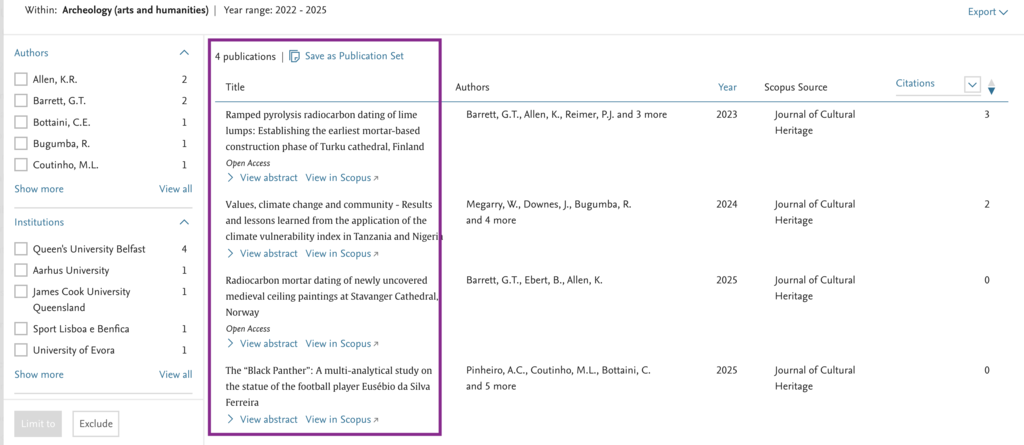
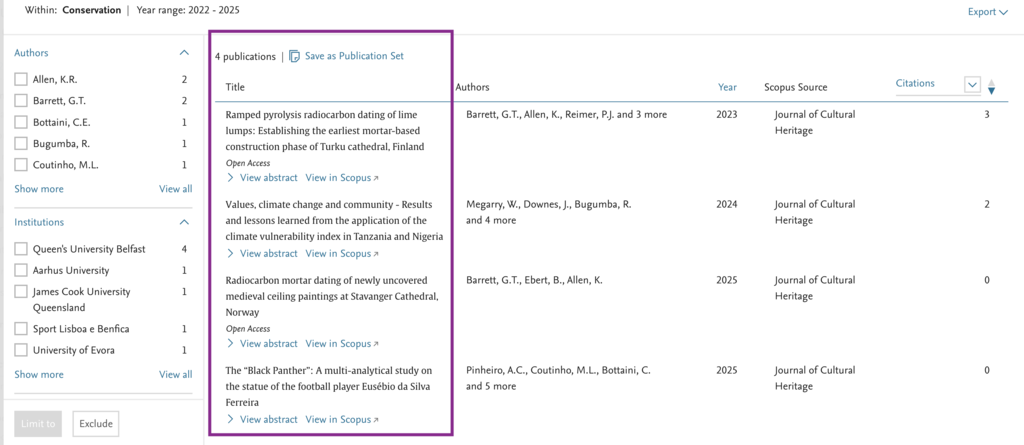
For example, a publication may be published in a Scopus Source that is mapped to both Archaeology (arts and humanities) and Conservation as shown below. In the subject area breakdown, this publication will be counted once under Archaeology (arts and humanities) and once under conservation because fractionalization is not applied. As a result, the sum of the individual subject area counts may be higher than the overall Scholarly Output. In the overall count, SciVal deduplicates publications, ensuring that the same publication is counted only once.
Did we answer your question?
Related answers
Recently viewed answers
Functionality disabled due to your cookie preferences