
Release notes for January 2023
Last updated on March 09, 2026
This release focuses on introducing a new way to set your preferred chemical suppliers and specifically access information from their catalogues. Additionally, now it is easier to modify your queries in quick search, from any result page.
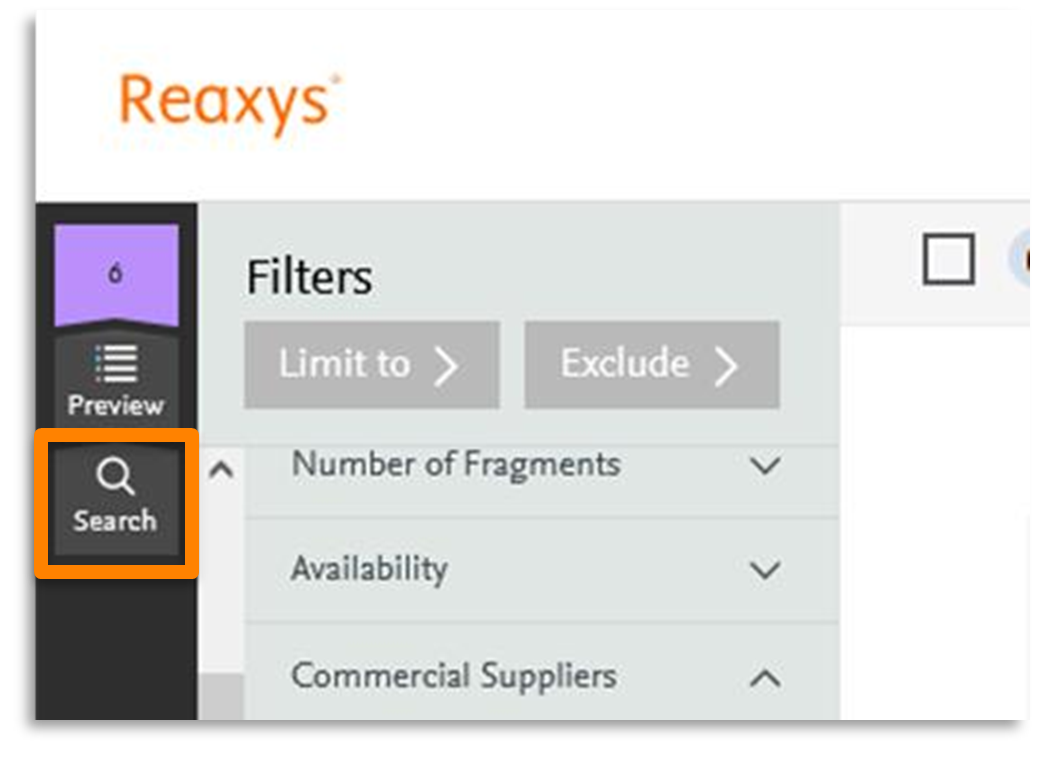
New breadcrumb to go back to edit your query input
When searching via quick search, the ability to return to edit your query was only available via the preview page. Now a new bread crumb is available which allows you to go back to edit your query with one click, from any result page in Reaxys.
New Supplier Preferences filter
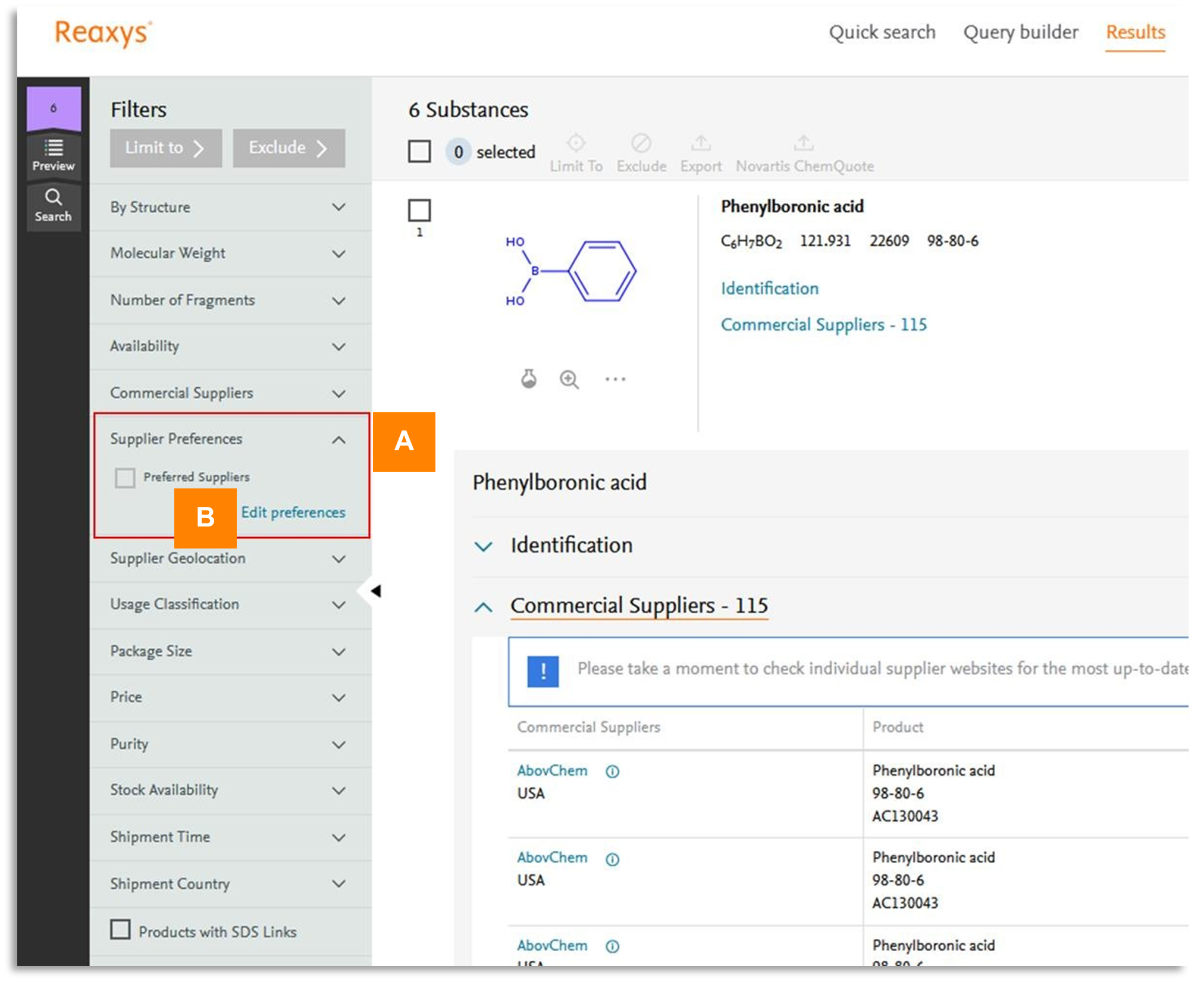
Now you can quickly narrow down commercial substances to those offered by your preferred suppliers with a new ‘Supplier Preferences’ filter. This greatly decreases the time needed to search and filter for your preferred vendors in the Commercial Suppliers filter.
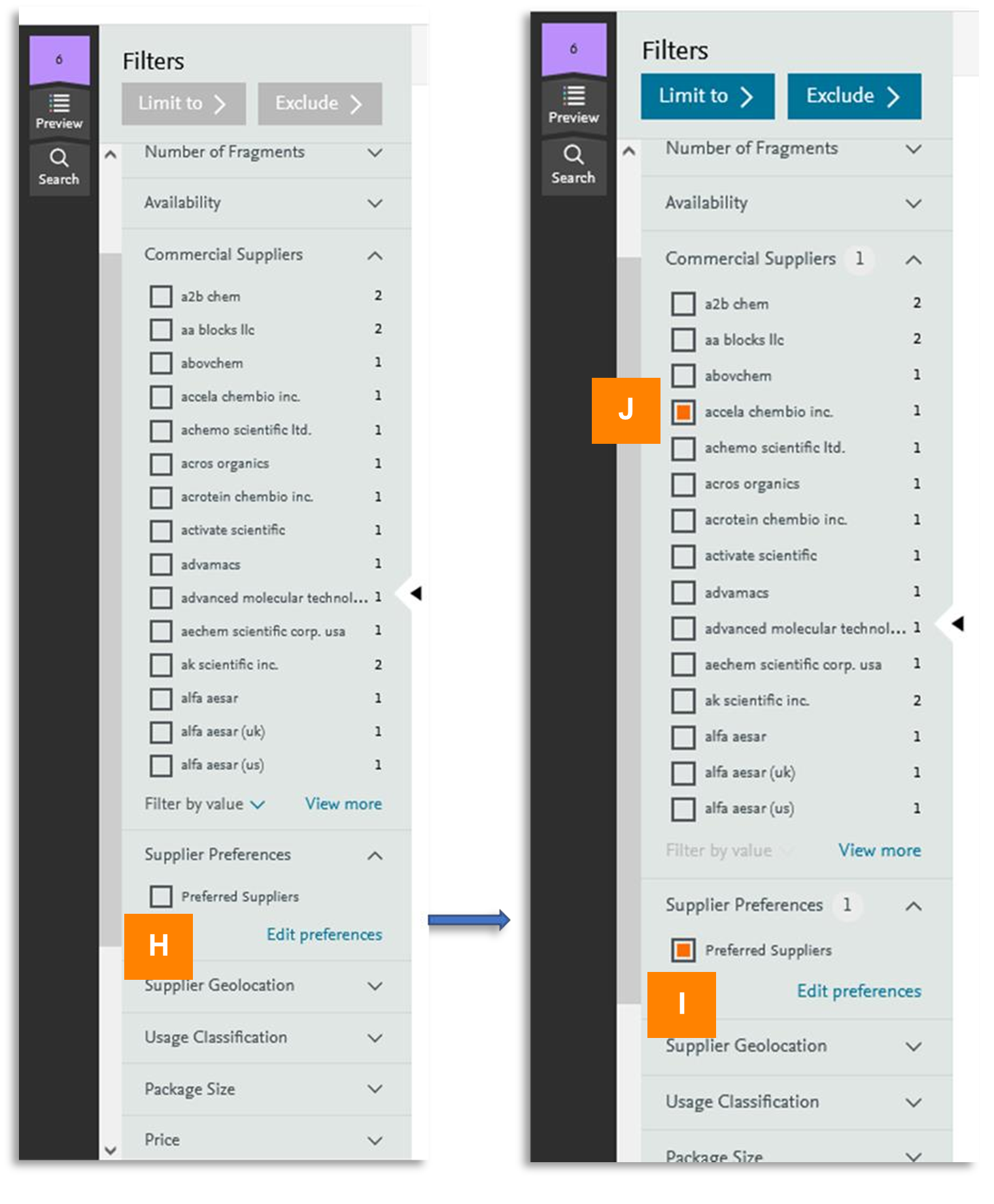
You can enable this feature by defining your supplier preferences in your user profile and utilizing them to refine results in Reaxys, by applying the ‘Preferred Suppliers’ filter (A).
How to set your preferred suppliers?
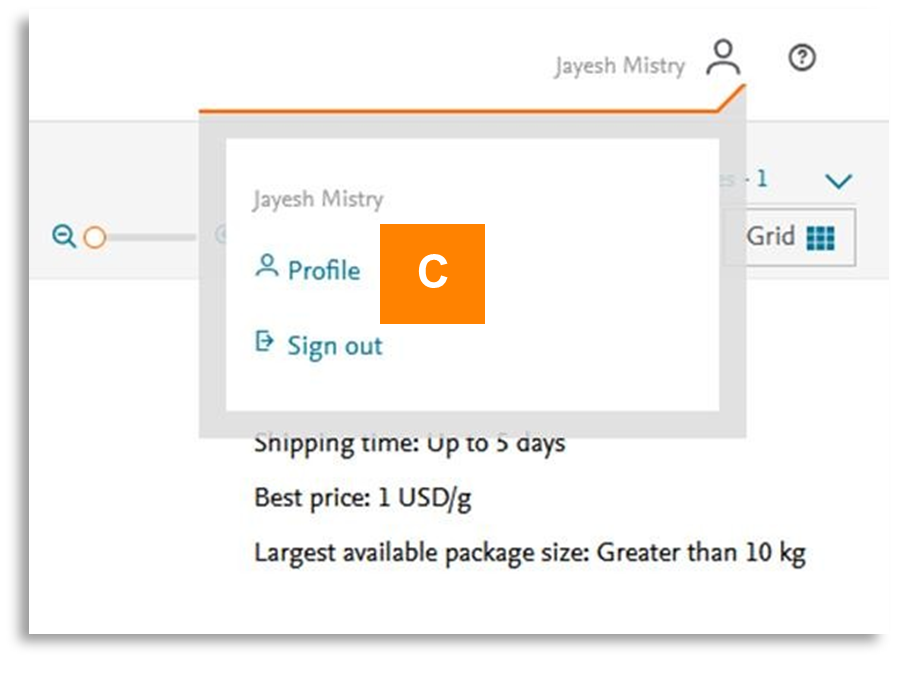
Setting your preferred suppliers can be done via the ‘Edit Preferences’ button (B) in the filter menu, which allows you to quickly access your user profile and the preference settings page. Alternatively, preference settings can always be modified in your profile, accessible via icon (C)
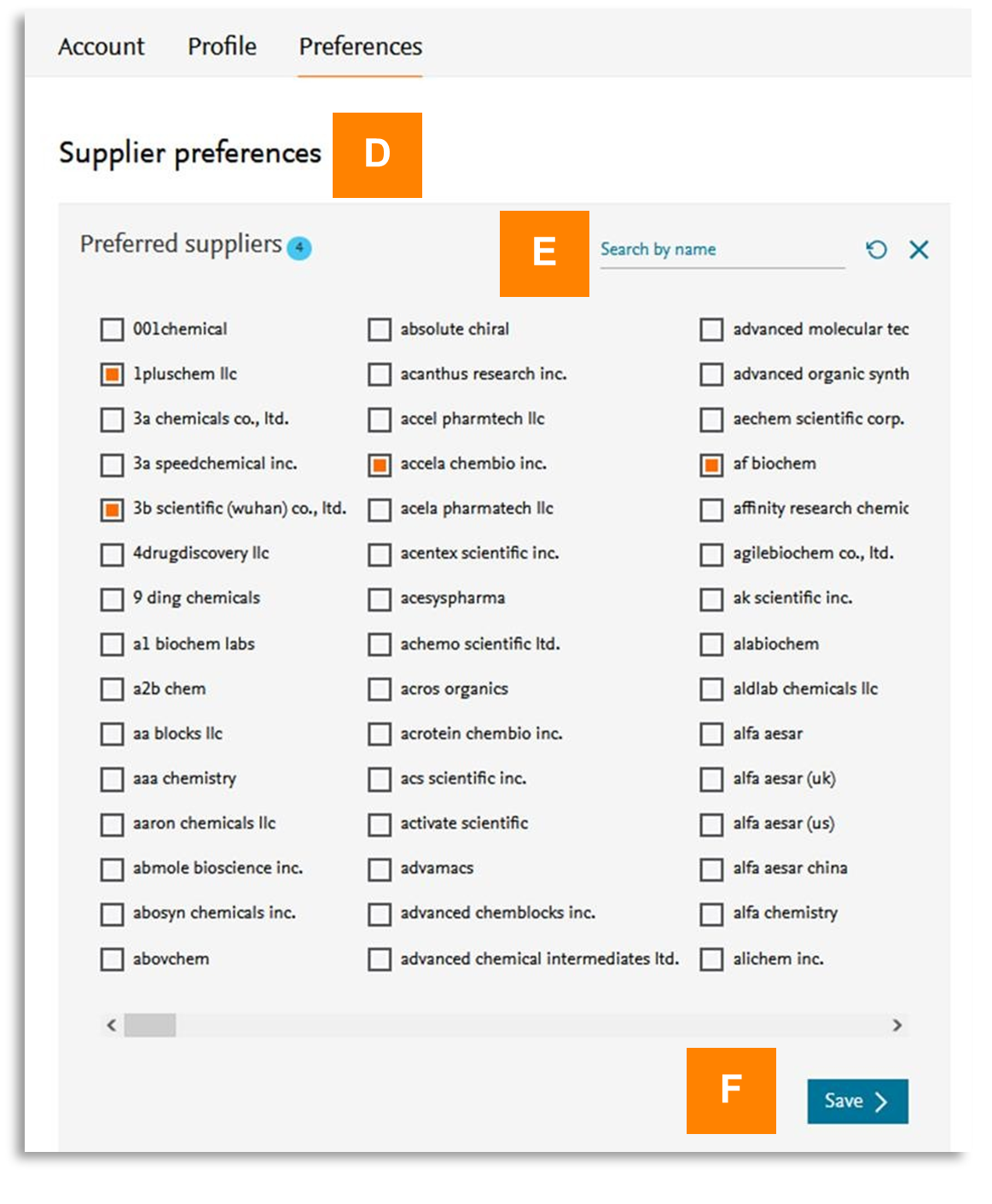
Whilst in your preference setting page, a new supplier selection option is now available (D), where you have the ability to search for specific suppliers (E) and save them (F) for your preference filter.
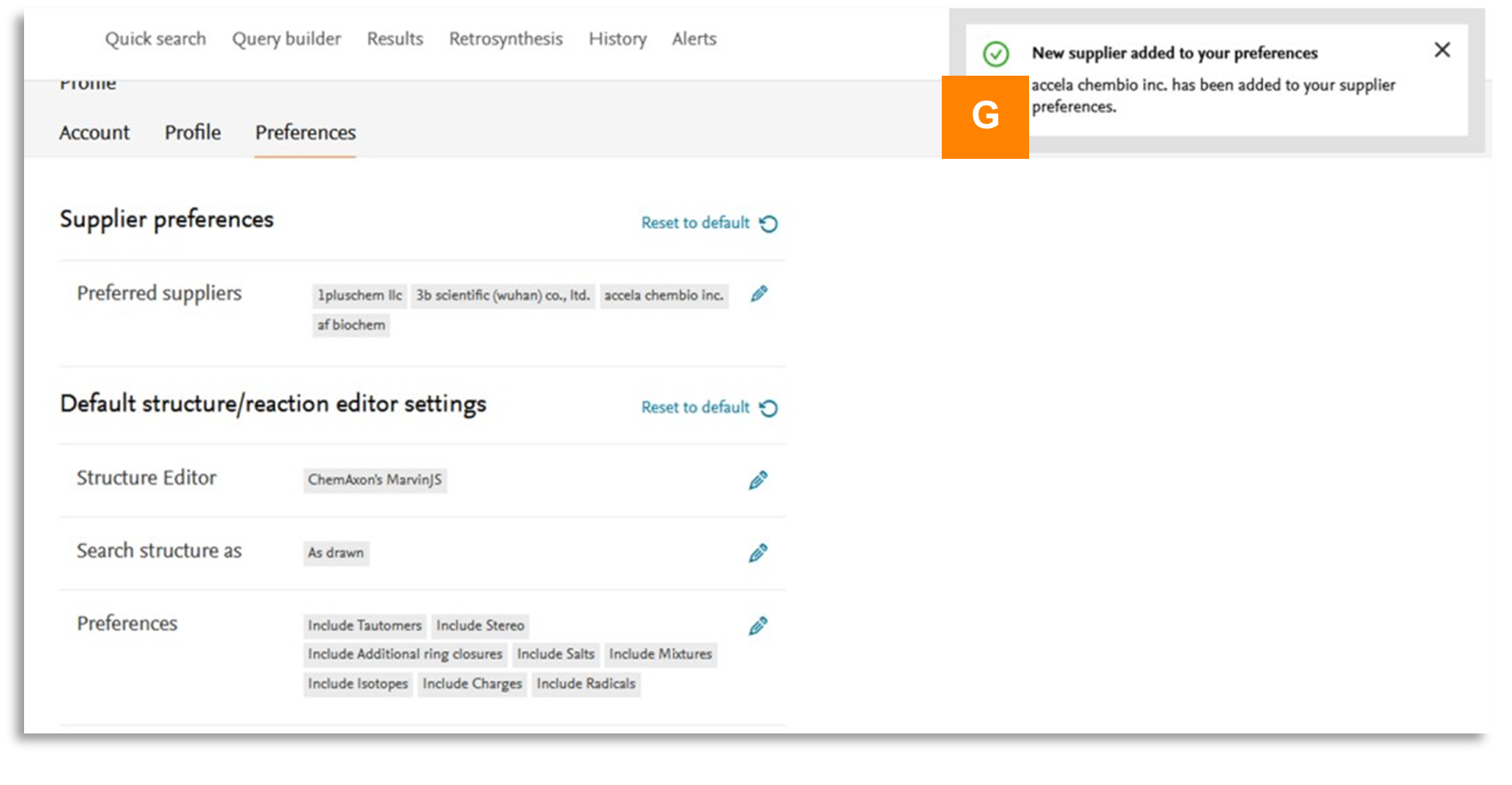
Once you have saved the selections you will see a pop up message (G) to indicate any addition or changes to your supplier preference filter. Your selected preferred suppliers will be ready to use in your Supplier Preferences filter every time you have logged into Reaxys. You can always update your Supplier Preferences by adding or removing vendors.
Please note that the supplier preference filter works closely with the entries visible in the Commercial Supplier filter.
If, for example, Accela Chembio inc is one of your preferred suppliers, it will be selected in the commercial supplier filter aswell (I, J). If additional suppliers need to be considered, then a visual indicator is present showing your preferred supplier is already selected via the supplier preferences filter (J).
Did we answer your question?
Related answers
Recently viewed answers
Functionality disabled due to your cookie preferences