
View by category
Author Guide to Online Peer Review Service
Last updated on October 15, 2025
Disclaimer: Please note that the information on this page relates only to journals which are on the Online peer review service pilot. If you would like to know if your journal is included in this pilot, please check the Guide for Authors.
Online peer review service is not available on mobile, please use other devices to view the links.
Authors will submit their manuscript through Editorial Manager (EM) via the standard process.
Reviewers will review the manuscript in our new Online peer review service.
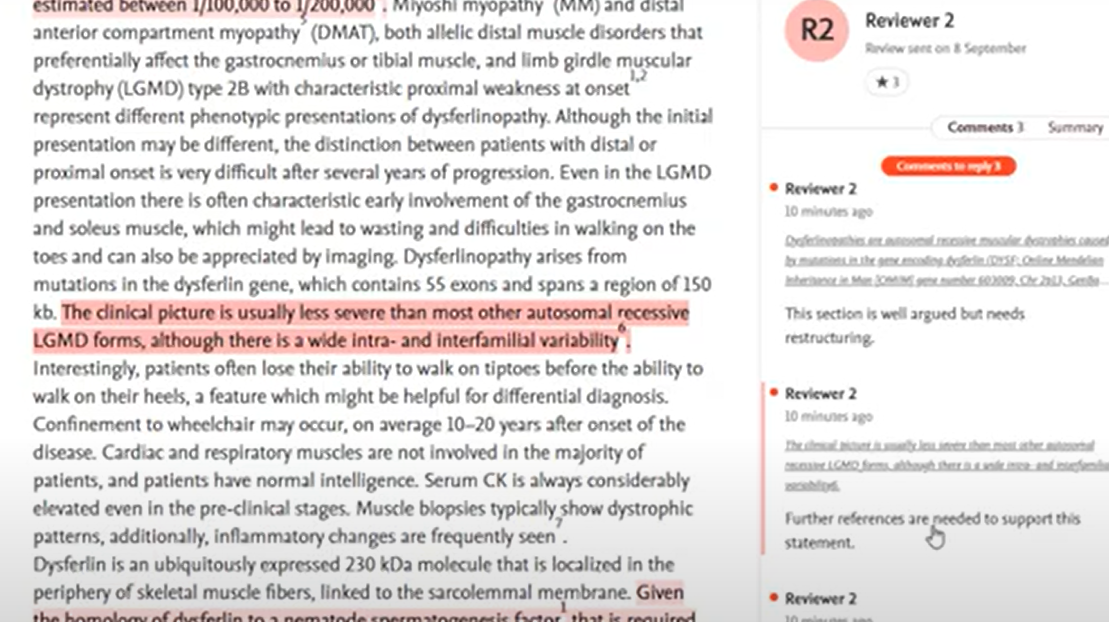
Reviewers and editors can highlight text within the manuscript to leave comments.
If you are asked to revise, you will have a chance to read and respond to each comment, before preparing and uploading your revision to the Editorial Manager.
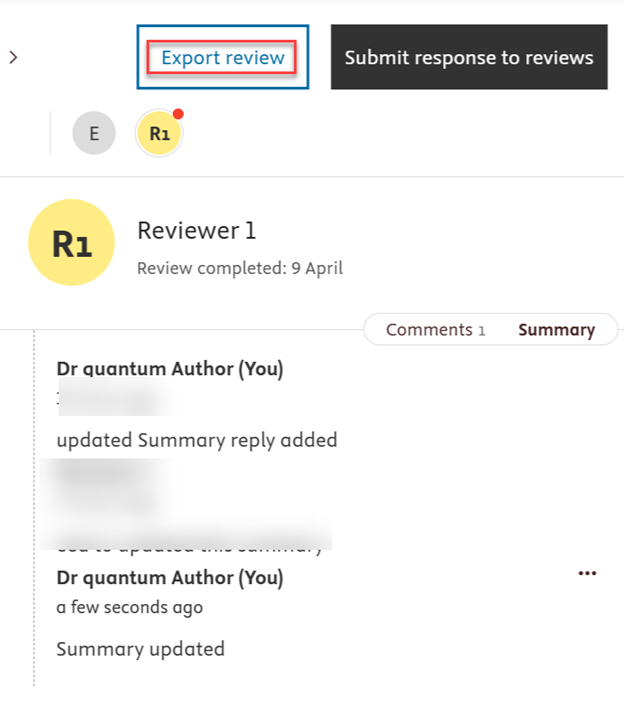
New: You can now export the reviewer comments as a pdf by clicking on Export review.
If you are not an author, please see the Reviewer Guide or Editor Guide.
When all reviews are complete and have been submitted to the editor, the editor will make a decision. If you are asked to revise your manuscript, you will receive an email inviting you to review the peer review comments and revise your manuscript in Editorial Manager.
When you land on your manuscript in Editorial Manager, you should view the peer review by following the 'View and reply to reviews' link. You should do this before you begin any upload of revised files."
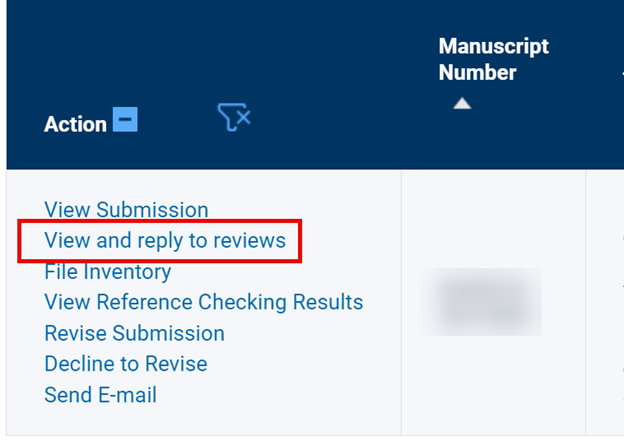
- By clicking this link, you will be taken to the Online peer review service.
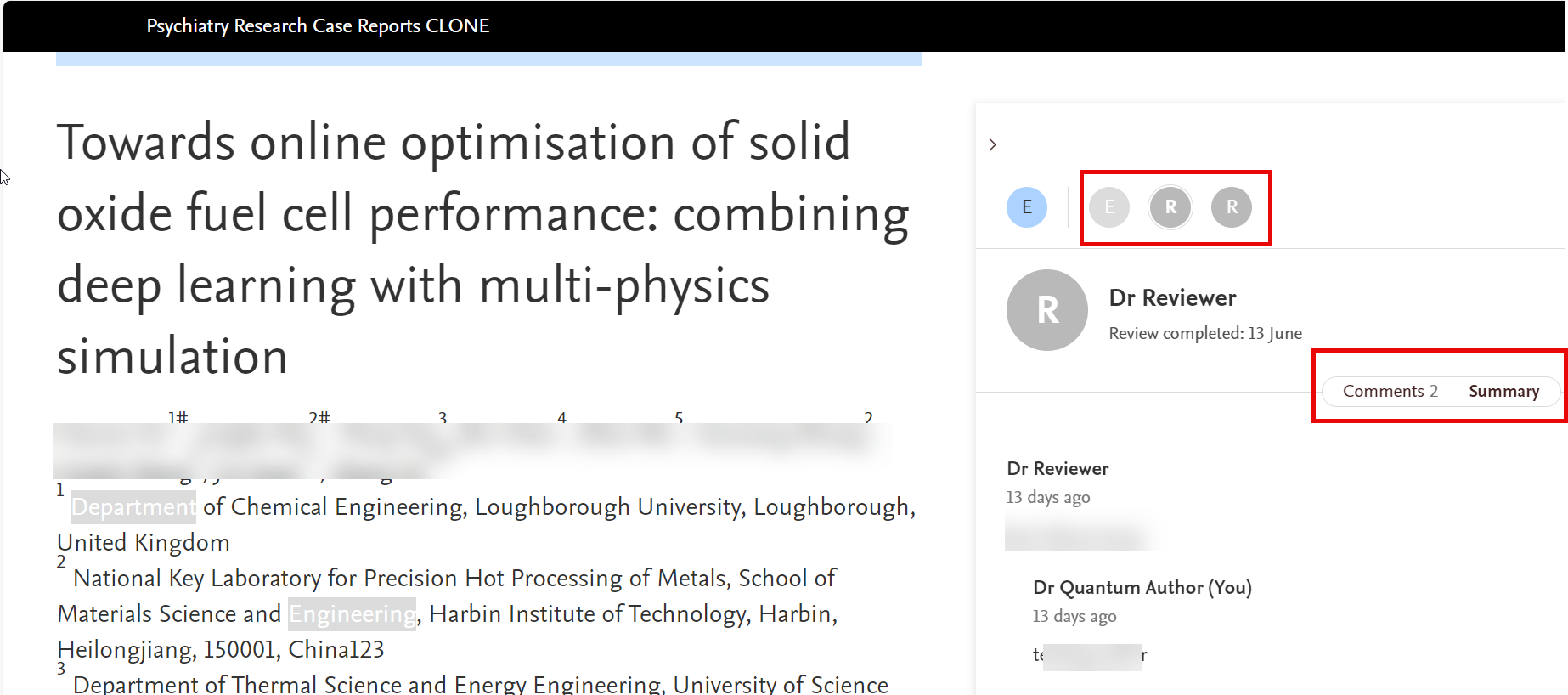
- Select the individual icons such as R1, R2, E, etc. to open each set of comments. You can move between the reviewers' detailed comments and the reviewer’s summary by selecting ‘Comments’ or ‘Summary’ under the reviewer details in the sidebar.
- When reading the reviewers’ comments, you can select the quoted content immediately above the comment. This will scroll your manuscript to the quoted content and highlight it on your manuscript. See a sample screenshot here.
- Before uploading the revision to Editorial manager, you should respond to the reviewer and editor comments in the online peer review service as the editor will see these comments when they examine your revised manuscript.
You can now download the reviewer comments by selecting the "Export review" option.
If the online version of the manuscript is not visible in Quantum, it indicates that the online version was not generated for the submission. In this case, reviewer and editor comments can be found in the Summary tab.
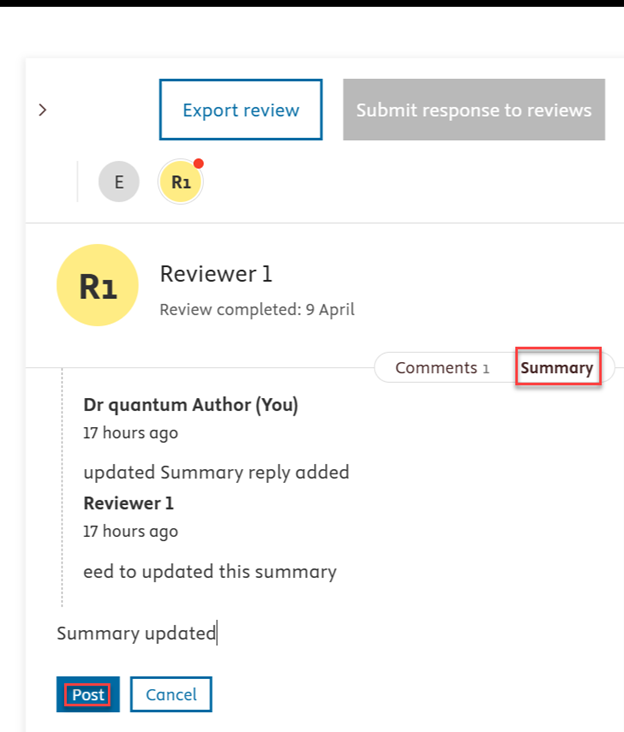
Before uploading the revision to Editorial manager, you should respond to the reviewer and editor comments in the online peer review service as the editor will see these comments when they examine your revised manuscript.
After responding to the reviewer and editor comments in the online peer review service you can get back to the Editorial Manager to submit the revision.
You should not submit a response to reviewers as part of uploading your revision, as your replies to reviewers should be in the online peer review service.
Articles
You can revisit your paper by selecting ‘View reviews’ in Editorial Manager to see it any time, or simply follow the link to your manuscript from any email previously sent to you.
The editor will review your revised manuscript. They may send it back to the peer reviewers, in which case you will be notified and able to view any follow-on comments. Otherwise, if the editor chooses to accept your manuscript, you will be informed by email.
Please see this FAQ for information on how Article transfer service works for authors.
- How do I access the peer review service? Please access Manage Peer Reviews to sign in or create an account.
- Need assistance with troubleshooting? Please contact us via our Chat button to assist you further.
Did we answer your question?
Recently viewed answers
Functionality disabled due to your cookie preferences