
How do I fully uninstall and remove Mendeley Cite from Word?
Last updated on September 25, 2020
To remove Mendeley Cite, you will need to access the add-in menu.
How
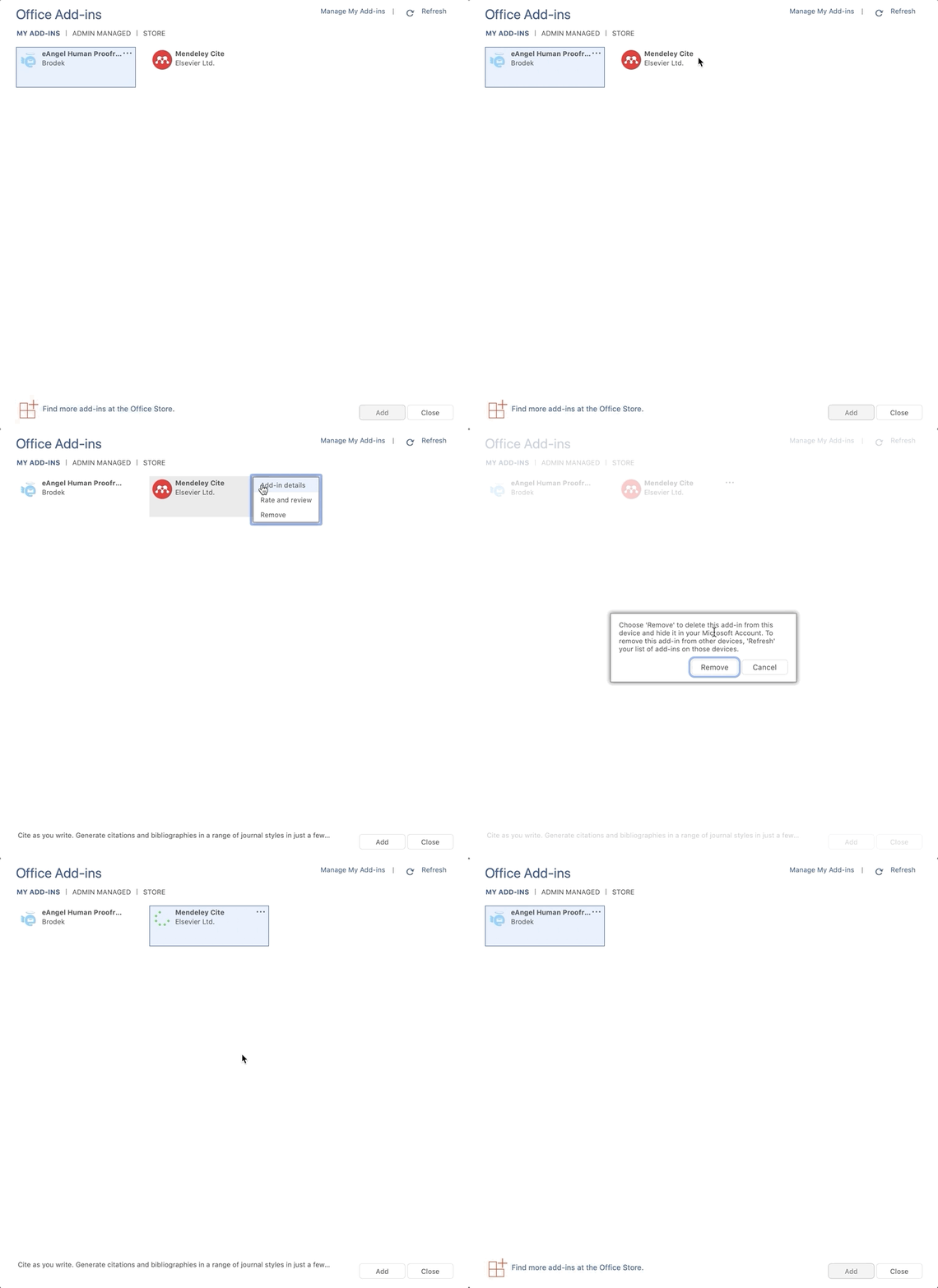
- Go to 'Insert'.
- Select 'My Add-ins'.
- Click 'Mendeley Cite'.
- A 3 dot option should appear on the top right, click the 3 dots.
- Click 'Remove'.
- Select 'Remove' from the pop-up.
Mendeley Cite should now be uninstalled from your instance of Microsoft Word.
If your add-in appears in the 'Admin Managed' panel, Your Microsoft Office admin has set Mendeley Cite to be installed on your institutional account by default. You therefore will not have permission to change the installation settings.
Did we answer your question?
Related answers
Recently viewed answers
Functionality disabled due to your cookie preferences