
How do I export PDF and annotations in Mendeley Reference Manager?
Last updated on November 05, 2024
In this guide, we will walk you through the step-by-step process of exporting both PDFs and your annotations from Mendeley Reference Manager. By the end, you'll have the tools needed to easily share your annotated research materials and ensure seamless collaboration with others in your field.
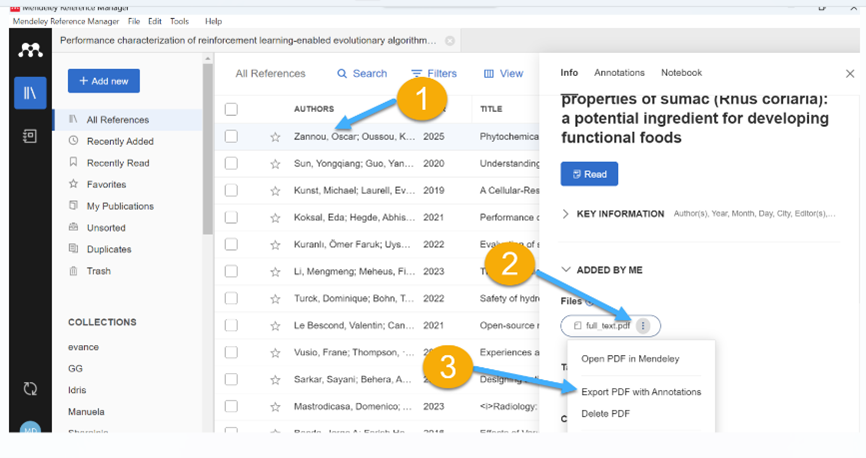
- Select the PDF file you want to export from your library
- Under Info Tab you will see Files
- Under Files you will see the PDF attached to it
- Click on the three dots beside the PDF
- Select Export PDF with Annotations
- Click on Save (Please Note that you have an option where to save the exported file eg. You can save it locally on your device or in the cloud).

Did we answer your question?
Related answers
Recently viewed answers
Functionality disabled due to your cookie preferences