
If you don't already have one, you can create an Elsevier account for free from any of Elsevier's productsopens in new tab/window.
Steps
- Select 'Create account', 'My account’ or ‘Register’, depending on the product you are using. In most products this option is located in the top right corner of the screen.
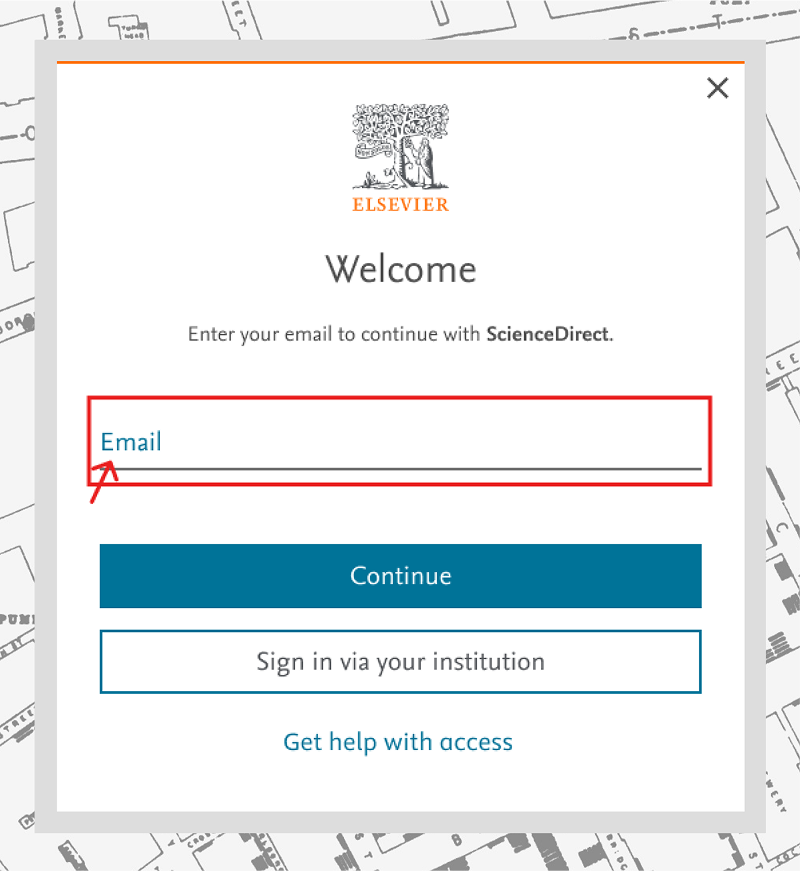
- On the 'Welcome' screen, enter your email address and select 'Continue'.
- We will automatically check if your email address is in our database – you might have previously created an Elsevier account with another product without realizing.
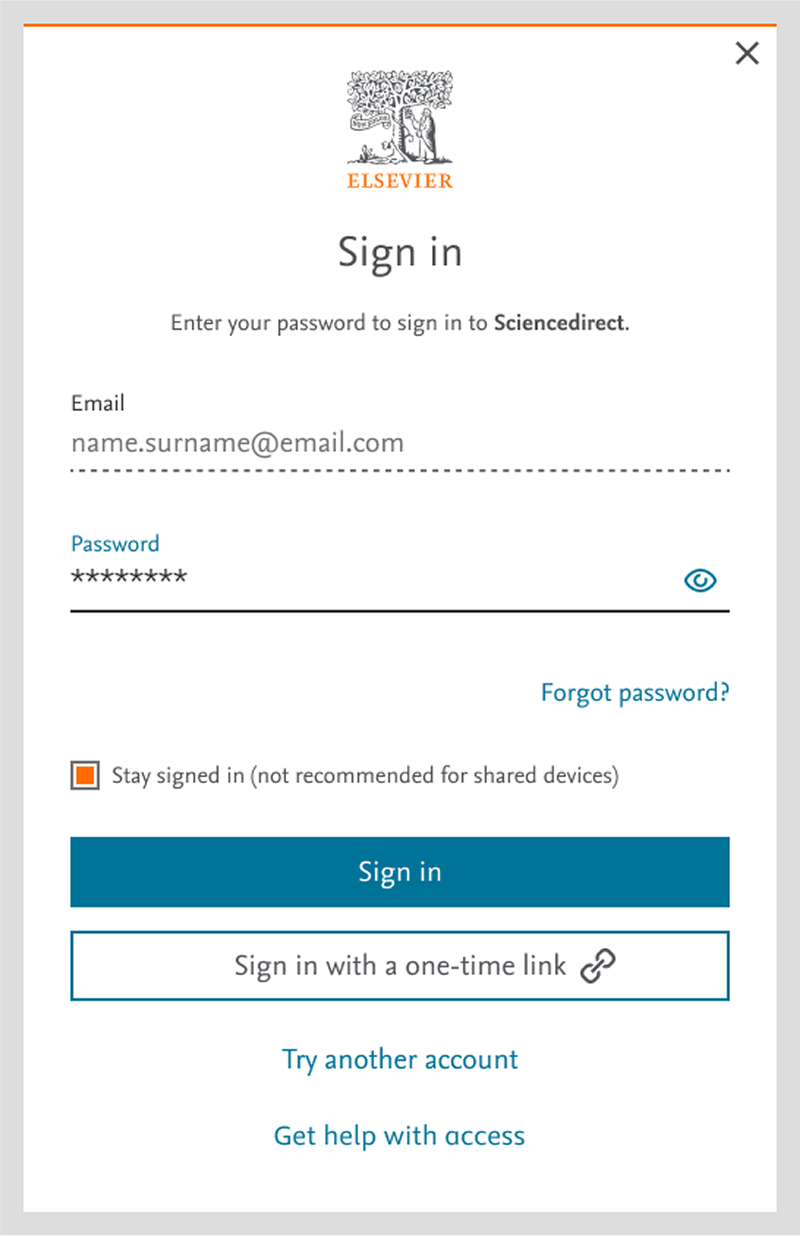
If an Elsevier account is associated with your email address:
- You will be directed to the 'Sign in' screen to enter your password.
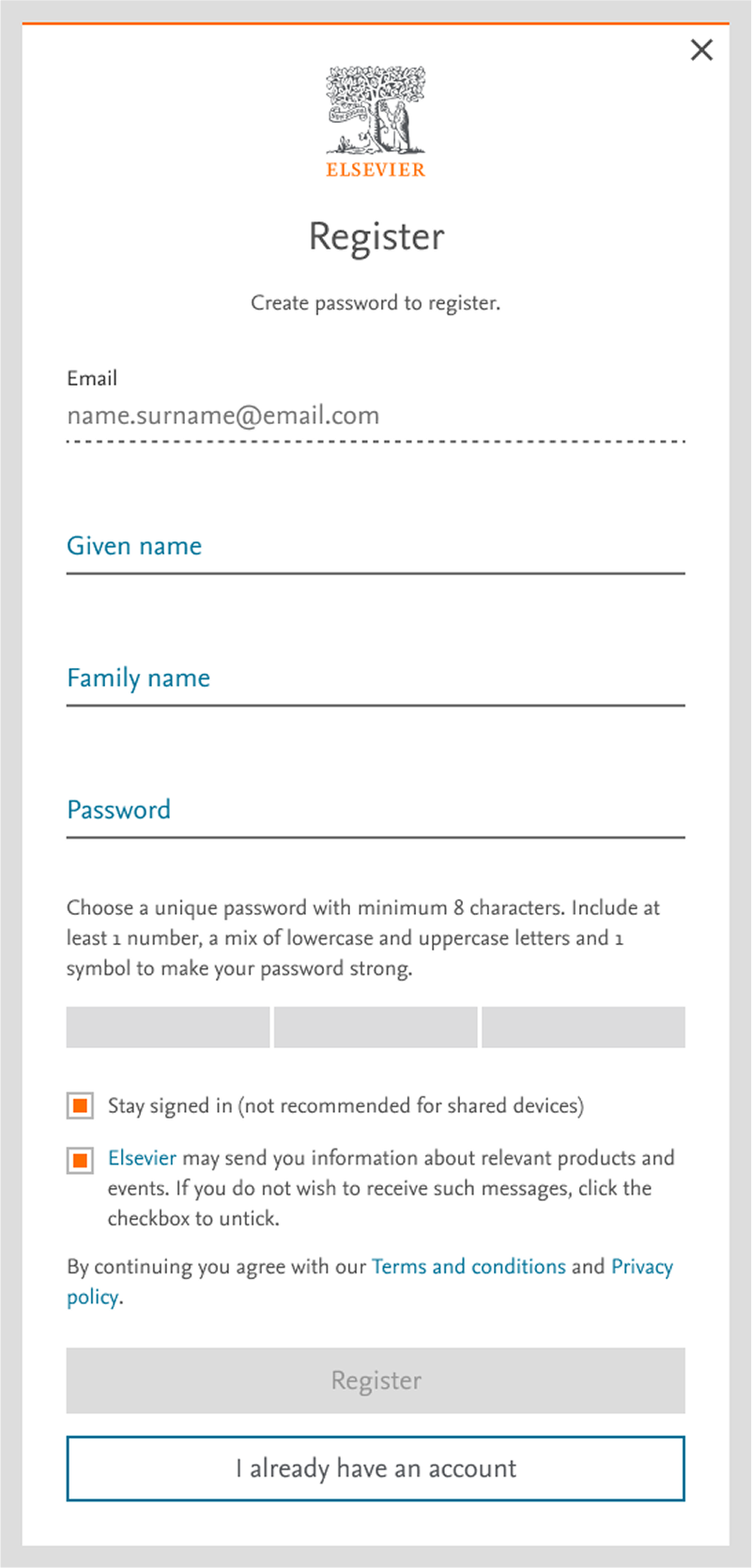
If no account is linked to your email address:
- You will be directed to the 'Register' screen to create a new account.
Based on the cookies we recognize, you may be prompted to sign in when trying to register with a product. You can still reach the 'Welcome' screen, where you can enter a new email to register, by following these steps:
- If you see the 'Sign in' screen, click on the link 'Try another account'.
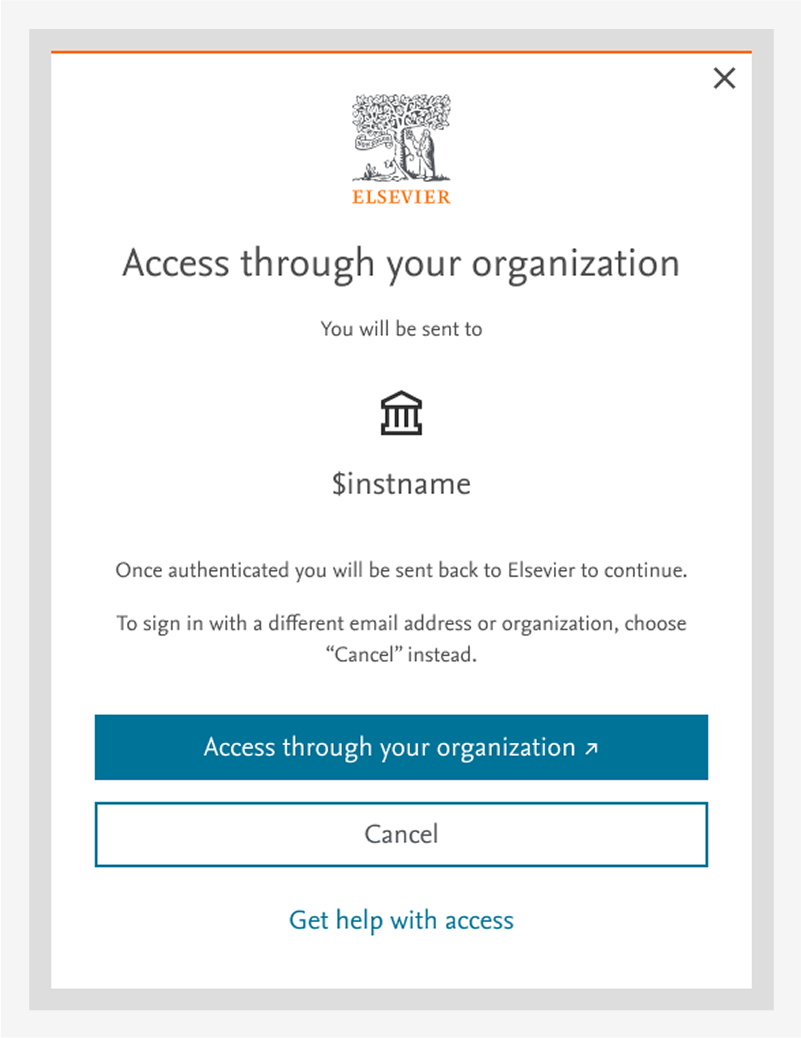
- If you see the 'Access through your organization' screen, select 'Cancel'.
Did we answer your question?
Related answers
Recently viewed answers
Functionality disabled due to your cookie preferences