
How do I change the language selection in the app?
Last updated on November 04, 2022
Also available in
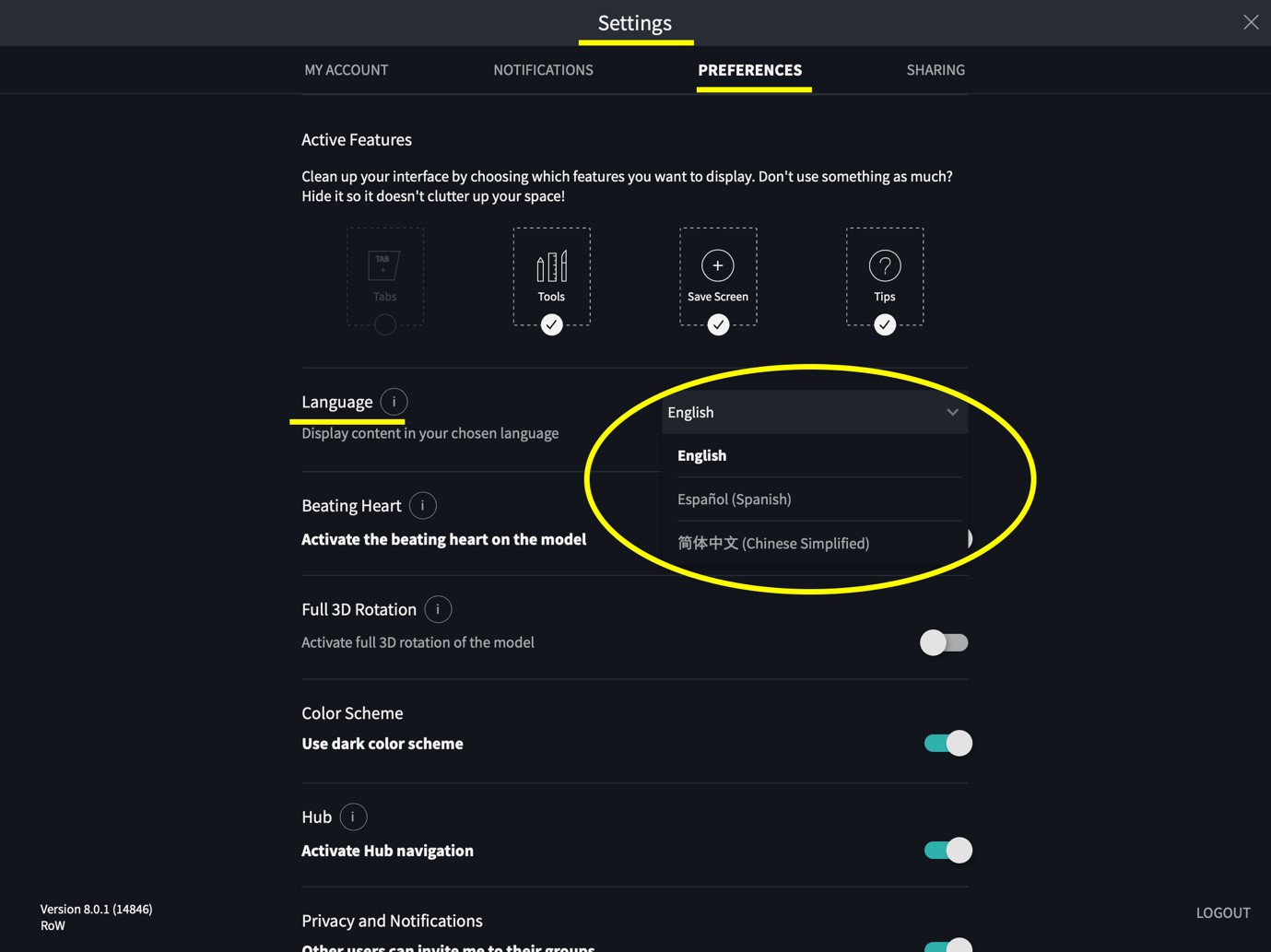
To change the language selection in your app, please go to Settings > Preferences > Language and select your desired language.
Please note, you will need to restart the app to complete the language update.
Did we answer your question?
Recently viewed answers
Functionality disabled due to your cookie preferences