
Complete Anatomy is largely accessible without the need for an internet connection.
If you’d like to be able to view Courses or Videos, please be sure to download these resources before you disconnect from the internet by clicking on the ‘Download’ option in each resource.
This is also true for Detailed Models i.e., Kidney Lobe, Cells of Nervous Tissue etc. Please be sure you have downloaded the models prior to disconnecting by clicking into each resource to download on demand.
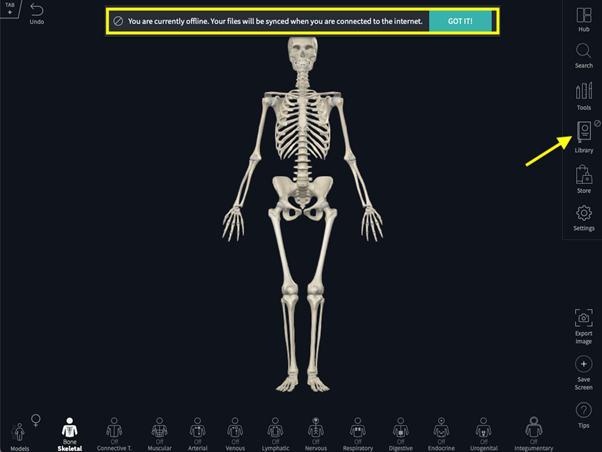
When you begin working offline, Complete Anatomy will display a short message to alert you that there is no internet connection.
You can also check your current connection status by glancing at the Library icon in the main menu. If you are working offline, the offline mode indicator will be displayed:
You can continue to create and save your work while offline and view it as normal. To share your resources, or see it on another platform, you will need to connect to the internet. Once connected to the internet, your newly created resources will automatically sync to the cloud.
Did we answer your question?
Recently viewed answers
Functionality disabled due to your cookie preferences