
View by category
Adding Publication Details in the New SSRN Submission Form
Last updated on August 07, 2024
SSRN has released a new submission form. In Step 2 of the new form, authors can add publication details to the Manuscript Identification section of their submission.
Does 'Add New Publication Details' replace the previous Reference Section on the Submission form?
Yes. The new Publication Details for Manuscript Identification section now provides a convenient lookup feature. This feature allows authors to enter a DOI in the ‘Has a DOI’ field of the submission form or provide other details in the ‘Enter the details myself’ section.
To engage the DOI lookup service, type in the DOI and hit ‘Enter.’ If found, the Crossref lookup service will respond with the journal name and published details.
If you specified in Step 1 ‘Content Format’ that you are uploading a published version of your paper, add the DOI to the ‘Has a DOI’ section.
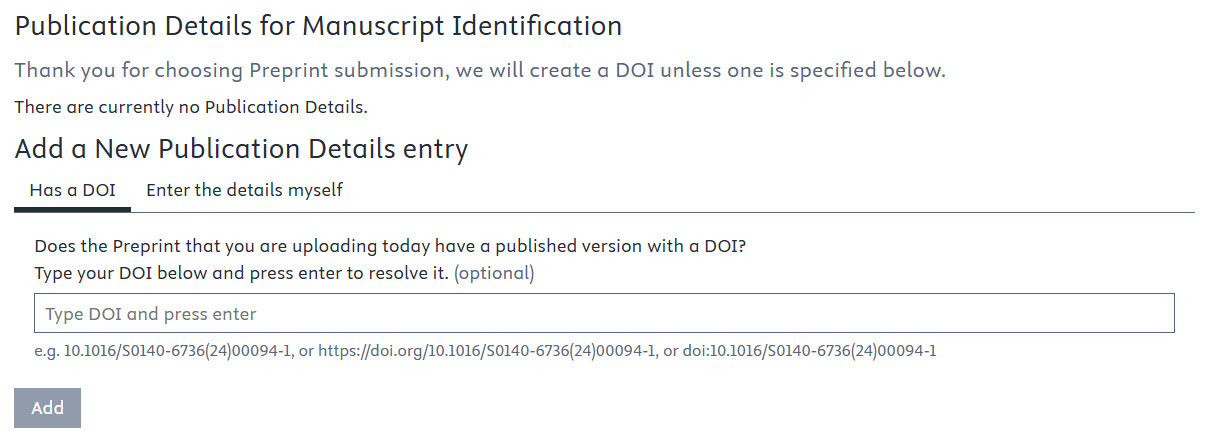
If you specified in Step 1 ‘Content Format’ that you are uploading a preprint, provide the DOI for the published version in this section.
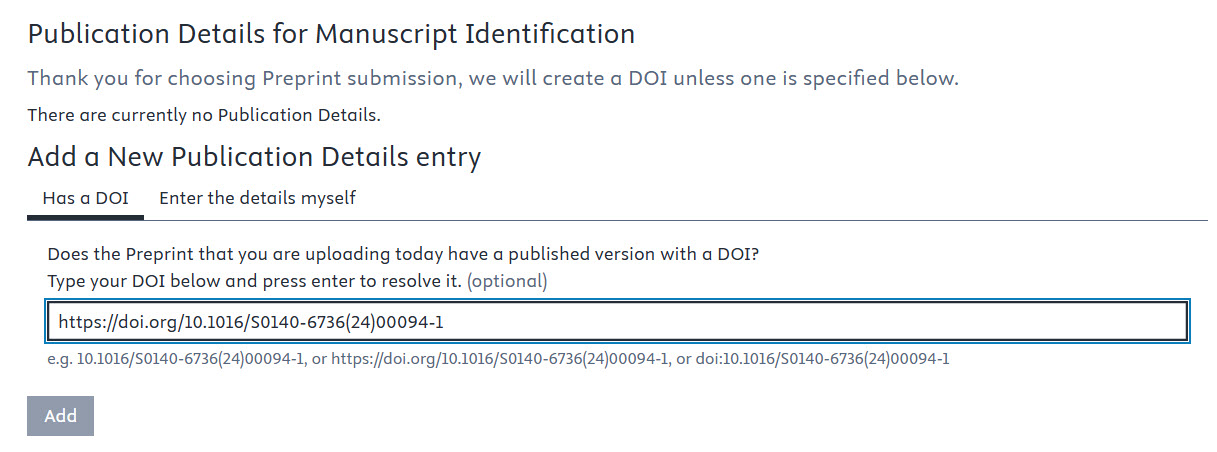
Information entered in the Publication Details section of the submission form will appear under the title on the paper’s SSRN public abstract page. The DOI appears in the Permalink as well as in the Suggested Citation area of the public abstract page.
What if my paper doesn’t have a DOI, but has been published elsewhere?
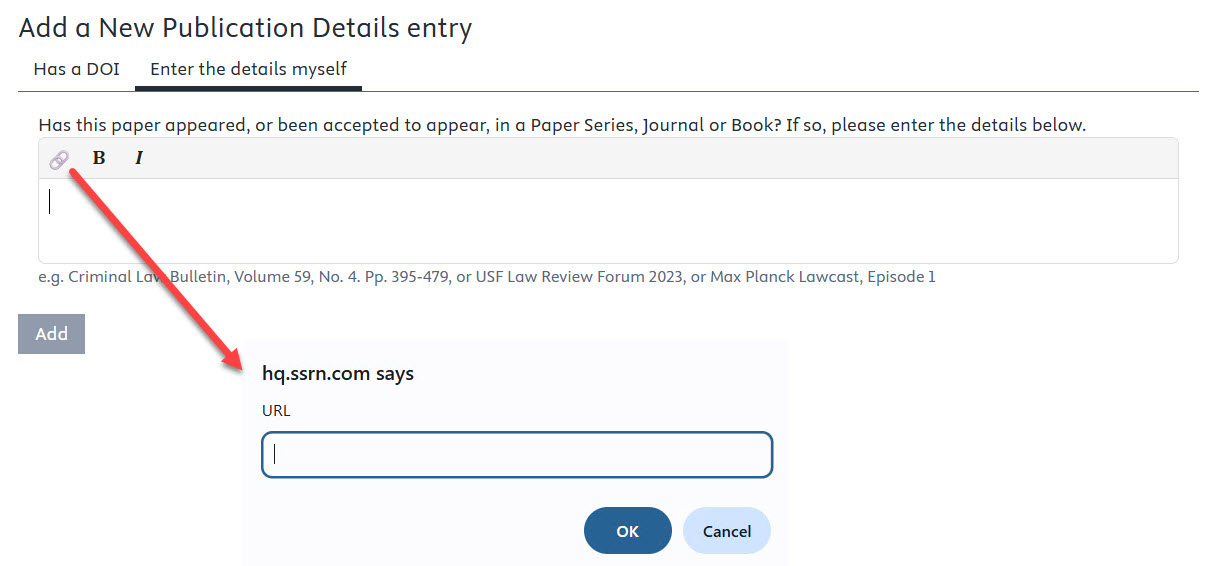
If the submission does not have a DOI assigned to the published or preprint work, authors can supply subsequent details in the ‘Enter the details myself’ tab.
If your paper’s published details are not returned in the Crossref lookup using the ‘Has a DOI’ feature of the form, enter the information in the ‘Enter the details myself’ tab. If you have a URL for the location of your publication, click on the link icon and add the URL.
How do I know when SSRN will create a DOI for my paper?
The following table shows the scenarios in which SSRN will or will not create a DOI for the submission. DOIs created are provided by Crossref. The ‘Content Format’ referenced in the table refers to the selection you made in the pull-down in Step 1.
Content Type | Author Doesn't Provide DOI | Author Provides DOI |
Preprint | SSRN gives 'Preprint DOI' | SSRN gives 'Preprint DOI' |
Conference | SSRN gives 'Preprint DOI' | SSRN gives 'Preprint DOI' |
Published or Other | SSRN gives 'Journal DOI' | SSRN does not give a DOI |
Did we answer your question?
Related answers
Recently viewed answers
Functionality disabled due to your cookie preferences