
View by category
THE World University Rankings 2024: Approximation guidance for upcoming rankings metrics in SciVal
Last updated on February 16, 2026
Also available in
Times Higher Education (THE) updated the methodology from 2023 to 2024.
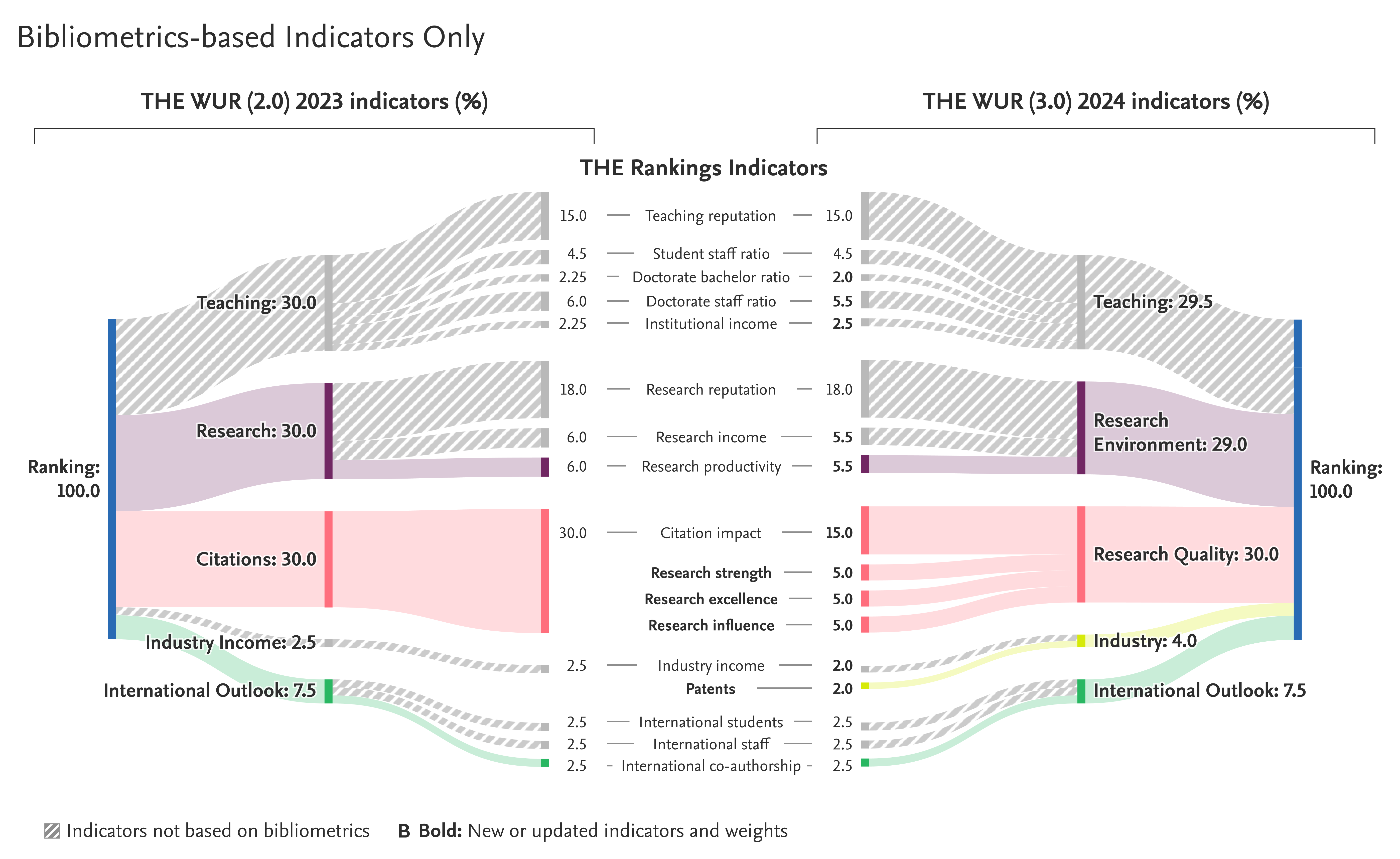
A guidance highlighting the changes related to bibliometric indicators, and how to approximate upcoming underlying metrics, is included below.
The approach below can be replicated starting from the THE WUR 2023 data set. It is possible to create a Publication Set from the list of publications available on the THE World University Rankings 2023 page on the Overview module and follow the same process.
Steps to approximate the THE Research Strength indicator’s underlying metrics.
Part 1
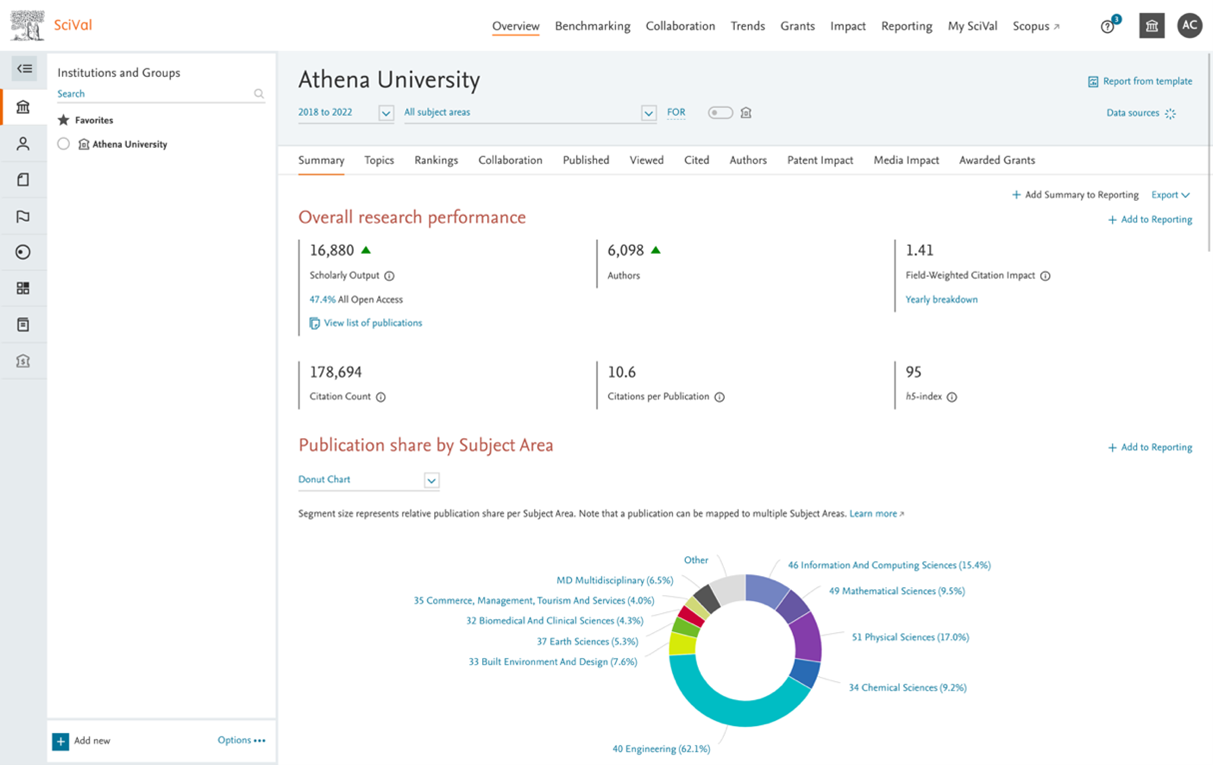
- Open SciVal Overviewopens in new tab/window module.
- Select an Academic Institution of choice (Higher education Institution).
- Select year range '2018 to 2022'.
- Click on 'View list of publications'.
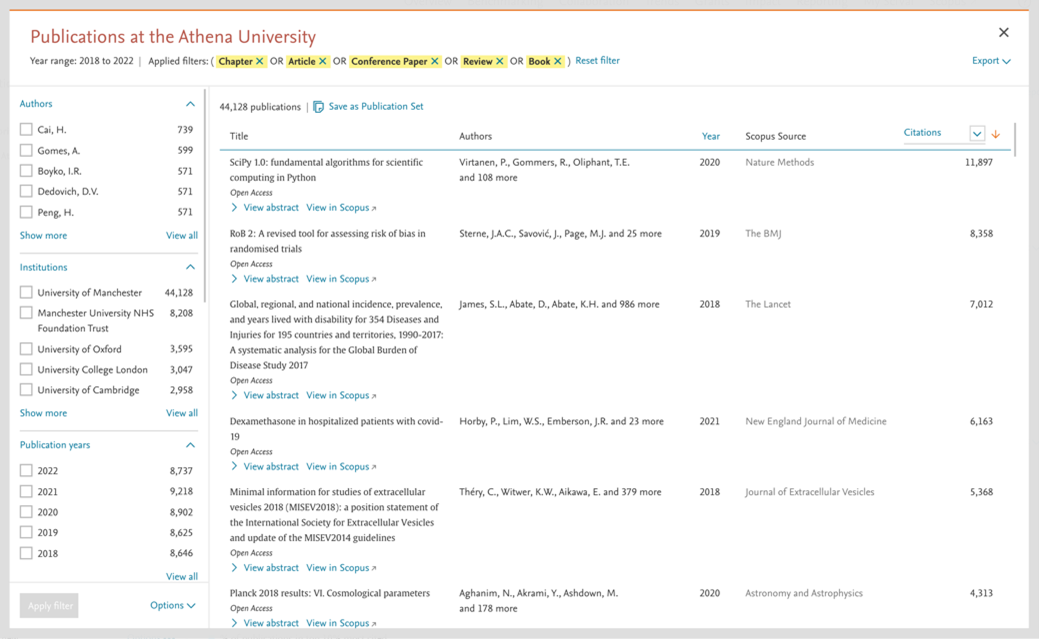
- From the Publication modal:
- Select the document types: Articles, Reviews, Conference Paper, Chapters and Books.
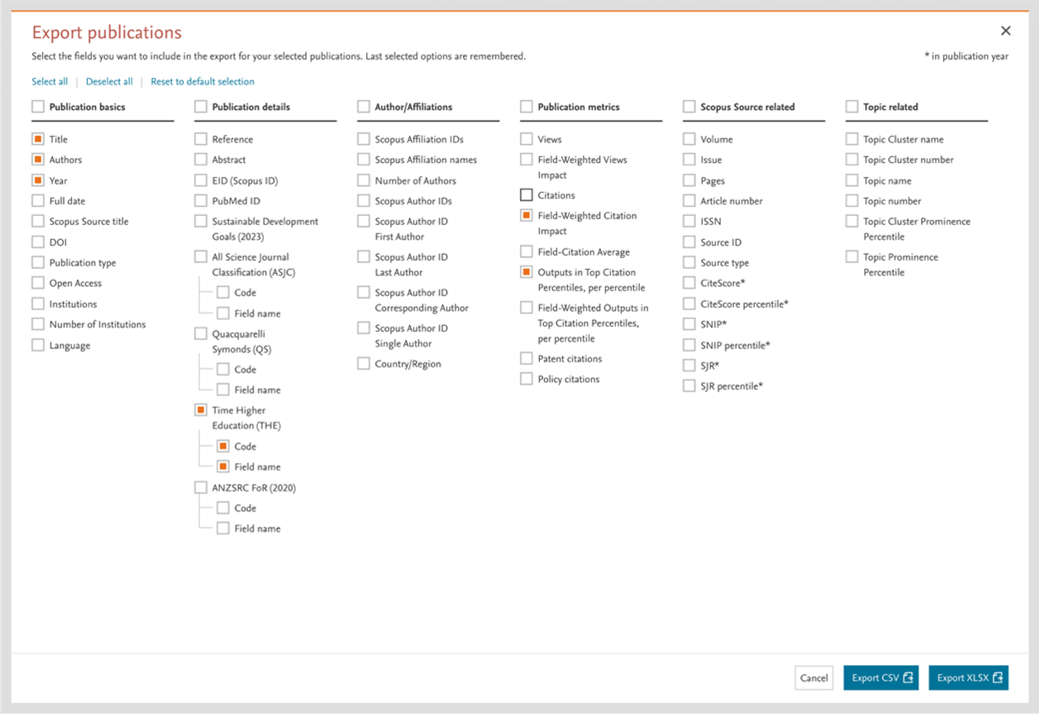
- Export the file in Excels or CSV (select FWCI, publication year).
- Save as Publication Set: THE WUR 2024 – Research Strength Approximation Set.
Part 2
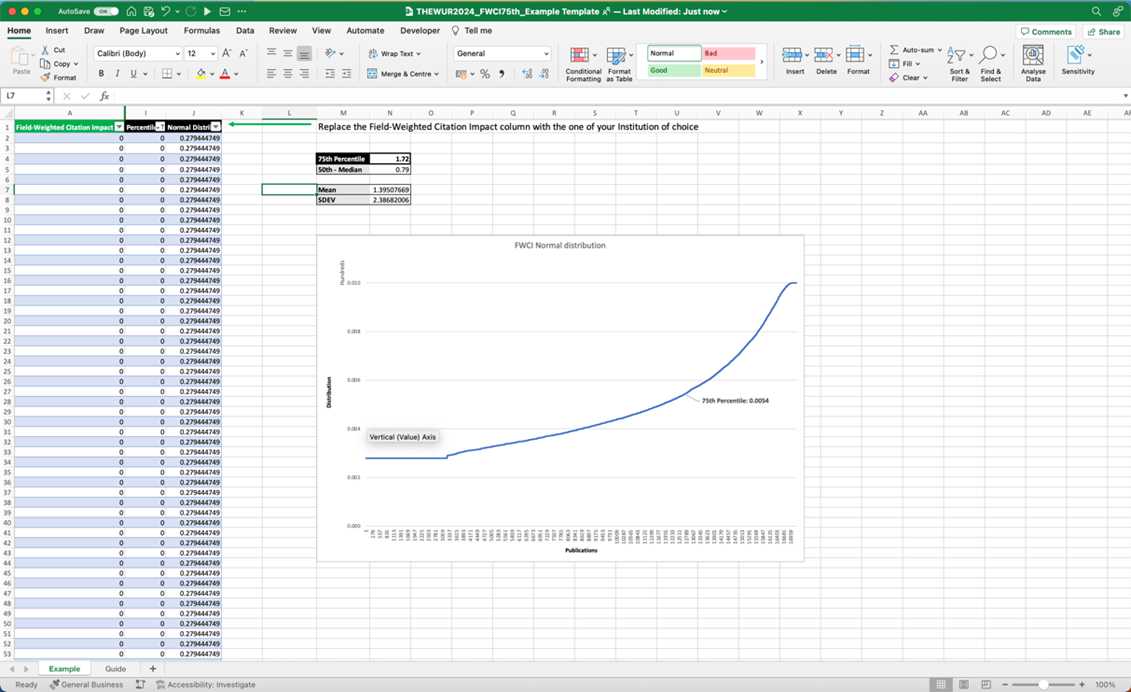
- Open file in Excel.
- Select the FWCI column (overall).
- Sort the Column in Ascending order (a-z).
- Select the FWCI column (only the numeric value).
- Optional: Create a range called FWCI.
- In a new cell, calculate the 75th percentile (adding the range as first parameter in case you set one):
=PERCENTILE.INC(FWCI,0.75)
More about the Excel functionopens in new tab/window
The calculation described above is based on standard FWCI considering four years instead of five years as per THE methodology.
Steps to approximate the THE Research Excellence indicator’s underlying metrics.
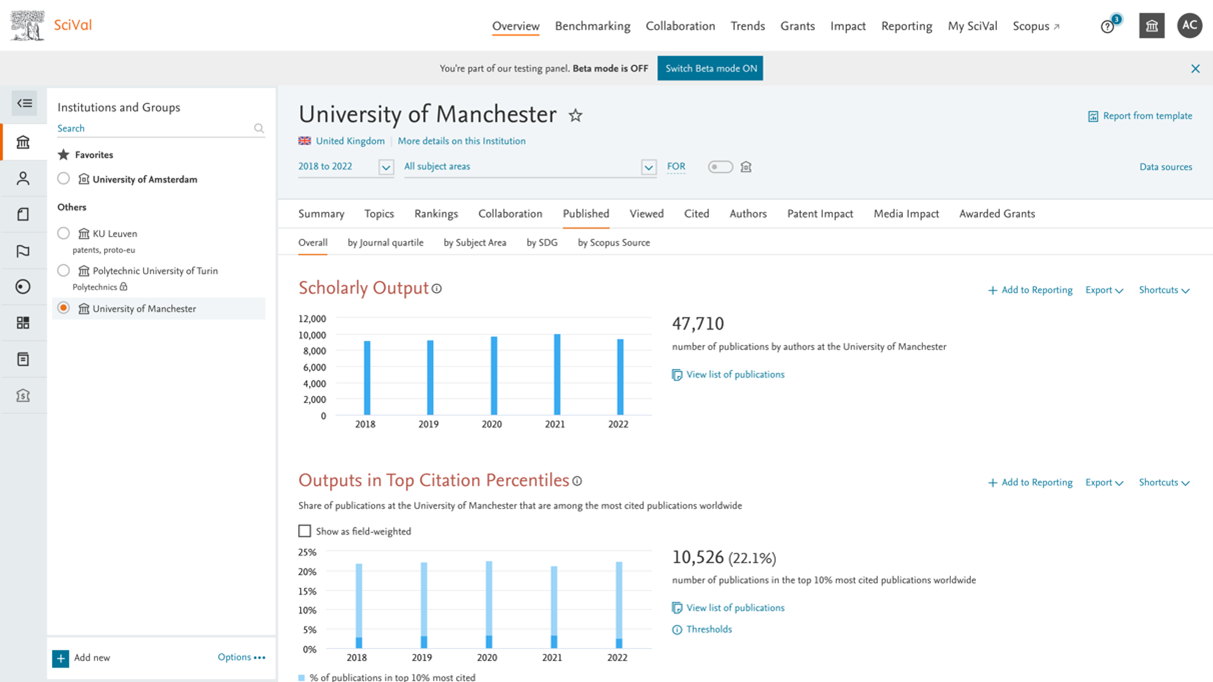
- Open SciVal Overview module and go to Published Overall page (tab)opens in new tab/window.
- Select an Academic Institution of choice (Higher education Institution).
- Look at the 'Outputs in Top Citation Percentiles' section.
- Check the 'Show as field-weighted' checkbox.
- Click on the 'View list of publications' link.
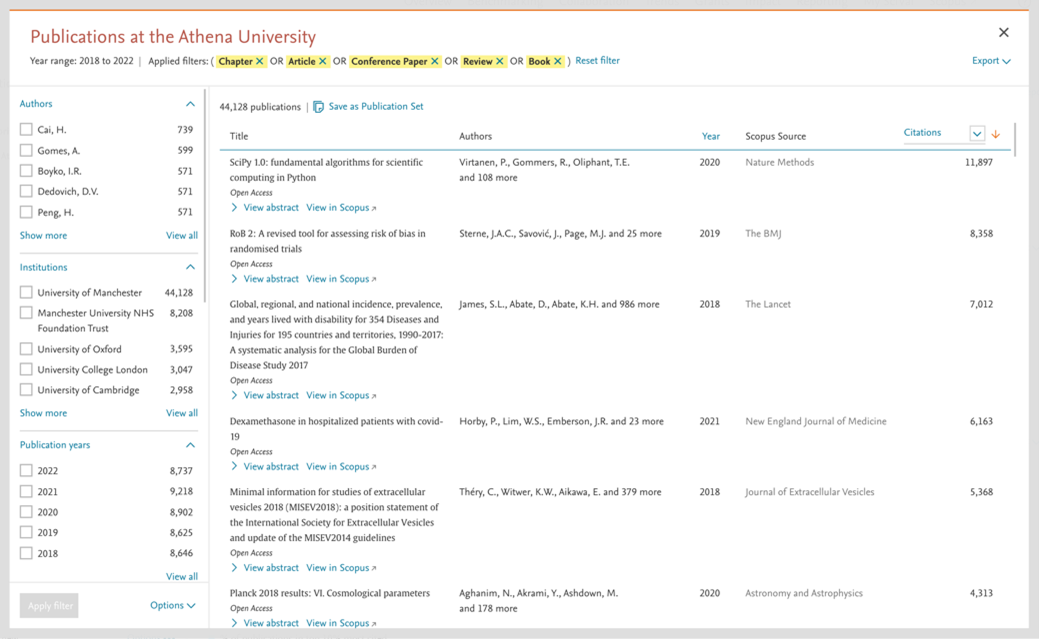
- From the Publication modal:
- Select the document types: Articles, Reviews, Conference Paper, Chapters and Books.
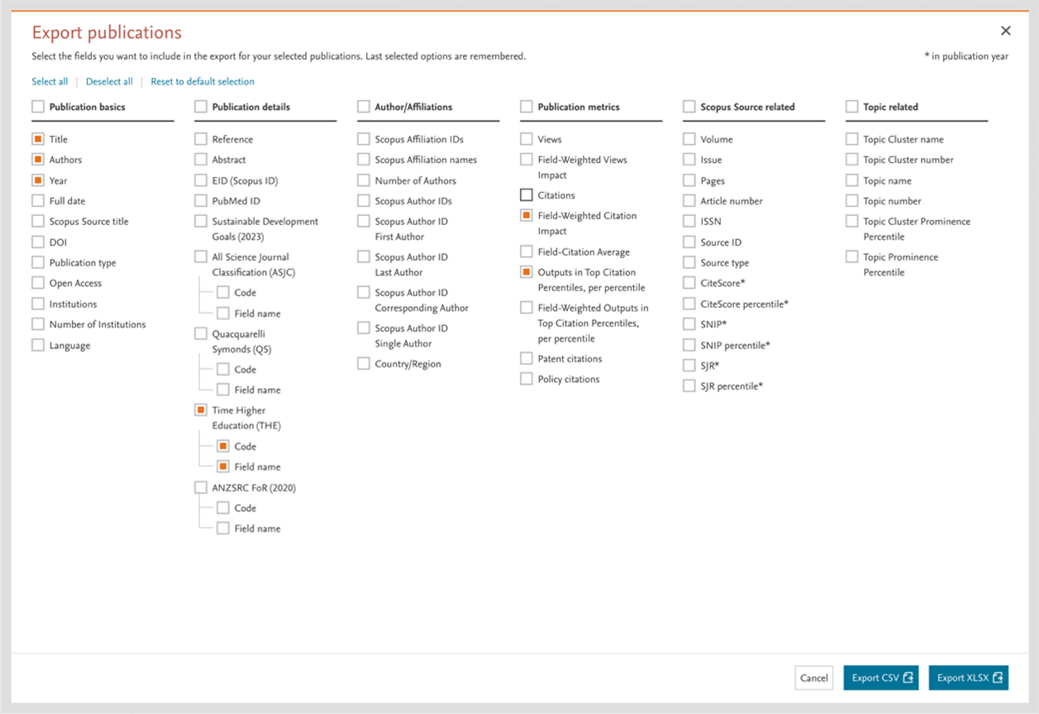
- Export publications as Excels or CSV, or
- Save as Publication Set: THE WUR 2024 – Research Excellence Approximation Set.
Steps to approximate the THE Patent indicator’s underlying metrics.
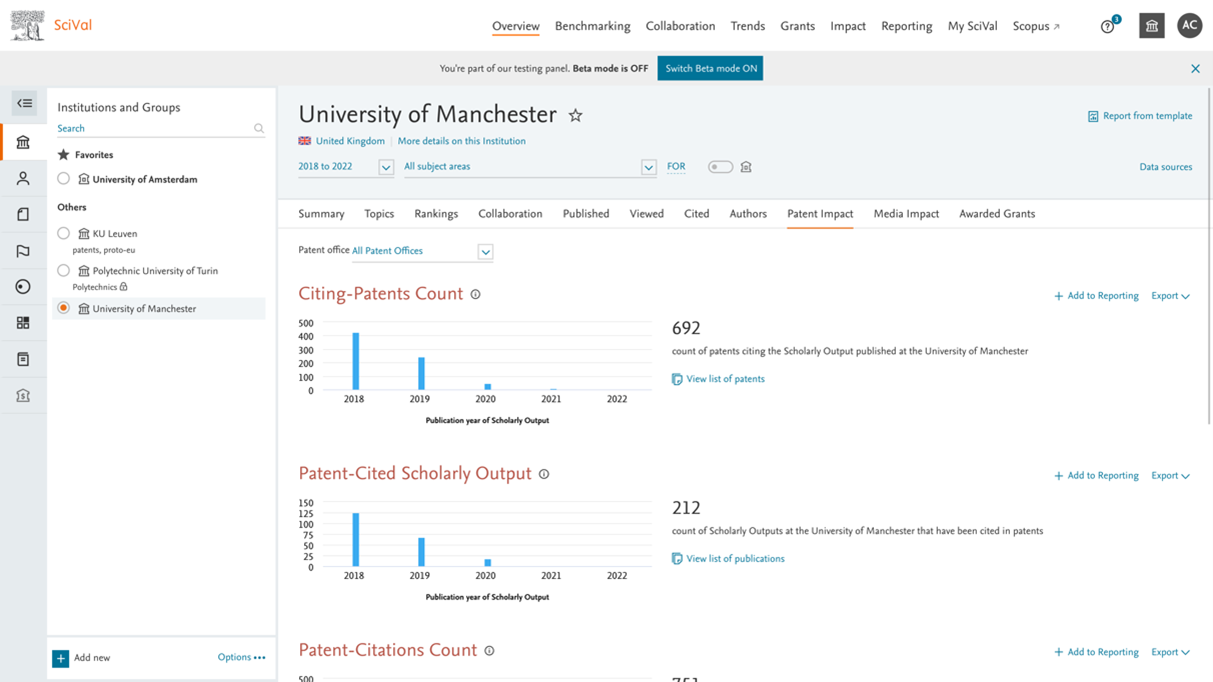
- Open SciVal Overview module and go to Published Patent Impact page (tab)opens in new tab/window.
- Select an Academic Institution of choice (Higher education Institution).
- Look at the 'Patent-Cited Scholarly Output' section.
- Click on the 'View list of publications' link.
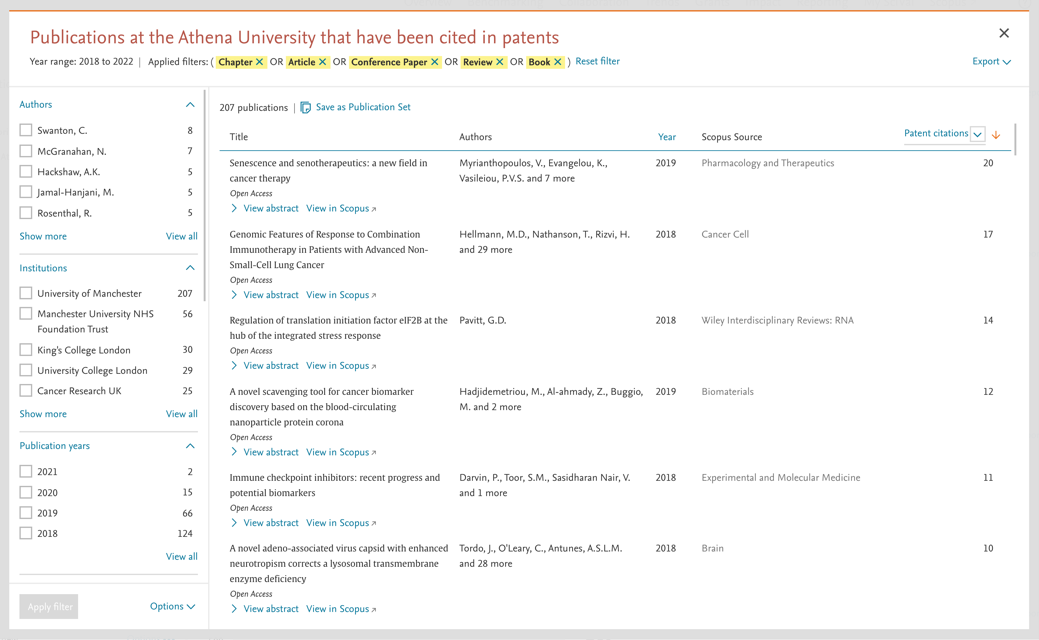
- From the Publication modal:
- Select the document types: Articles, Reviews, Conference Paper, Chapters and Books
- Save as Publication Set: THE WUR 2024 – Patents Citations Approximation Set
- Select Publication Set and go to Patent Impact pageopens in new tab/window in the Overview module.
- Look at the Patent-Citations Count
Did we answer your question?
Related answers
Recently viewed answers
Functionality disabled due to your cookie preferences