
View by category
How can I analyze a single affiliation of an institution?
Last updated on November 15, 2024
Also available in
Often an affiliation in SciVal is made up of multiple Scopus affiliation profiles, such as the university hospital and various research centers. If you would like to analyze only a single affiliation (i.e. from the affiliation below: St Mary’s Hospital Center) you can create a Research Area based on the separate affiliation or you can create a researcher group.
A Research Area can be created from affiliations in two ways:
From the institution profile in Overview
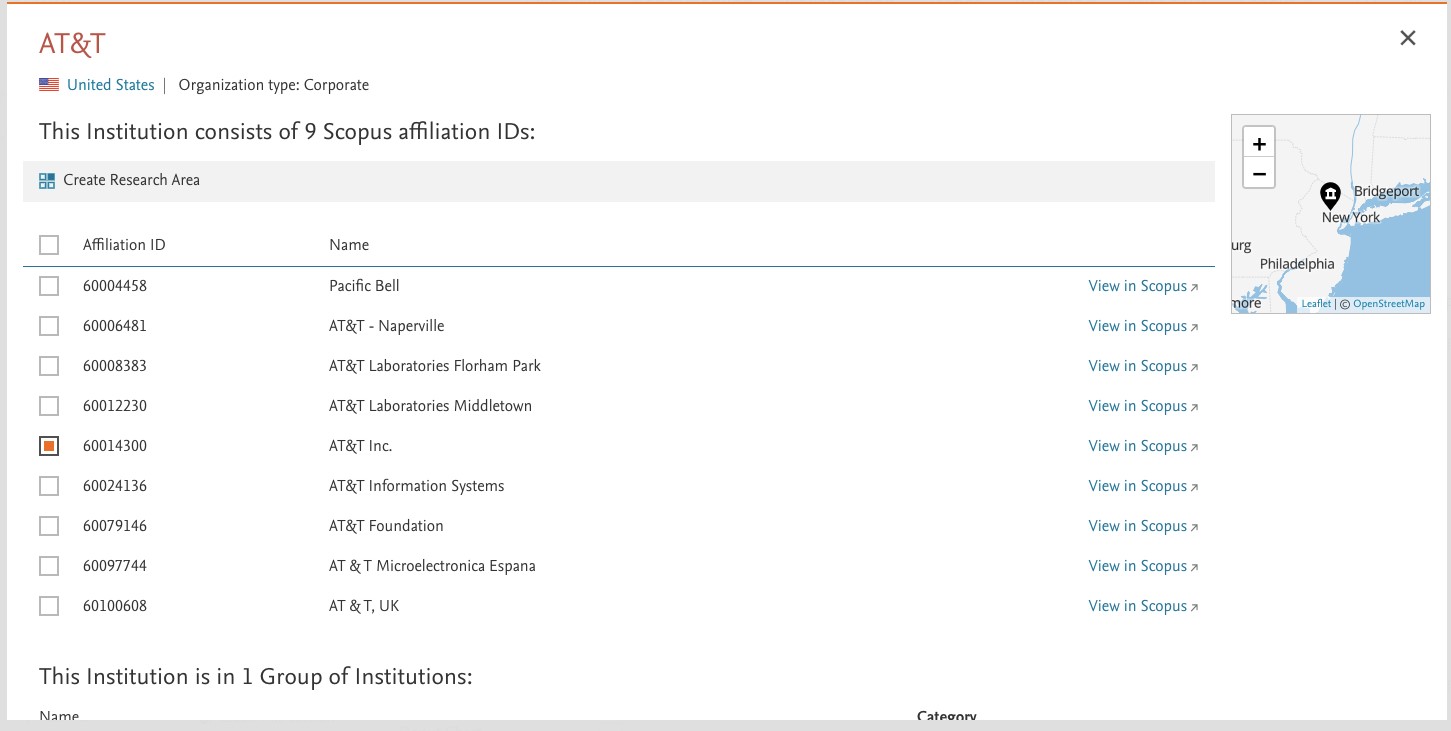
- Choose any institution in Overview and click 'More details on this institution'.
- Select the Affiliation ID and click 'Create Research Area'.
From the 'Define a new Research Area' option
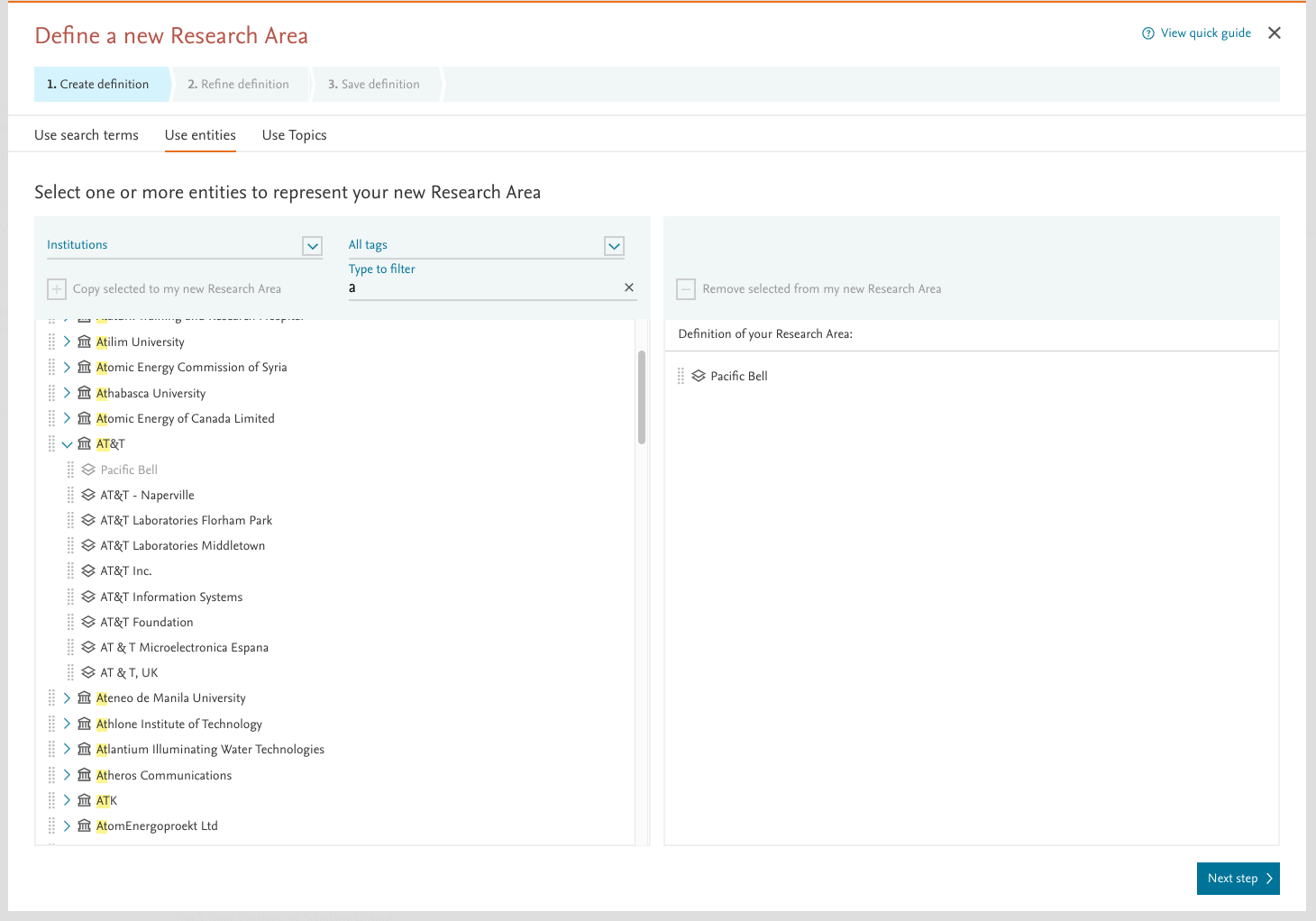
- Go to 'Define a new Research Area'.
- Select to 'Use entities'.
- Search for and open up the institution that the affiliation is part of.
- Drag and drop the affiliation to the right to create a research area with it.
If you need Topics & Topics Clusters data and would like to use the Collaboration module for your analysis, choose the Researcher Group option instead.
To create a Researcher Group
- Select the single affiliation profile from an institution in SciVal in the Overview module.
- Click ‘View in Scopus’ to locate the single affiliation.
- Click the author count link on that affiliation profile page and export the Scopus author IDs.
- Import those authors into SciVal as a Researcher Group.
You can then analyze the affiliation using all of the modules in SciVal. The video illustrates the steps detailed above.

Did we answer your question?
Related answers
Recently viewed answers
Functionality disabled due to your cookie preferences