
How can I verify my email address?
Last updated on October 26, 2026
At certain times, or for certain Elsevier products, email verification was not required. If you are now being asked to verify your email, it is because you have never been asked to do so before for any Elsevier product. For security reasons, we must make sure that the emails/accounts used when signing in to any Elsevier product belong to the person who created that account.
On some occasions, an individual creates an Elsevier account using, for example, a university email address. When the student later leaves their university, they no longer have access to that email inbox. However, the former student may still want to sign in with that email address, since it is linked to personal searches, references, or other information.
If you no longer have access to your old email address, we recommend adding a new one.
You can do this under your account settings (Elsevier Account Settingsopens in new tab/window) and use the new email to sign in. When you add a new email address to your account, you will be asked to verify it.
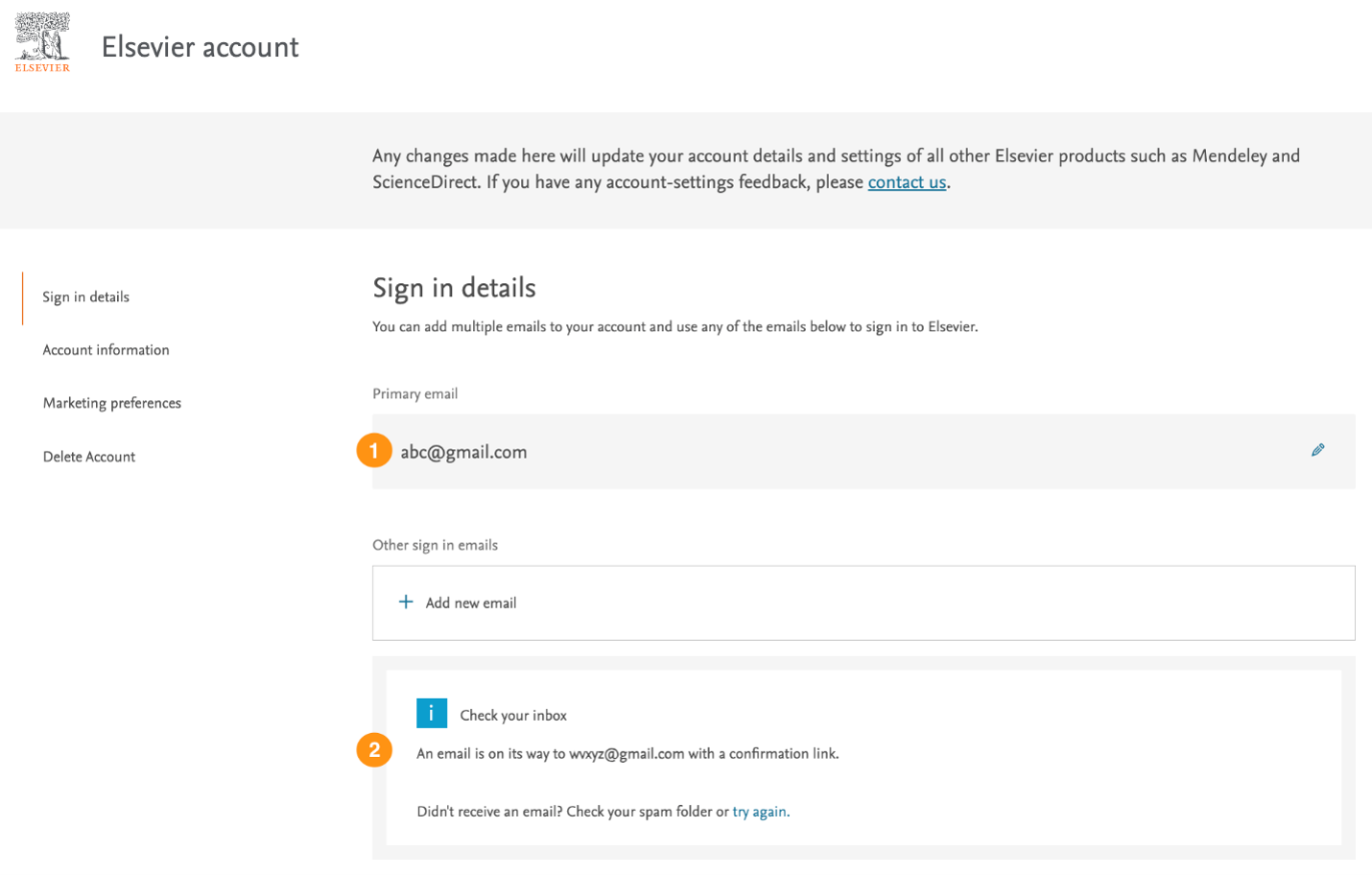
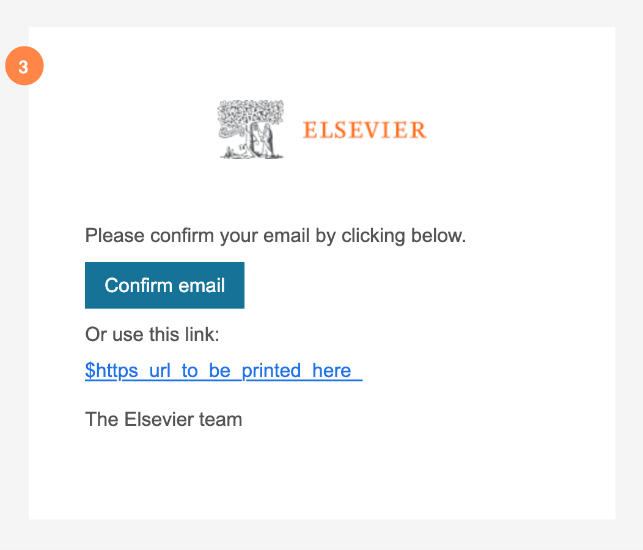
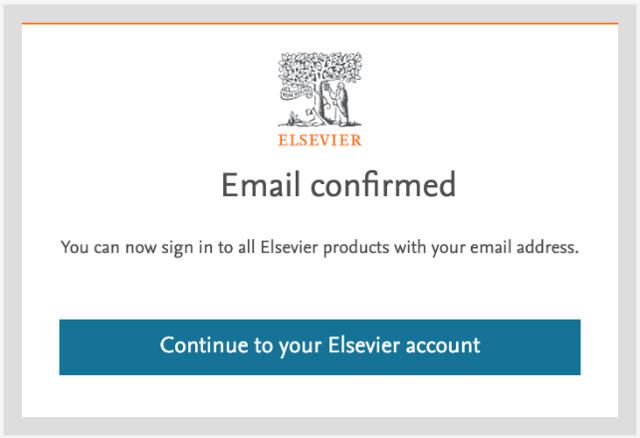
Because both addresses belong to the same account, you can sign in with either email address using the same password. Your personalization stays with your account, so regardless of which email address you use to sign in, you will still find your personal information (saved searches, references, etc.) for each Elsevier product.
Please make sure you check your Spam/Junk folder. Elsevier Identity emails are, on many occasions, routed there.
You can resend the email by selecting Try again on your account settings page (Elsevier Account Settingsopens in new tab/window).
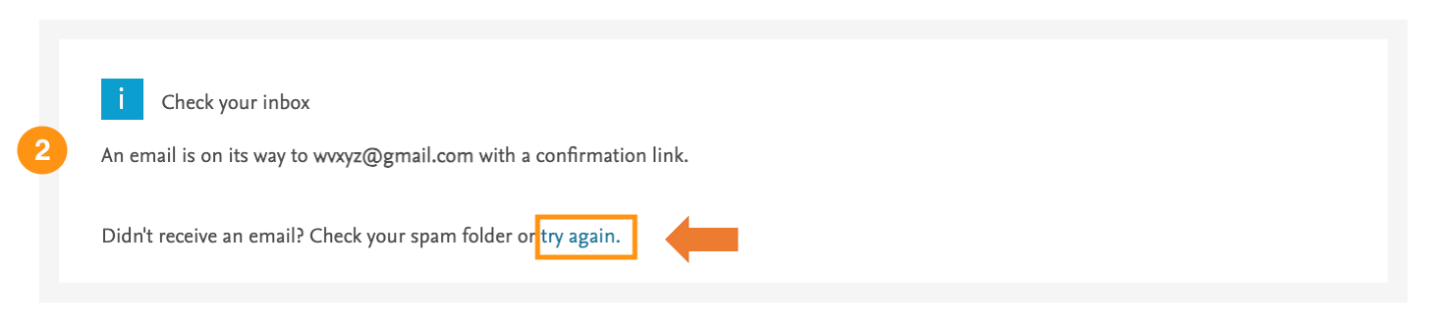
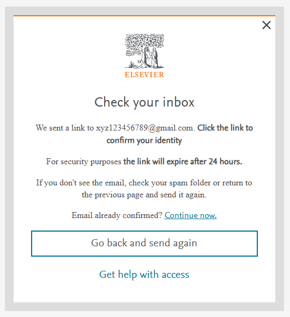
Alternatively, you can resend the verification email in the Check your inbox screen by selecting the Go back and send again button.
If you are asked to verify your email and do not do so, you will be asked again each time you sign in until your email is verified.
Important: You will not be able to complete the sign-in process until your email is verified.
If you still do not receive your verification email, it may be because your organization's systems are blocking Elsevier Identity emails. Your IT department can help by whitelisting [email protected].
If you no longer have access to your email inbox and have forgotten your password, you will not be able to verify your email address. In this case, you can create a new account via the Register button under any of the Elsevier products.
Did we answer your question?
Recently viewed answers
Functionality disabled due to your cookie preferences