
View by category
I rejected the APC in error, is there a way I can reverse my rejection decision?
Last updated on May 18, 2026
If you rejected the APC in error or need to reverse your rejection, there is an Undo Rejection option that is shown on the modal with the details of the APC. Simply click on Undo Rejection and the rejection will be reversed.
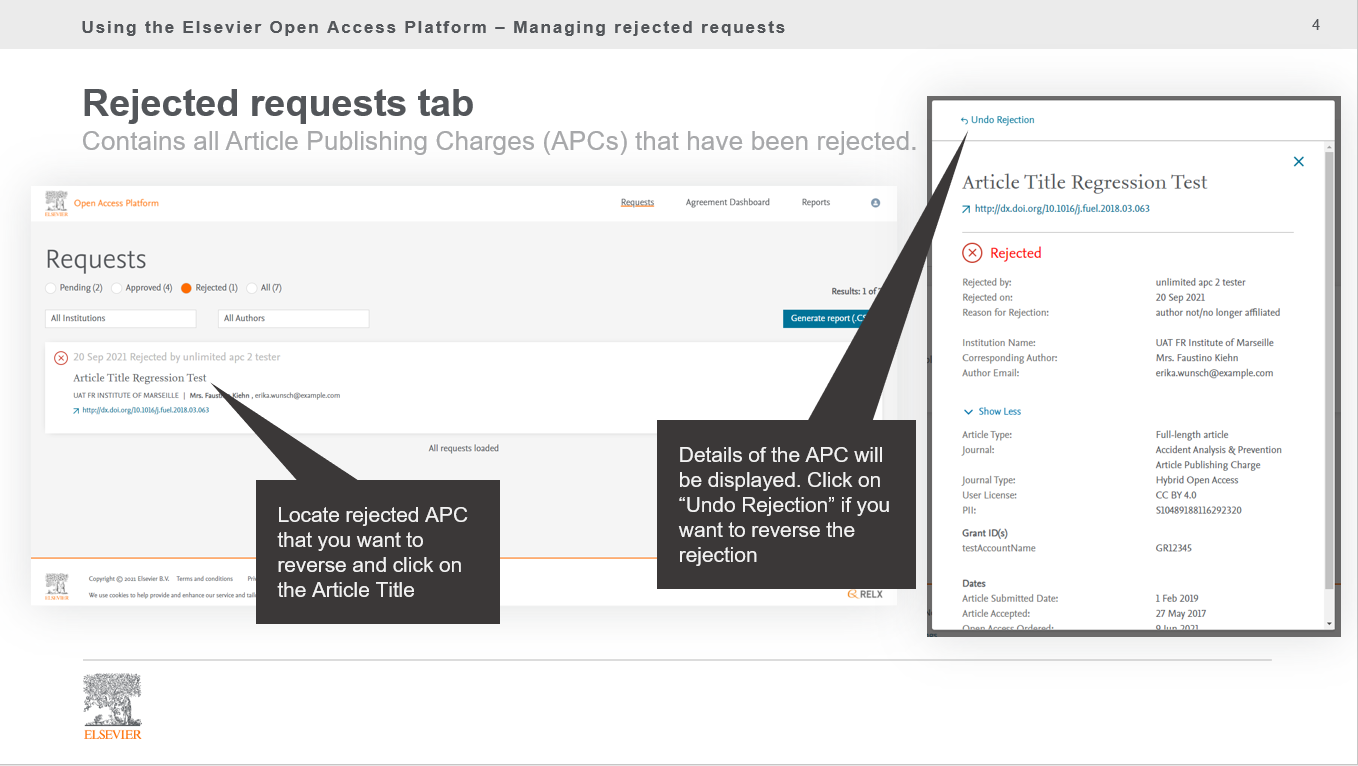
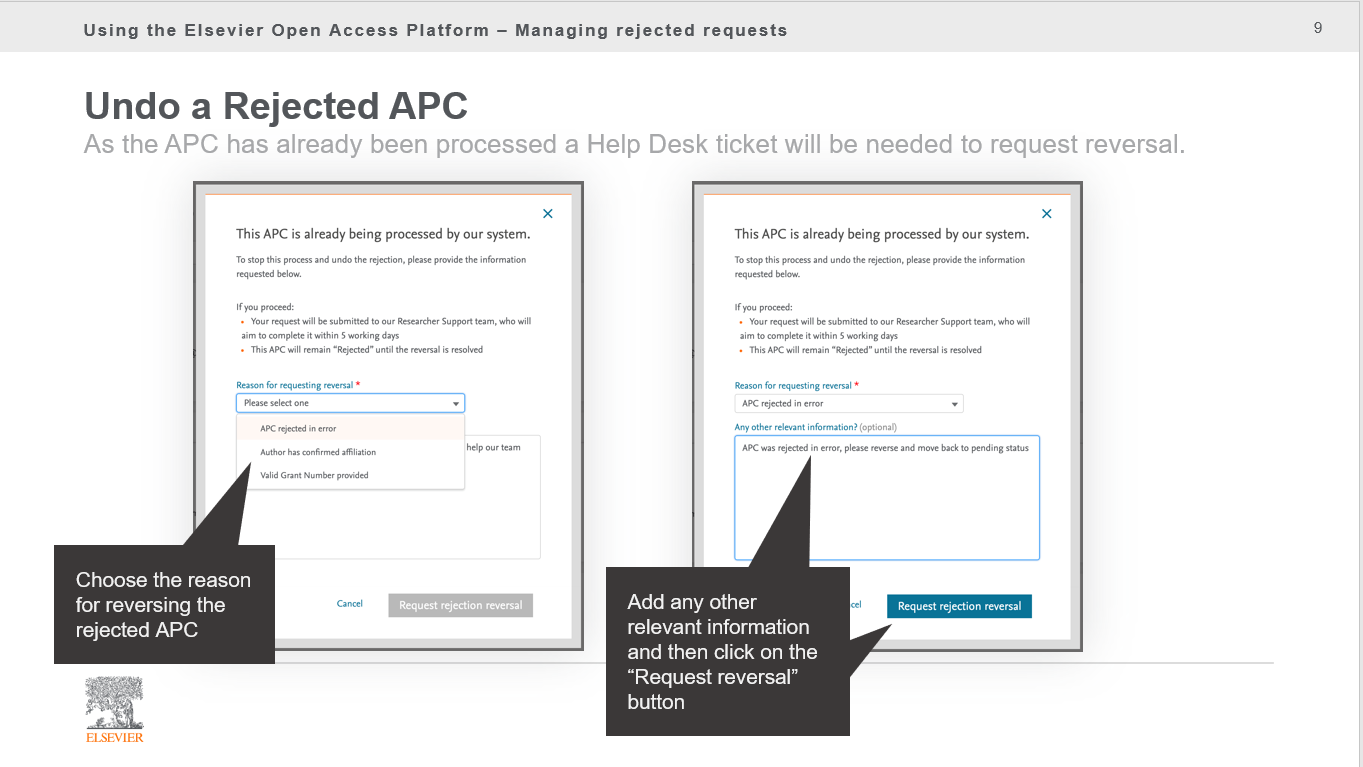
If the APC has not been processed, it will be moved back to the Pending tab and you can action it. If it has been processed the system will raise a helpdesk ticket that will be routed to Researcher Support to action
Did we answer your question?
Related answers
Recently viewed answers
Functionality disabled due to your cookie preferences