
View by category
How do I take a screenshot from within Complete HeartX?
Last updated on March 18, 2026
To take a screenshot, press the ‘Crown’ and ‘Left’ buttons simultaneously:
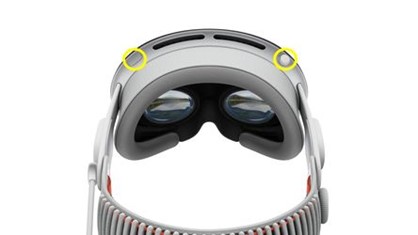
Your screenshot will be saved in the Photos app.
Did we answer your question?
Recently viewed answers
Functionality disabled due to your cookie preferences