
How do I work with affiliation search results?
Last updated on August 15, 2024
Once you have run an affiliation search, you will see a results page with various options for interacting with it.
How
Click on a relevant area of the document search results below to see the relevant section, or browse each topic below.
| |
|
|
| |
| |




Search results toolbar
Click on a section below to view its contents
About Scopus Affiliation Identifier
The Affiliation Identifier distinguishes between affiliations by assigning each affiliation in Scopus a unique number and grouping together all of the documents affiliated with an organization.
This feature is useful for distinguishing between institutions or departments that have the same name such as the Department of Physics, or when the same department has been cited differently.
For example, the same department could appear in a document affiliation as Dept. of Genetics; in another as Department of Genetics; and in another as Genetics Department. Scopus Affiliation Identifier matches the documents from a single organization even if the organization is cited differently.
For furher information, please see How do I use the Affiliation Identifier?
Click ‘Edit’ to return to the Affiliation search page to edit your search terms.
For more information, see How do I search for an affiliation?
Sorting options
Click on a section below to view its contents
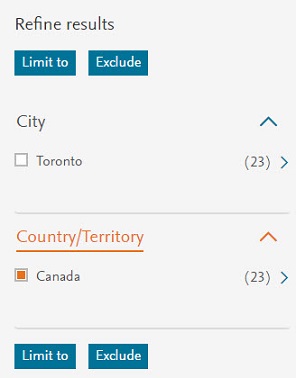
Scopus provides the option to refine your list of affiliation search results and provides options to limit the results list according to more specific categories.
For an affiliation search results list, you can refine the results based on:
- City
- Country/Territory
For more information, see How do I filter and refine my search results?
Affiliation search results are sorted by the number of documents, highest number of documents first.
To sort them by different criteria, click one of the other ‘Sort on’ links at the top of the results list.
- Sorting applies to the entire set of results.
- The sorting option you choose will remain selected for future, signed in sessions, until you change it.
Document Count
- Document count (ascending)- Results are sorted in ascending order of the highest document publication count first.
- Document count (descending)- Results are sorted in descending order of the lowest document publication count first.
Affiliation
- Affiliation (A-Z)- Results are sorted by affiliation name in alphabetical order from A-Z.
City
- City (A-Z)- Results are sorted by city name in alphabetical order from A-Z.
Country/Territory
- Country/Territory (A-Z)- Results are sorted by Country/Territory name in alphabetical order from A-Z.
Affiliation results functions
Click on a section below to view its contents
Use ‘Show all documents’ to display a documents results list for a selected affiliation or affiliations.
- Select an affiliation or multiple affiliations.
- Click ‘Show all documents’. A results list opens listing all documents published for the selected affiliation or affiliations.
Click ‘Give feedback’ to use the Scopus contact form to provide feedback regarding a search results list for an affiliation search.
Affiliation information
The following information and links are available for each item listed on a search results page:
|
|
|---|---|
Affiliation name |
Click on an affiliation name to open the Affiliation details page. |
Find related affiliations |
Click this option to review a list of all related affiliations for this search result item. From this list, you have the option to view a results list of documents associated with the affiliation listed in your search results, plus those from the related affiliations. Also, if a related affiliation has a Scopus Affiliation details page, you have the option to access the page from this list. |
Document count |
This is the number of documents that an affiliation has published. Click on the document number to view a result list of documents published by the affiliation. |
City |
This is the city of residence for the affiliation. |
Country/Territory |
This is the country or territory of residence for the affiliation. |
Did we answer your question?
Related answers
Recently viewed answers
Functionality disabled due to your cookie preferences