
How to Stop Your Osmosis Subscription from Auto-Renewing
Last updated on October 13, 2025
Also available in
If you need to cancel your paid Osmosis subscription and stop it from automatically renewing, follow these simple steps:
Canceling Your Subscription
Visit Your Billing Page: Go to your Billing pageopens in new tab/window.
Click on "Cancel Membership": Select the option to cancel your membership.
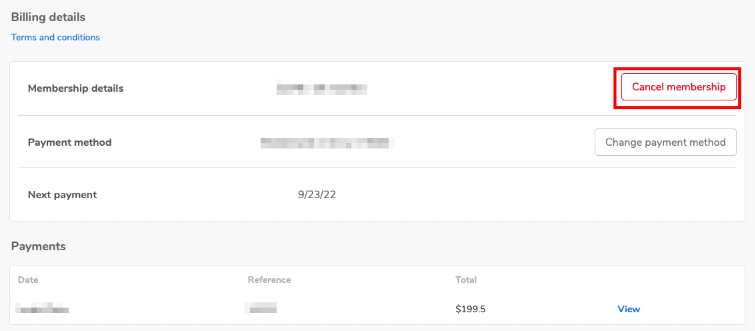
This action will prevent your subscription from auto-renewing at the end of its current term. You will still have access to your paid Osmosis features until the end of your billing period.
Will I Be Charged If I Cancel?
You will not incur any further membership charges unless you reactivate your account. If you cancel with time remaining in your billing period, you can continue using your subscription until that time runs out.
Can I Get a Refund?
For information regarding refunds upon cancellation, please refer to our Refund/Cancellation Policyopens in new tab/window.
Canceling Your Osmosis Account
If you would like to completely cancel your Osmosis account, please email us at [email protected]opens in new tab/window, and we will assist you with the cancellation process.
If you have any questions or encounter any issues, please feel free to contact us at [email protected]. We're here to assist you!
Did we answer your question?
Recently viewed answers
Functionality disabled due to your cookie preferences