
View by category
Video availability and placement can vary by eBook. If your eBook includes videos, you may find them in one or more of the following locations:
- Within the book: Some videos are embedded throughout the eBook and can be accessed directly from the relevant chapter or section.
Ex.
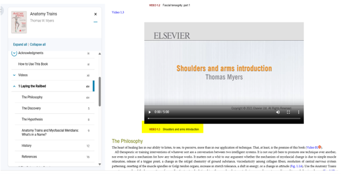
- In a dedicated video chapter: Some eBooks include a separate chapter or section that contains the available videos. You can find it through the Table of Contents.
Ex.
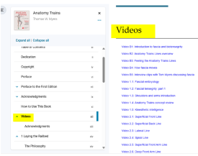
- Through a separate video link: Some videos are provided through a self-contained link. Check the eBook's Table of Contents, introductory pages, or relevant chapter for the video link.
Ex.
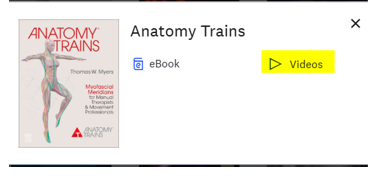
How do I access a video?
Open the eBook and navigate to the chapter or section where the video is referenced. Select the video or video link to begin streaming it. Videos are streaming only and cannot be downloaded for offline viewing.
I can't find the videos. What should I do?
If your eBook is expected to include videos but you cannot locate them:
- Check the Table of Contents for a dedicated video chapter or section.
- Review the relevant chapters for embedded video links or video icons.
- Check the beginning or introductory pages of the eBook for information about supplemental content.
- Make sure you are accessing the correct edition of the eBook, as multimedia content may vary between editions.
- If you still cannot locate the videos, contact eBooks+ Support and provide the book title, edition, and ISBN so we can check whether videos are included with your title.
Please note: Not every eBook includes videos. Video availability depends on the specific title and edition.
Did we answer your question?
Related answers
Recently viewed answers
Functionality disabled due to your cookie preferences