
Generative AI Reading Assistant
Last updated on October 13, 2025
The integrated generative AI (GenAI) feature on JBS is an artificial intelligence solution designed to assist researchers in navigating through vast amounts of scientific literature efficiently and effectively.
Getting Started with the Reading Assistant
The Reading Assistant feature helps researchers quickly and efficiently find important information by querying individual articles and providing real-time responses based on the content of that specific content.
Ask your questions in your own language or use one of the suggested questions to get started and ask follow-up questions to deepen your knowledge.
Get Started
The Reading Assistant is available with a ScienceDirect AI license and with your access to full text articles.
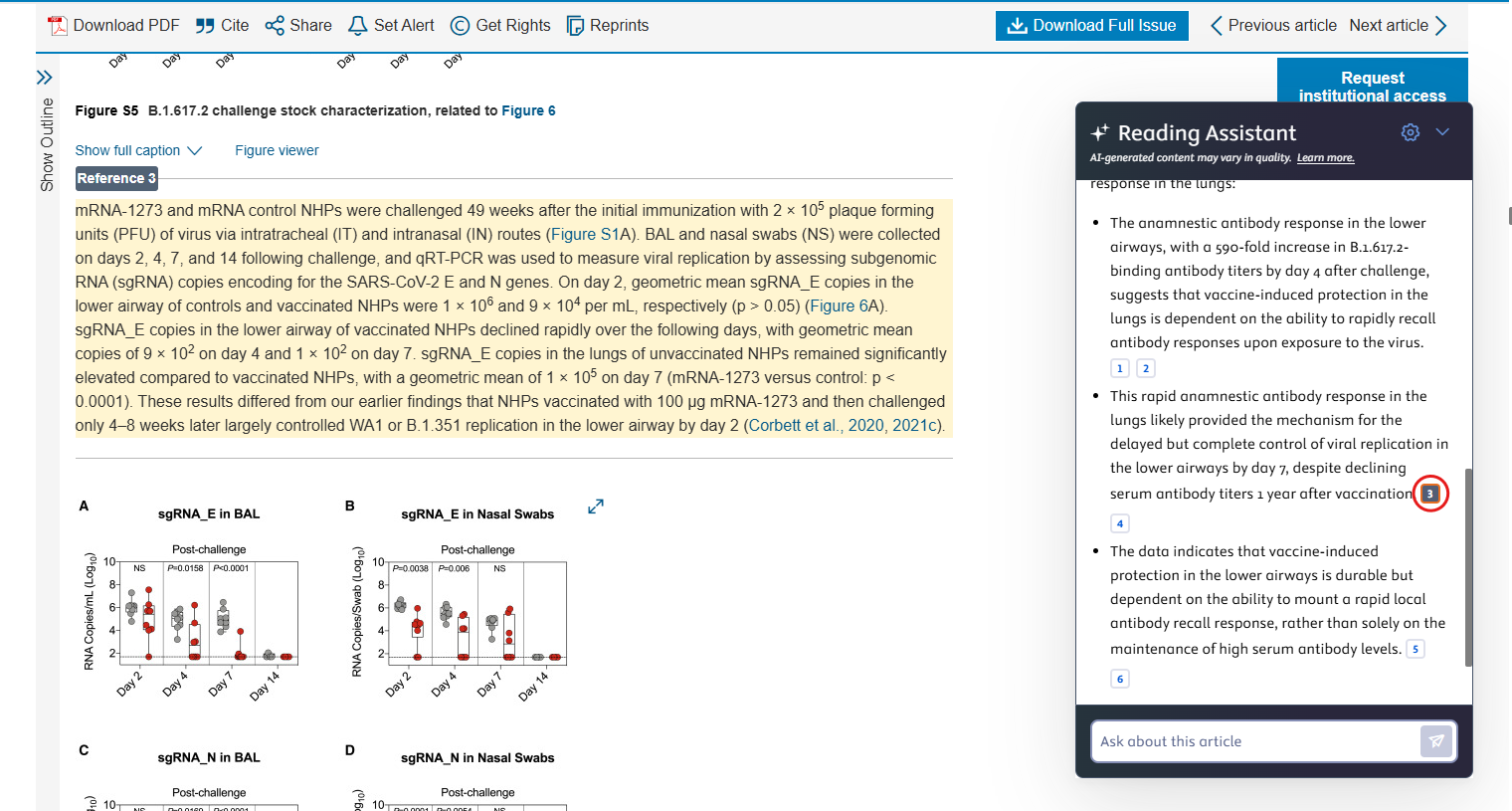
The responses provided by the Reading Assistant includes one or more in-text references to support the claims made. Select the references to highlight the used information snippets in the article text.
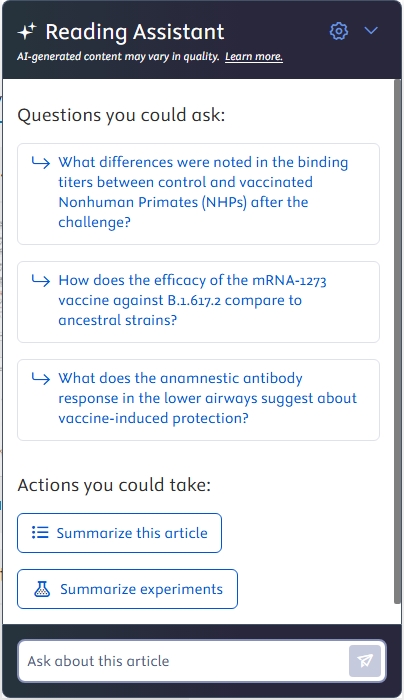
To help you start using the tool and deepen your queries, up to three suggested research questions are provided from the full-text article. Select a question to get an instant answer.
If an article contains experiments, the 'Summarize Experiments' button will appear at the top of the feature under ‘Actions you could take’ section. Clicking it will generate a summary of all experiments discussed in the article, highlighting key aspects such as the goal, methods, results, etc.
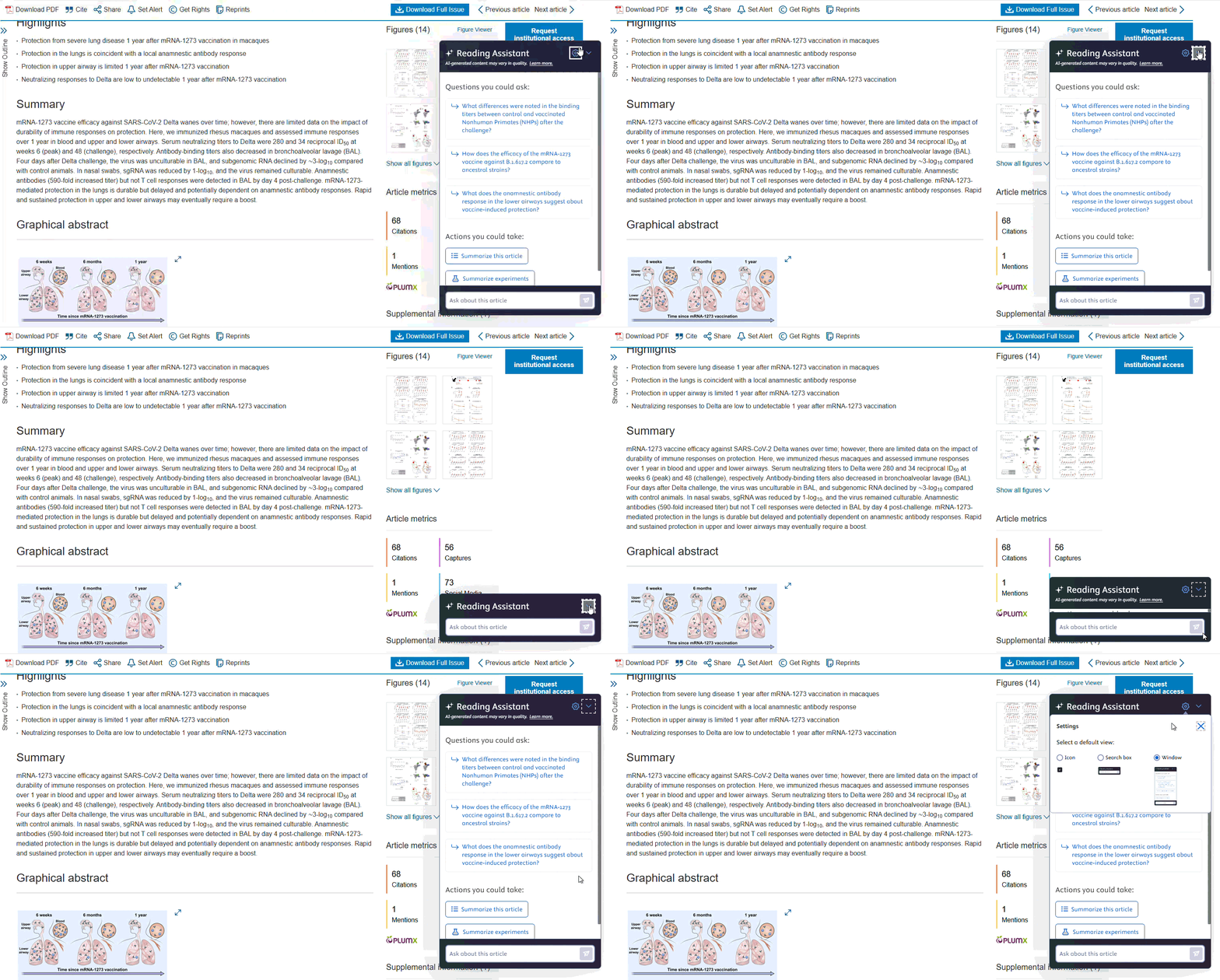
To minimize the Reading Assistant for one time, select the arrow down at the top right of the app or press Esc. To minimize the Reading Assistant for all future sessions as well, select the gear icon at the top and select your default view.
Technical details
The generated responses are AI-powered and are based solely on the content of the document. Responses are designed to be concise and relevant summaries, directly extracted from the content, to enhance accuracy and reliability.
For each submitted query, we generate a real-time response making use of the full-text content and a Large Language Model (LLM).
Limitations
- Each submitted query has a 500-character limit
- No support for providing responses based on any other content that is not text from documents, author names or formulas, such as: tables, images, supplementary materials, journal information, etc.
Troubleshooting
- Expired session: A session expires after 120 minutes of idle time. If a session expires, you will not be able to interact with the tool and new submitted queries will result in an error message. Refresh the page to start a new session, the previous queries will be removed.
- No suggested questions: Some articles might not display Suggested Questions for various reasons. For example, the article might be new (a few months old) and has not yet been included in our pipeline for generating questions, or we could not generate questions that are informative enough to benefit your interaction.
- Some articles might be too large for the Reading Assistant to handle. In such cases, an error may appear even after refreshing the page. If this happens, we recommend trying another article for a smoother experience.
Did we answer your question?
Related answers
Recently viewed answers
Functionality disabled due to your cookie preferences