
View by category
Why can’t I login to the Elsevier Ordering Platform?
Last updated on May 21, 2024
If you are migrated to the platform, you will have received a Welcome email from the system (from [email protected]), including a link to your store.
Clicking on this link will direct you to the landing page of the ordering platform:
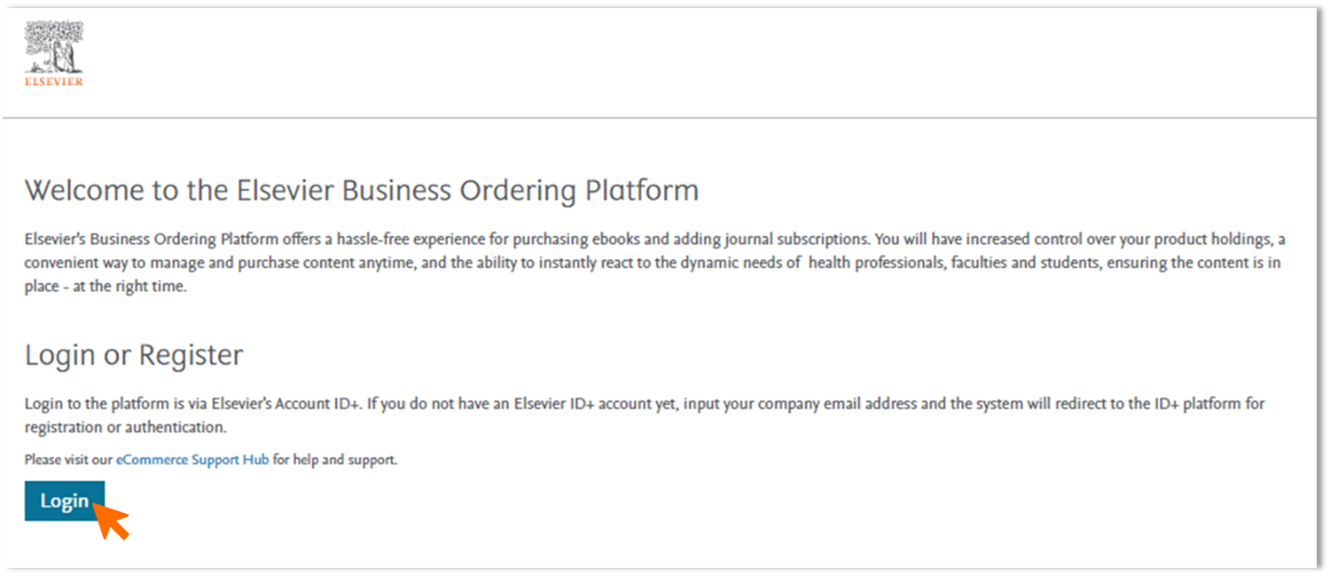
Click the ‘Login’ button which will get you to our ID+ authentication login. From here, there are two scenarios:
- You already have an Elsevier / ID+ account
- You do not have an Elsevier / ID+ account
If you still can’t access the platform after following the steps below, please contact Customer Service via the email option found at the bottom of this page.
If you are already ID+ registered and you still cannot login, please check the following:
- Your credentials: the email you have used may not match with your company email address stored on the Elsevier Business Ordering Platform
- Check for any typos
- Clear your cookies:
- Edge: Press ALT+CMD+E . This will bring up edge://settings/clearBrowserData
- Chrome: //settings/clearBrowserData
- Safari: ALT+CMD+E
- FireFox: Ctrl+Shift+Del
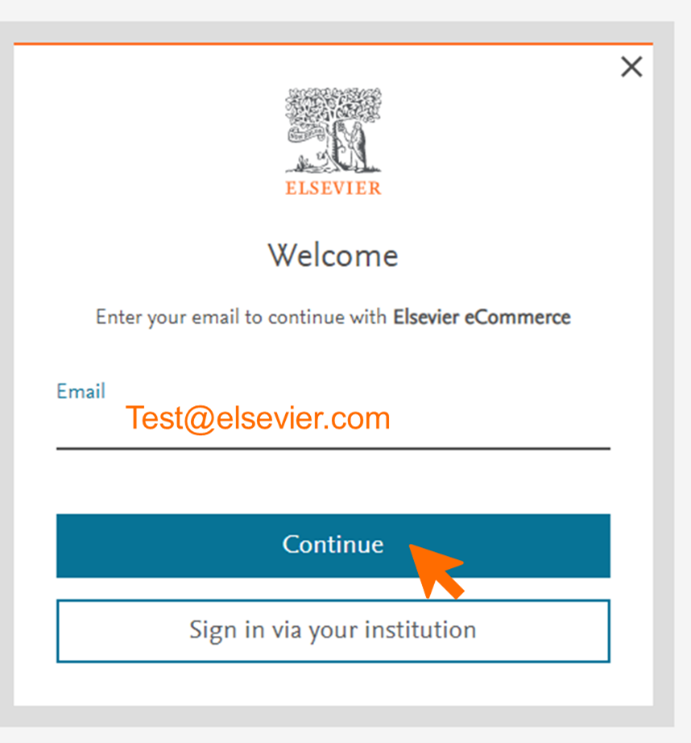
- If you do not have an Elsevier ID+ account yet, input your company email address in the screen below and click ‘Continue’.
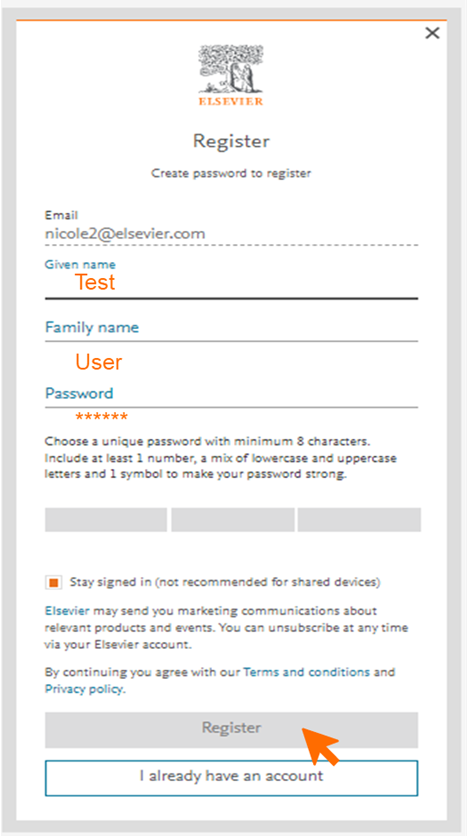
- This will take you to the account registering page. Please complete the registration form. You will only have to do this once. Click ‘register’ to complete your registration.
- After registering you will see the ‘Welcome to Elsevier account’ screen and receive an email confirmation of your new Elsevier / ID+ account.
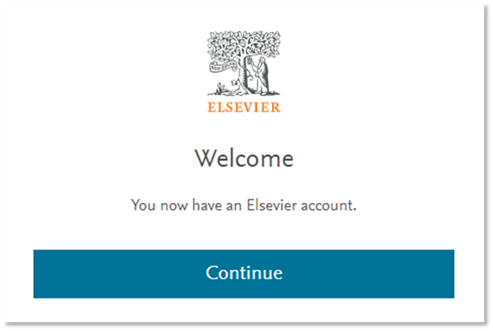
- You should now have access to your store.
Did we answer your question?
Recently viewed answers
Functionality disabled due to your cookie preferences