
How do I sign in to Elsevier Admin Console?
Last updated on August 03, 2026
Overview
The Elsevier Admin Console allows institutional administrators to manage access settings, view usage data, configure authentication methods, and support their users effectively.
This guide will help you sign in smoothly and understand the requirements needed before accessing the portal.
Prerequisites
Before signing in, ensure the following:
- You have an active Elsevier account associated with your institution’s subscription.
- Your email address is registered with administrator access in the Admin Console.
- You are using a supported browser (Chrome, Firefox, Edge, or Safari).
- Your institution’s network/firewall settings allow access to:
- https://adminconsole.elsevier.com/
- https://auth.elsevier.com/
If you're unsure whether your email has Admin Console access, contact your institution’s administrator or Elsevier Support.
Step 1: Go to the Admin Console Site
- Open your browser and navigate to:
https://adminconsole.elsevier.com/ Click Get started to proceed to the sign-in page.

Step 2: Enter Your Email
- On the sign-in screen, type the email address linked to your Elsevier administrator account.
- Click Sign in
- Enter your Password
Click Continue.
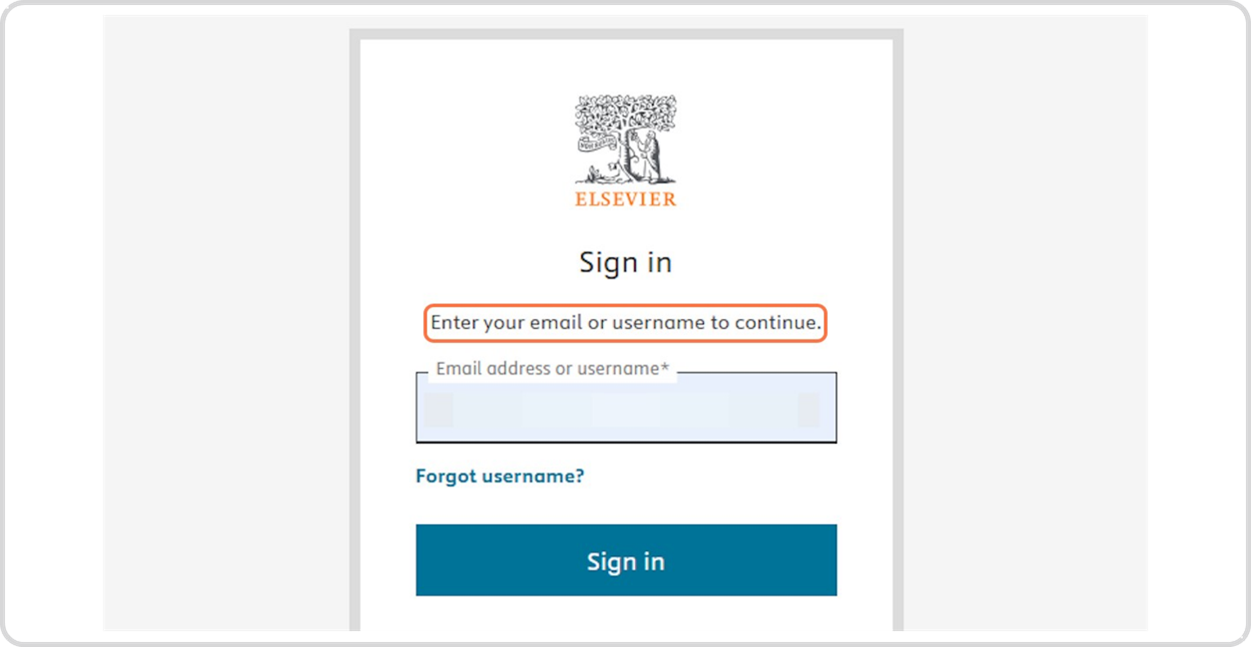
Once successfully authenticated, you will be redirected to your Admin Console dashboard.
If You Forgot Your Password
If you’re unable to sign in because you forgot your password, you can reset it by following these steps:
- Go to the Admin Console site:
https://adminconsole.elsevier.com/ - Enter your email address.
- Click Forgot password.
A password reset link will be sent to the email associated with your account. Click the link in the email to complete the reset process.
After signing in, you can:
- Manage user authentication methods (e.g., SSO, IP ranges)
- View institutional usage reports
- Update organization details
- Invite or manage administrators
- Review entitlements and subscriptions
If you're new to the Admin Console, we recommend exploring the dashboard menus or referring to our additional KB articles for configuration guidance.
Troubleshooting & Getting Help
If you encounter issues signing in:
- Ensure your credentials are correct
- Try using an incognito/private window
- Clear your browser cache
- Confirm you have administrator permission
- Verify your account is active
If the issue persists, please contact Elsevier Support and provide:
- Your email address
- Screenshot of the error
- Steps taken before the issue appeared
Did we answer your question?
Related answers
Recently viewed answers
Functionality disabled due to your cookie preferences