
How do I delete an IP range of my organization?
Last updated on June 23, 2025
To delete an IP range of your organization, you should be an account level administrator and must be signed in to Admin Console. Follow the steps below to delete an IP range.
How
Click on ‘IP addresses’ under the Manage access menu.
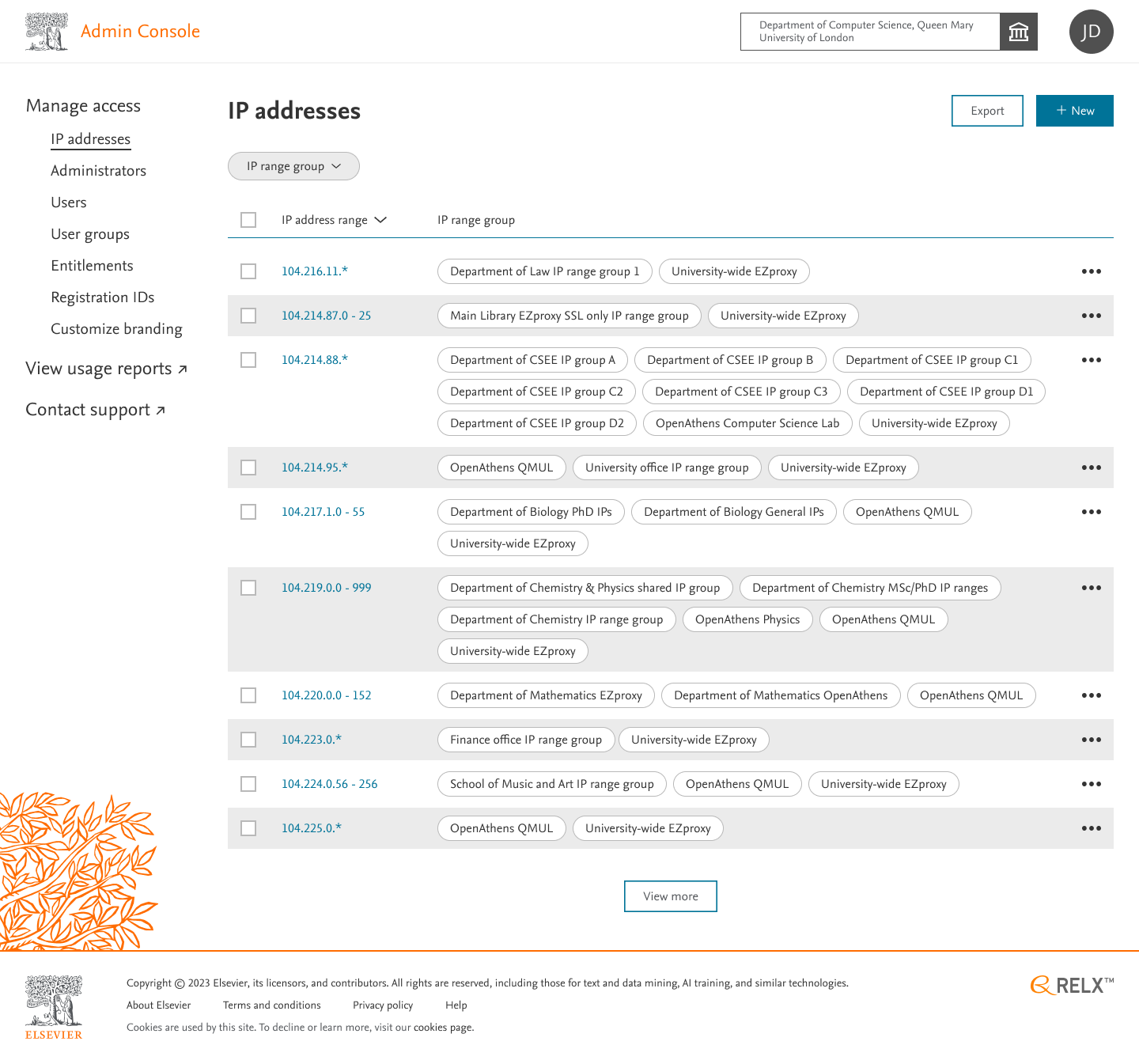
Click on the overflow menu to select one of the desired actions, e.g Delete.
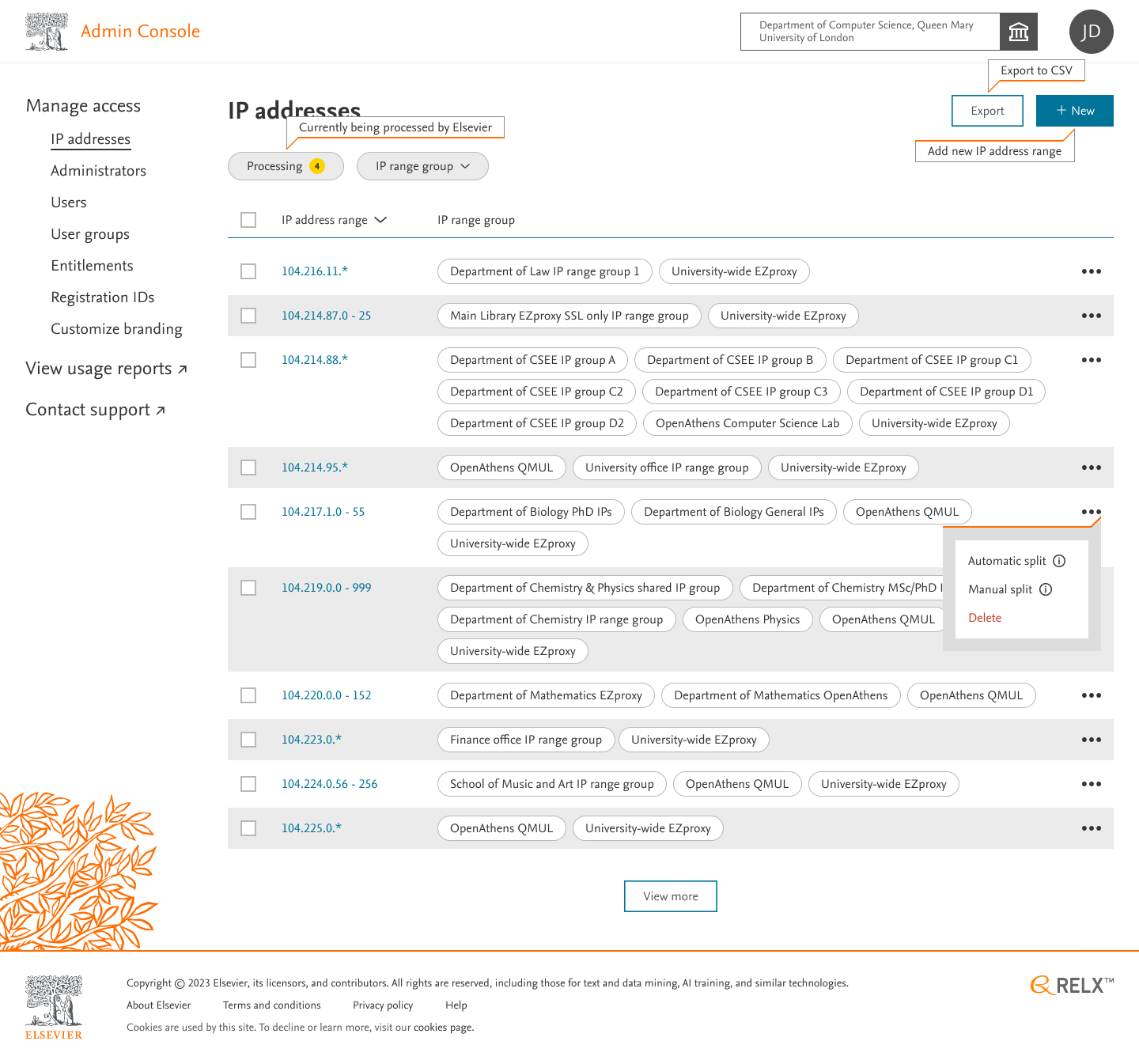
Click on ‘Delete’ to be redirected to a confirmation delete modal. This confirmation modal displays the IP Address range and IP Range Groups.
To proceed, click on ‘Delete’. To go back, click on ‘Cancel’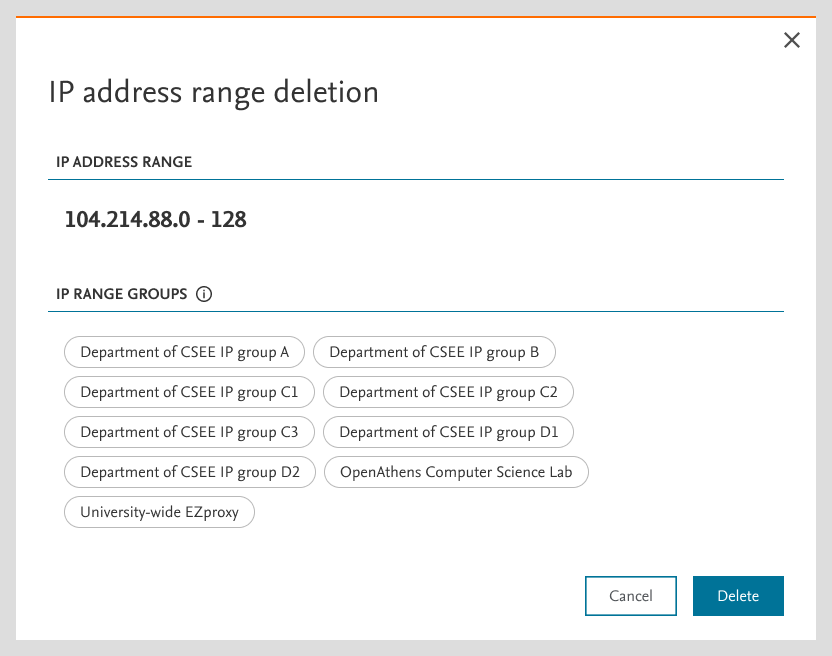
On clicking ‘Delete’ , You’ll be asked for confirmation to proceed.
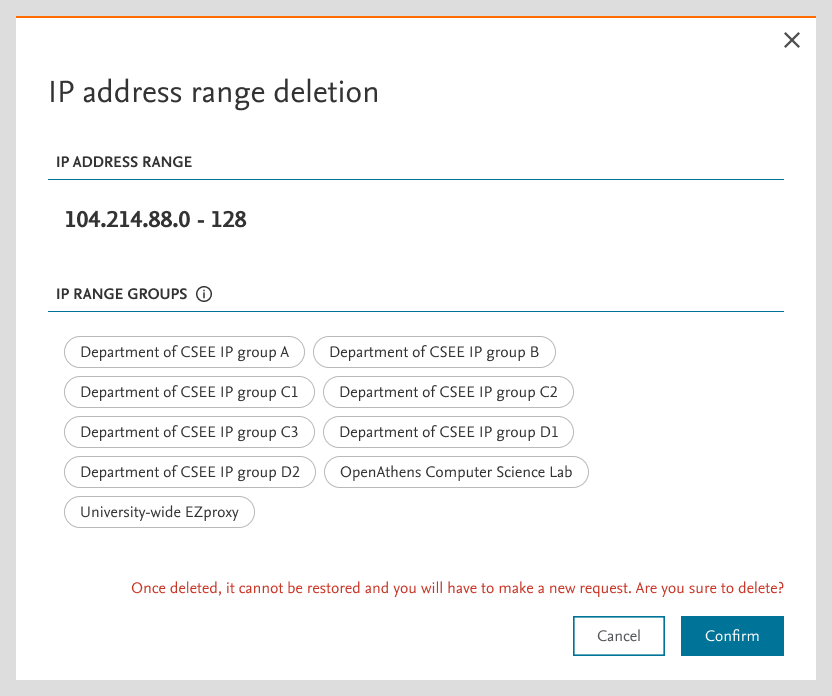
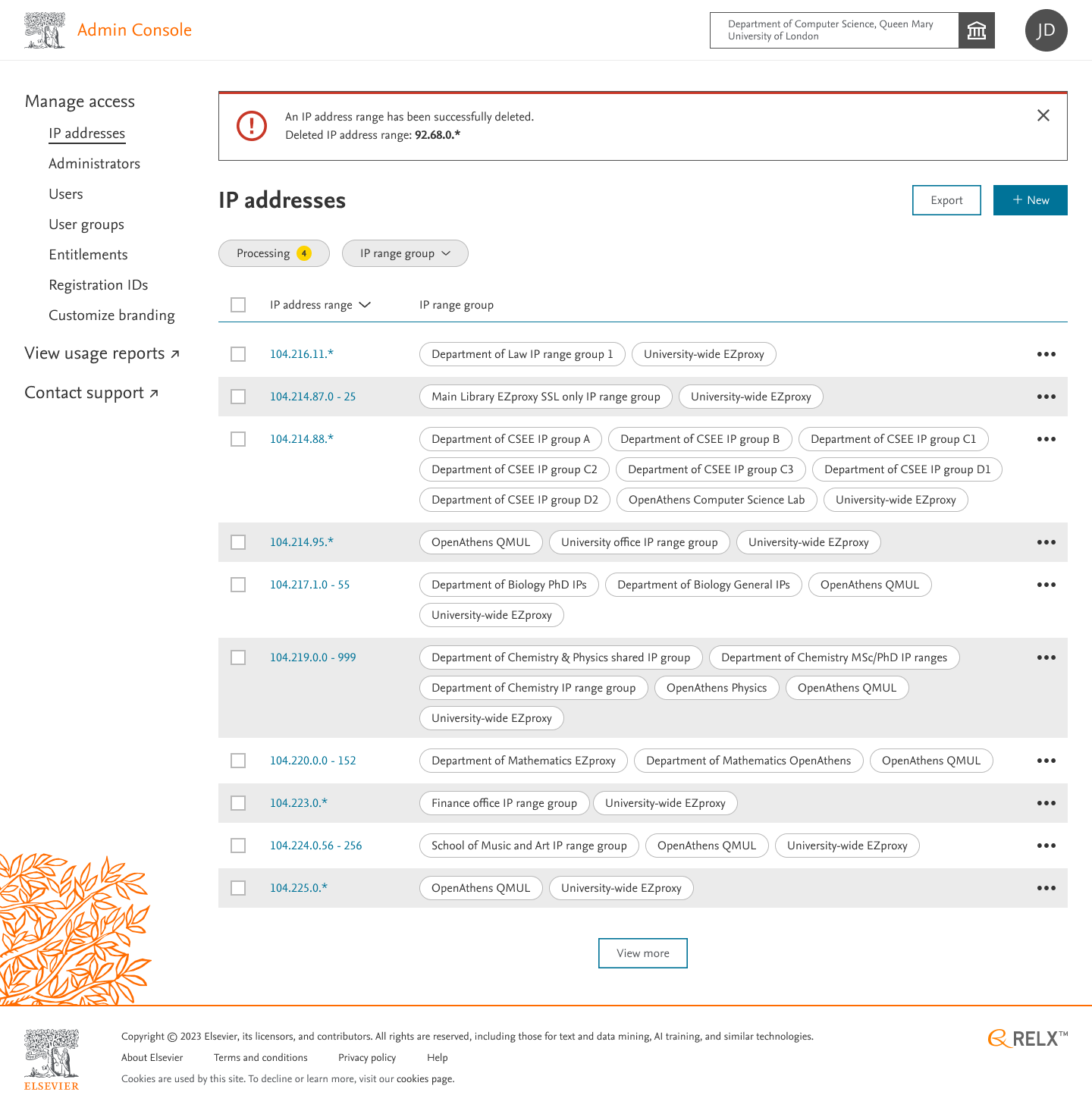
On clicking ‘Confirm’, selected IP ranges will be successfully deleted and a banner message will pop up displaying the confirmation of deletion of IP address range.
Did we answer your question?
Related answers
Recently viewed answers
Functionality disabled due to your cookie preferences