
How can I search for a specific user or a group of users in my organization?
Last updated on July 15, 2024
To search for a specific user or a group of users, you can navigate to the search box on the top of the Users page and also apply filters to refine your search results.
You’ll be able to search for an user using the below search criteria:
- Family Name
- Given Name
- Email Address
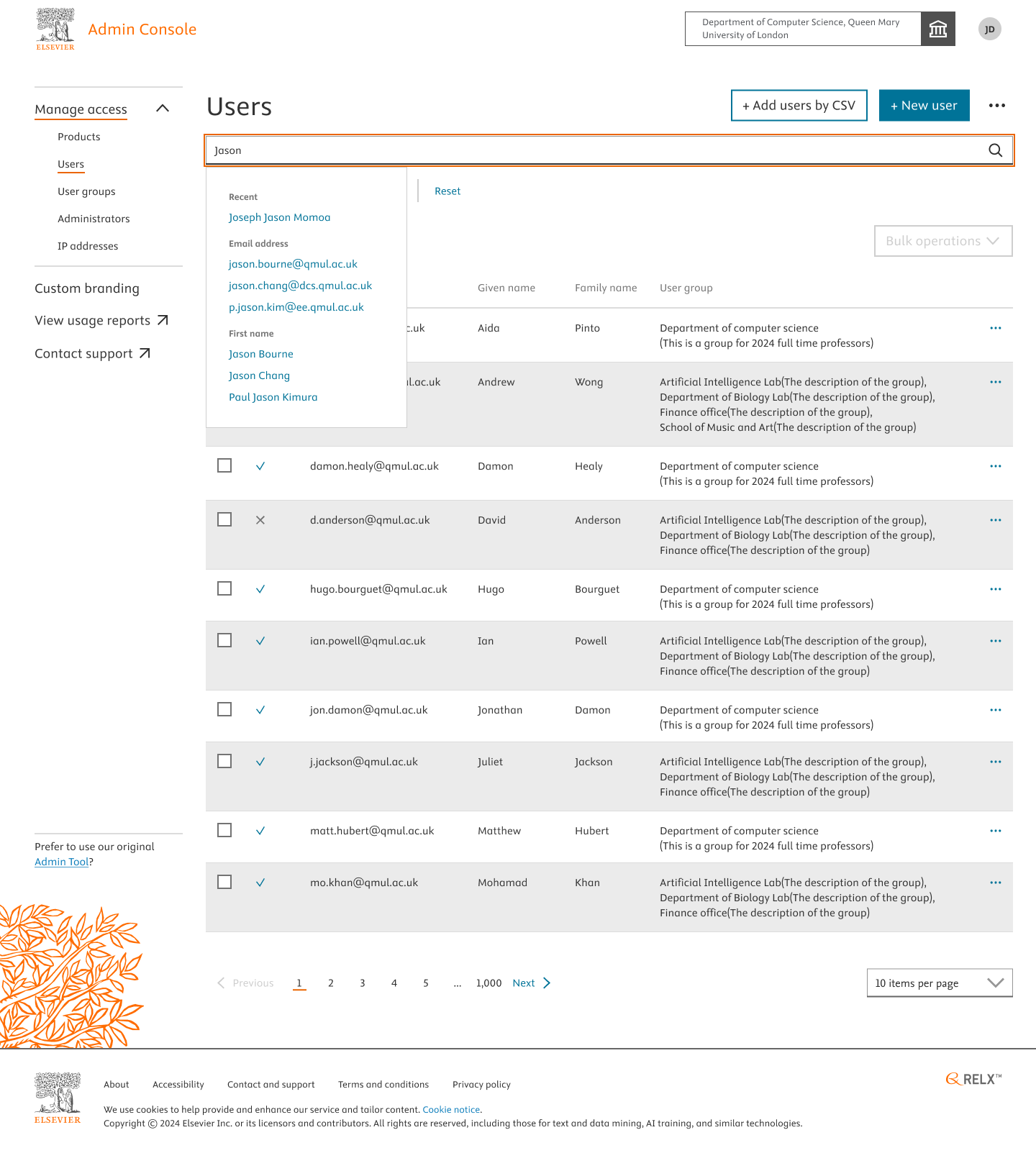
You can also further refine the search results or you use the filters to consolidate and retrieve specific users of a group.
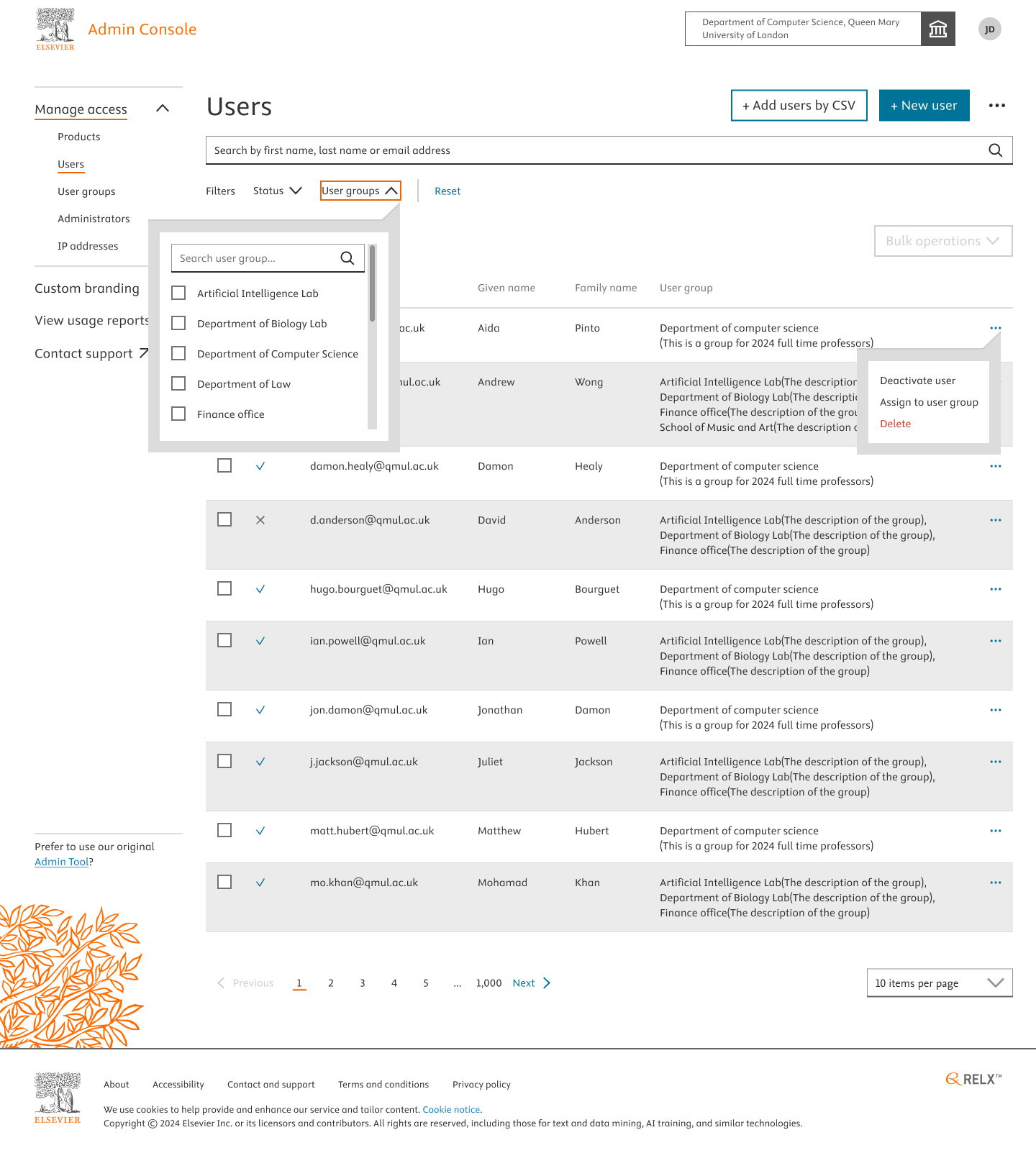
Below are the filters which can be used:
- Filter by Status: You can filter by Active and Inactive users of your organization.
- Filter by User groups: This filter allows you to retrieve the users of a specific group selected.
Did we answer your question?
Related answers
Recently viewed answers
Functionality disabled due to your cookie preferences